
Product development involves multiple departments: R&D, quality, purchasing, production, marketing, and more. Each team needs easy access to information and must be able to track changes. To meet these needs, beCPG offers an approach based on collaborative sites. These sites make teamwork easier to organize and support project management throughout the entire product lifecycle.
What are collaborative sites?
In beCPG, collaborative sites act as shared workspaces where multiple users work together on the same data. Each site brings together products, documents, and projects within a defined scope. Teams store all related items directly in these spaces.
By default, beCPG provides three main types of sites to automatically organize products by status and type:
- The “Products in development” site includes products in simulation, to be validated, or rejected.
- The “Validated products” site groups all products with validated status.
- The “Archived products” site gathers all archived products that are no longer used or marketed.
It is also possible to create additional sites to better organize content and manage access rights. For example, some teams set up separate spaces by country or by product line, depending on how their organization is structured.
See also: Data security through permissions management.
Access to collaborative sites
You can configure each collaborative site based on the roles of its members. The site manager defines which group can read, edit or manage content. This allows fine-tuned access rights based on context. For example, in a “Validated products” site, most users may only have read-only access.
The result: controlled collaboration, with no risk of unwanted modifications.
Content of collaborative sites
Every collaborative site contains several pages dedicated to different functions.
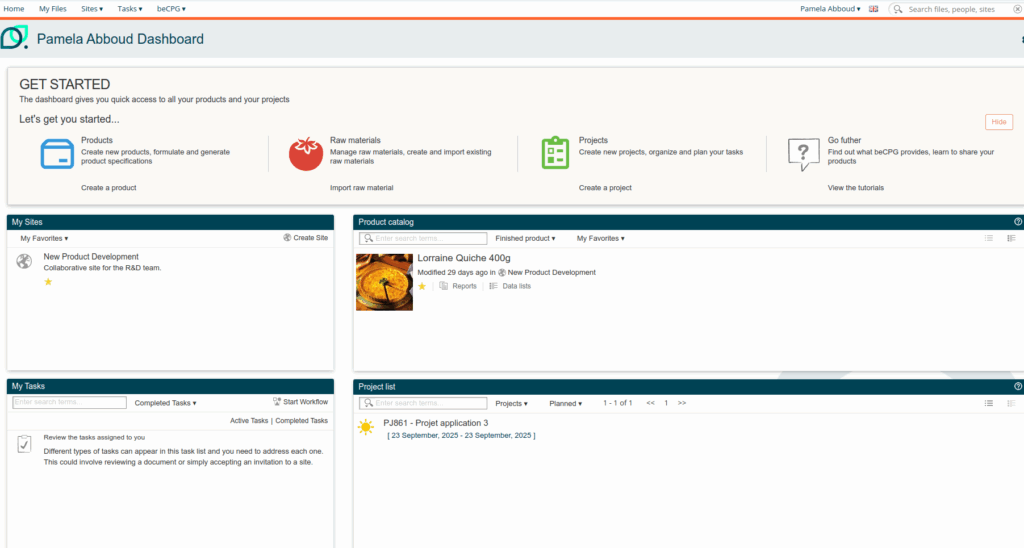
Site dashboard
The site dashboard provides an overview of activities and relevant information. It serves as the starting point to access the site’s various sections and tools.
Users can customize each dashboard to display the most useful information based on the site’s purpose: product development, activities, tasks, and more. This enables users to quickly see ongoing work, pick up where they left off, and collaborate more efficiently without wasting time searching for information.
Document Library
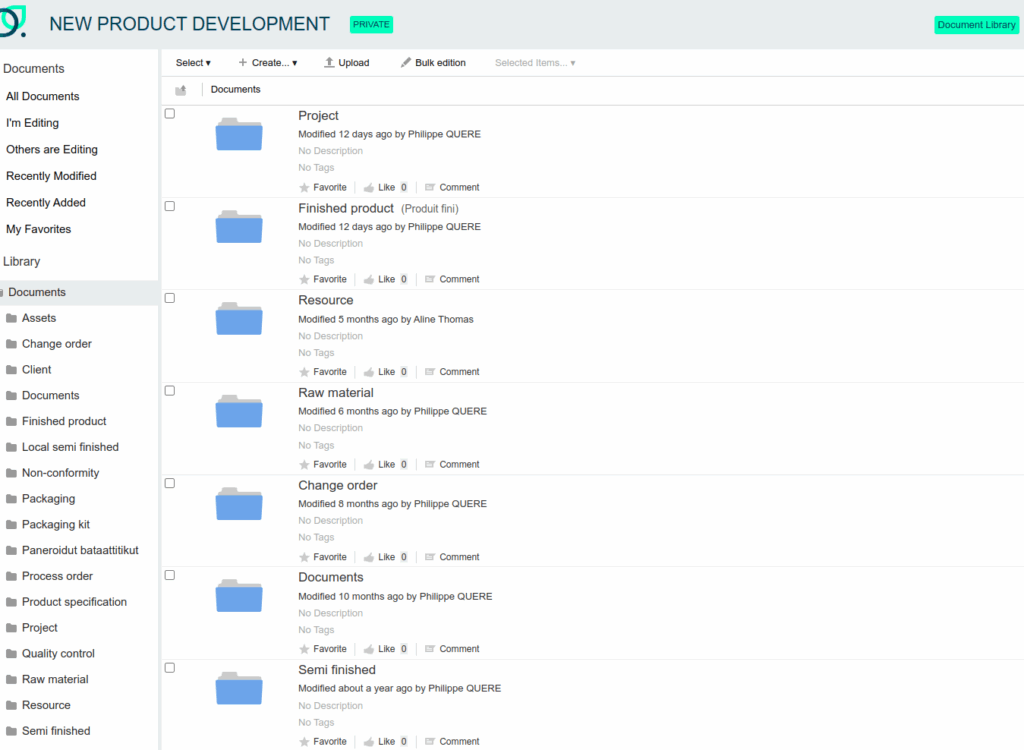
The document library centralizes all products, files, and documents related to the site. It centralizes key information such as product data and technical documents.
Users can view or update the items they need. The system automatically sorts products by type, family and sub-family, which keeps navigation simple and efficient even with a large volume of data.
Project List
The Project Tracking section provides an overview of progress on projects associated with the site. Users can see updates on current projects, track milestones, and check deadlines. This helps ensure projects move forward according to plan. For more details: Project management & workflows.

A complete and customizable product repository
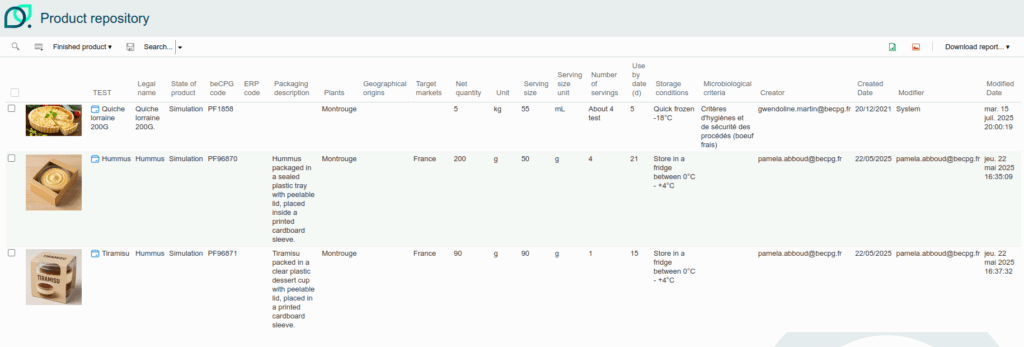
beCPG PLM offers a “product repository” view in the form of a customizable table. Each user can select which columns to display (ERP code, weight, density, status, specifications, etc.) and apply multi-criteria searches to filter results. These searches can be saved as private views or shared with the team.
New products can also be created directly from this interface, and multiple records can be updated at once with the mass editing feature.
Once filters are applied, data can be exported to Excel or PDF for up-to-date reporting.
Discussions (FAQ)
The Discussions section allows site members to communicate directly with each other. They can ask questions, share information, or make a quick update without sending an email.
All discussions remain visible over time, creating a permanent record of exchanges and making it easy to find answers to previously addressed topics. This simplifies daily work and helps everyone stay informed about what’s happening in the team.

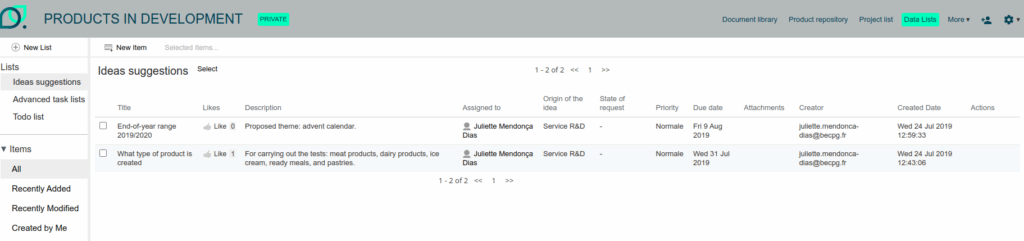
Data lists
Data lists organize information into practical lists. They help structure and manage information effectively, whether for tasks, contacts, recipe ideas, or other needs. This makes it easier to manage key elements and keep track of innovative ideas.
Additional pages to enrich collaboration
Each site can also integrate other useful pages to support teamwork and project management, such as:
- A wiki to document best practices
- A links section to group key resources
- A calendar to track deadlines
- An internal blog to share team or project news
Contact us today to request a demo or a free trial!
