Define rules on folders
Rules can be defined on each folder. Rules can, for example:
- Send an email when content is added/deleted/modified in a folder;
- Start a workflow when content is added to a folder;
- and so on.
To define a rule:
- Go to the directory containing the folder to which a rule has to be added.
- Click "More" and then "Manage rules".
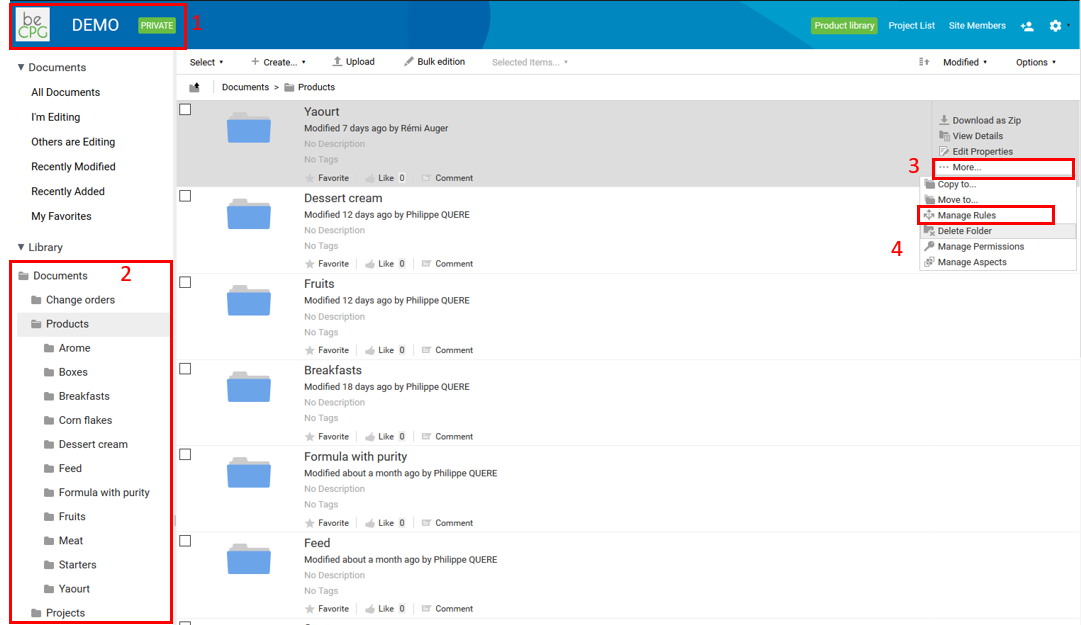
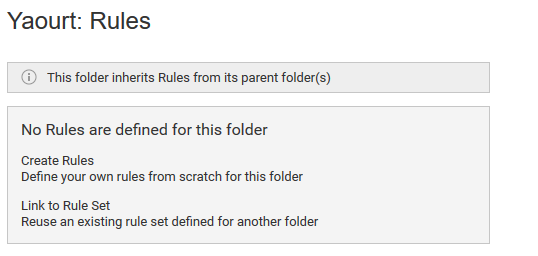
Two cases are possible:
If no rule is associated with the folder, two actions are possible:
- "Create rules": define a rule from scratch on the chosen folder;
- "Link to rule set": reuse an existing set of rules defined for another folder.
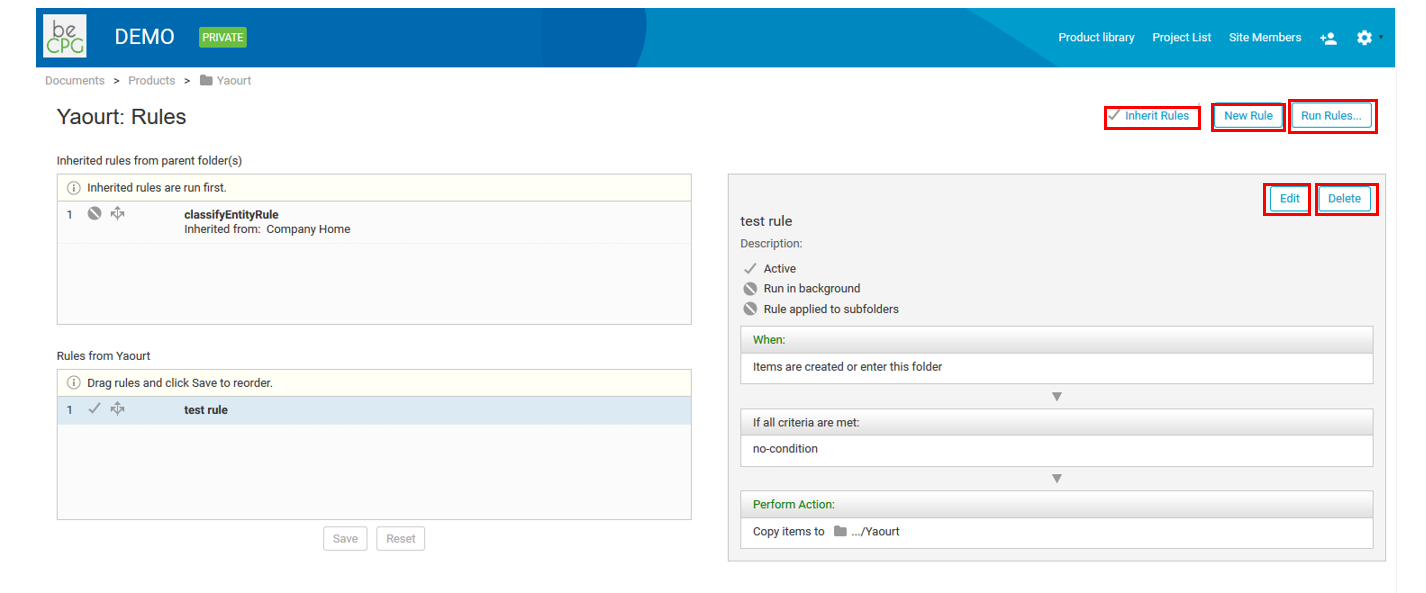
If one or more rules are already associated with the folder, the following actions are possible:
- "Inherit rules": the current folder inherits the rules of its parent folder;
- "New Rule": create a new rule;
- "Run Rules": execute an existing rule;
- "Edit": modify an existing rule;
- "Delete": delete an existing rule.
Creating a new rule
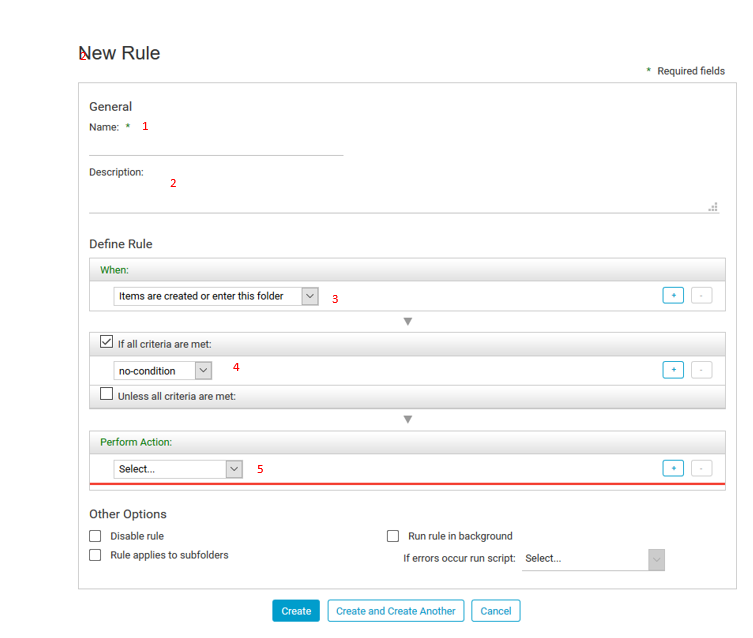
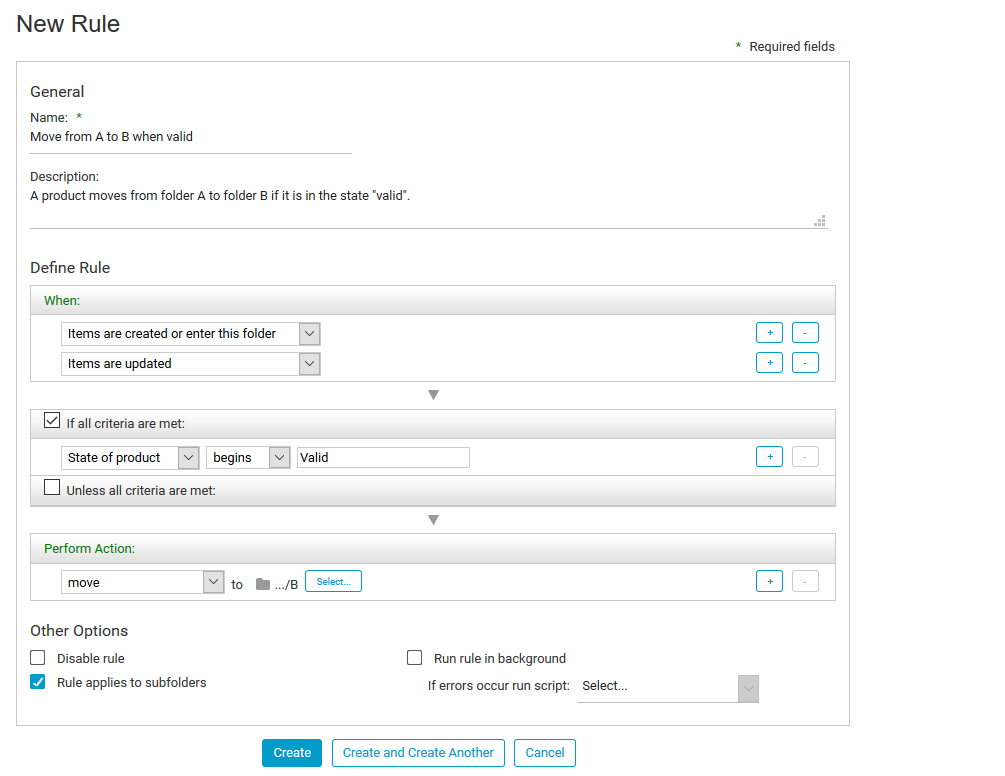
When you click "New rule", a form appears where you fill in:
- The name of the rule (1);
- The description of the rule (2);
- The moment when the action generated by the rule must be executed (3);
- The conditions that have to be met (4);
- The action to trigger (5);
- The action to execute (6).
Note: additional options are available (7):
- "Disable rule": deactivate a rule instead of deleting it (because it could be useful later);
- "Apply rule to subfolders": the rule is then called a "recursive rule". In that case, conditions have to be well defined, otherwise performance could be degraded;
- "Run rule in background".
Finally, click "Create" to save the rule.
Example rule
The following rule moves products from a folder A to a folder B when their state changes from "Simulation" to "Validated".
More details: https://docs.alfresco.com/content-services/latest/
Version management rules
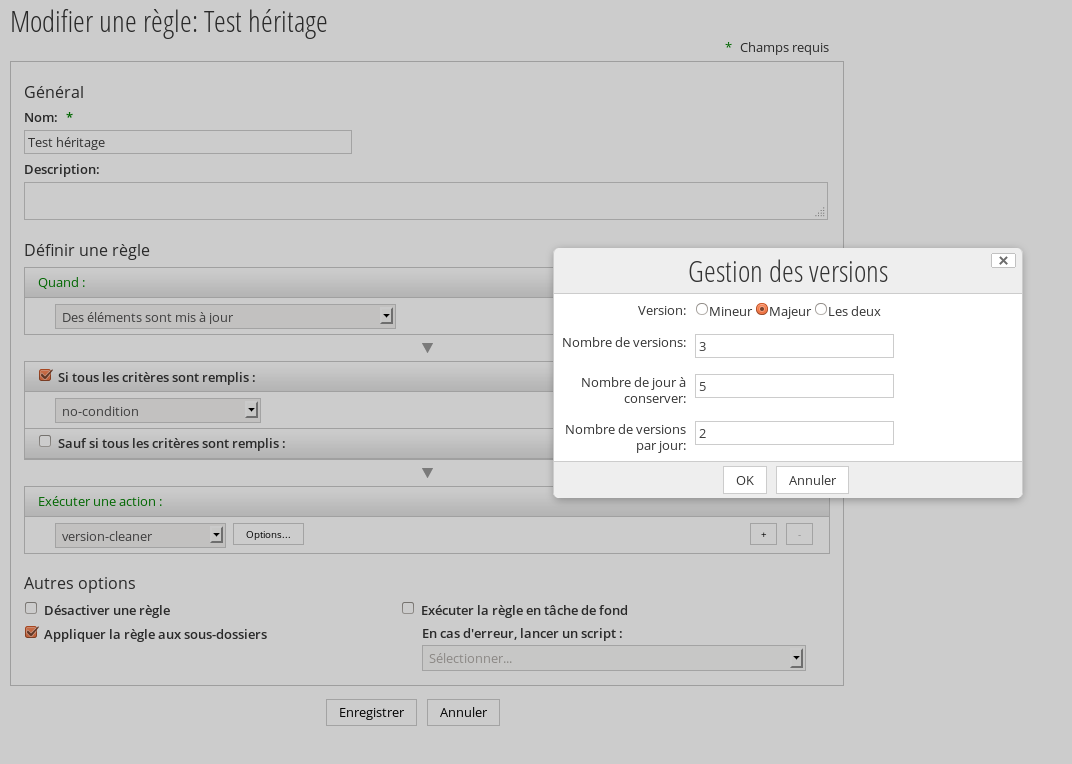
beCPG provides a rule to manage the number of versions of a document. This rule supports inheritance.
The version management action contains the following settings:
    Version: Minor,Major,Both;
    Number of versions: all if empty;
    Number of days to conserve: all if empty;
    Number of versions per day: all if empty;
When several version rules apply (inherited or not), fields are overridden. Example:
    Rule 1 on the ECM (Both, 5 versions max)
    Rule 2 on the Site A (Minor, empty)
    Rule 3 on the Site A (Major, 5 versions max, 1 version per day)
    Rule 4 on the Site B (Major, empty)
Which gives for a document in the site A:
    All the minor versions
    5 versions max, 1 version per day for the major versions
Which gives for a document in the site B:
    All the major versions
    5 minor versions Max
Rules are applied when a document is updated, or manually. Thus, even if the maximum number of days is 2, if the document is not modified, the versions are preserved. If the rule is modified when the document is updated, the new rule is applied on all the document’s historical versions.
Versions are kept according to the following order:
- Major versions are deleted before the minor versions.
- When a major version is deleted, all its minor versions are also deleted.
- The rules for minor versions are evaluated for all the minor versions of each major version.
Evaluation starts with the last rule and goes back to the previous ones:
- Versions are gathered per day;
- Surplus versions of each day are deleted;
- Surplus days are deleted;
- The remainder is sorted by date and the maximum number of versions is kept (the most recent versions are kept).