Effective dates
beCPG manages effective dates. On entities (finished products, semi-finished products, raw materials, etc.), effective dates are set automatically when a version is created. The latest version is always the effective one. Effective dates are updated when a version is stored.

beCPG also lets you enter effective dates in the following lists: packaging, process and composition. To do so, activate the effective mode by clicking the calendar icon.
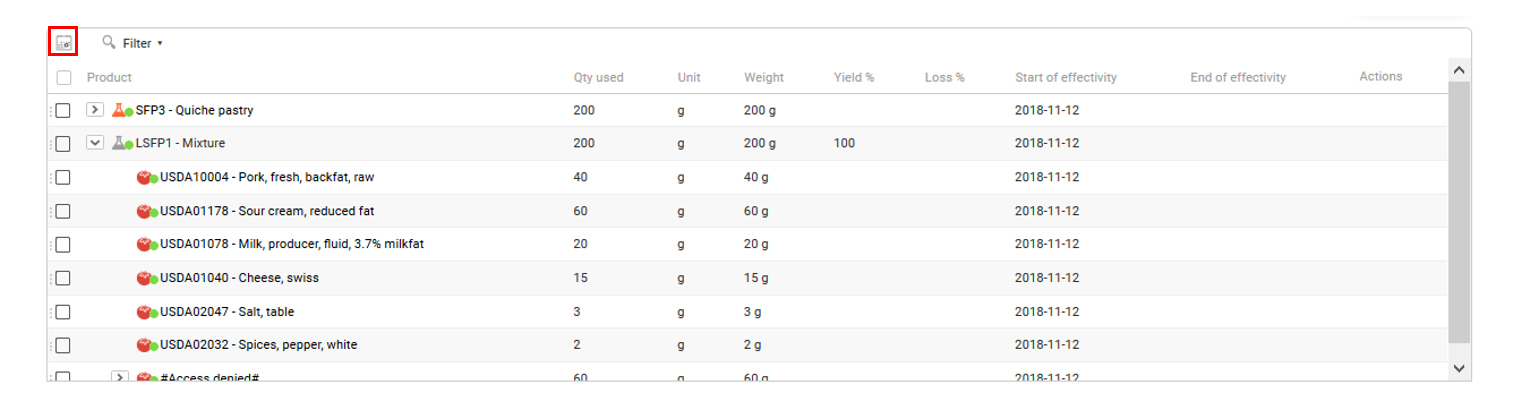
Once the mode is activated, you can enter dates.

Lines that will become effective in the future are shown in green, and non-effective lines are shown in red. During formulation, only the elements effective at the time of formulation are taken into account.
Note: you can display only effective lines with the following option:
beCPG.datalist.effectiveFilterEnabled=true
To manage mass changes, you can create a change order that specifies an effective date. To do so, enter an effective date when creating the change order.
Once the date is set, the change order creates two lines in the impacted products, specifying the effective date.