Trashcan
Any deleted content in beCPG is placed in the trashcan.
WARNING: if the trashcan is emptied or if content is deleted from the trashcan, the content is permanently deleted.
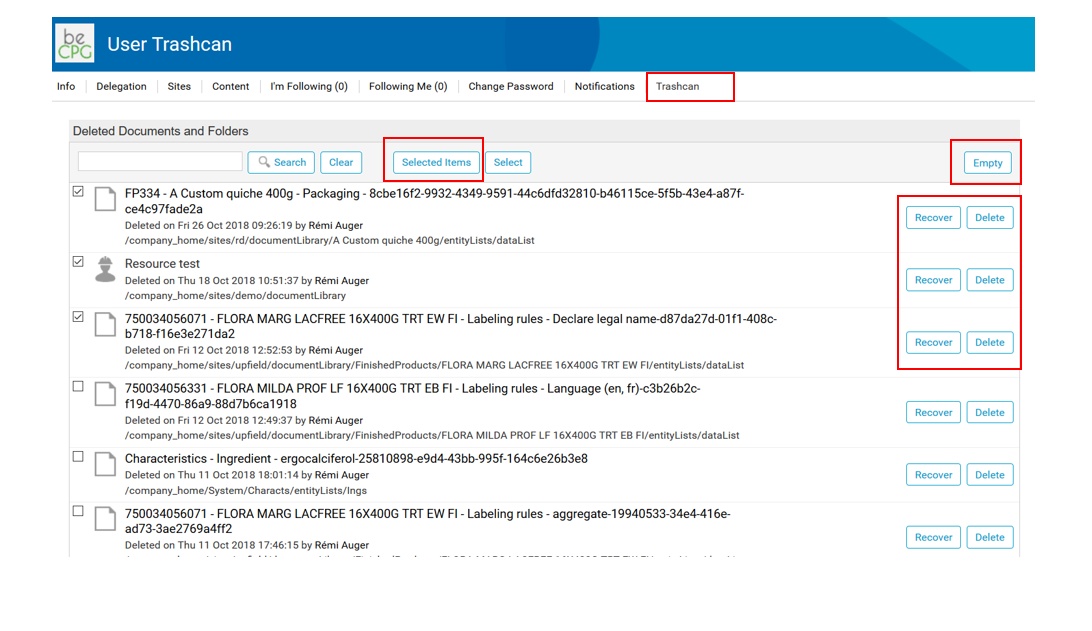
To access the trashcan from the user menu, click "My Profile" and then "Trashcan". All deleted content is stored there. You can search for specific content by entering its name.
To empty the trashcan, click "Empty". All the content of the trashcan is then permanently deleted.
You can also recover content from the trashcan by clicking "Recover".
You can delete items individually or in groups by selecting several items, then clicking "Selected elements" > "Delete".