Formulation
Formulation supports the development of new products by entering the recipe, the packaging and the processes. It automatically calculates:
- the costs,
- the nutritional values,
- the allergens present and those present through cross-contamination,
- the physico-chemical characteristics,
- the ingredients and their origins,
- the ingredient declaration to display on the packaging, with the allergens highlighted,
- the claims (organic, kosher, halal, and so on).
Formulation takes into account semi-finished products, yields, process losses, overrun, and it supports multi-level formulation (recipes and sub-recipes with no limit on the number of levels). Formulation complies with the INCO regulation and with "Nutrition facts" labeling. Several product templates can be created to embed formulation rules, for example:
- Cooked dish formulation
- Pastry formulation
- Beverage formulation
- Ice cream formulation
- and so on
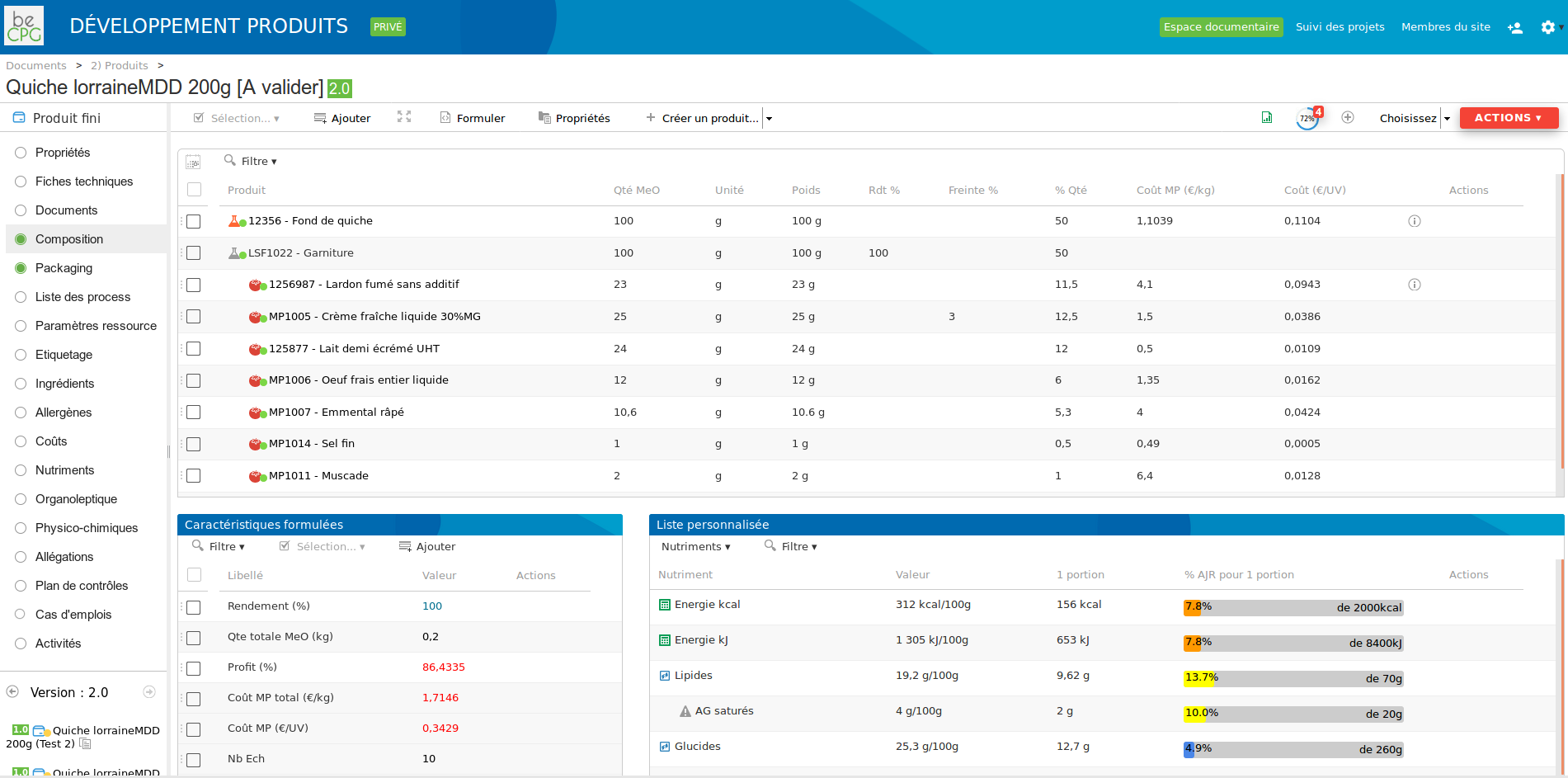
Each component can be annotated to:
- Add comments about the design of the product
- Add instructions useful to making the product
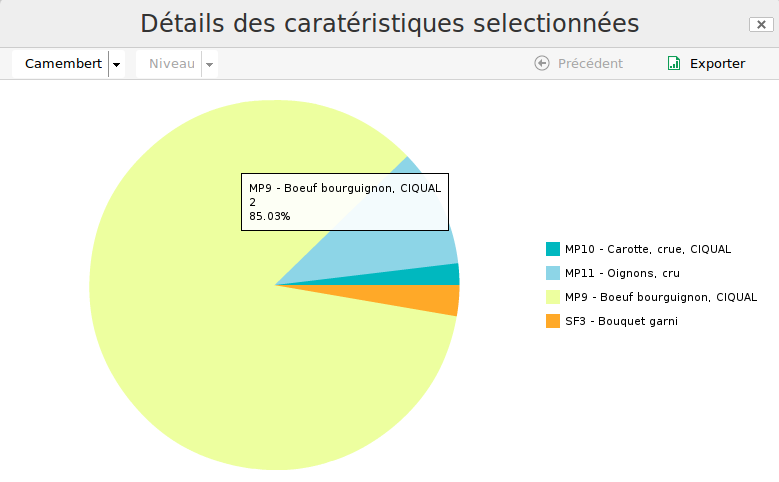
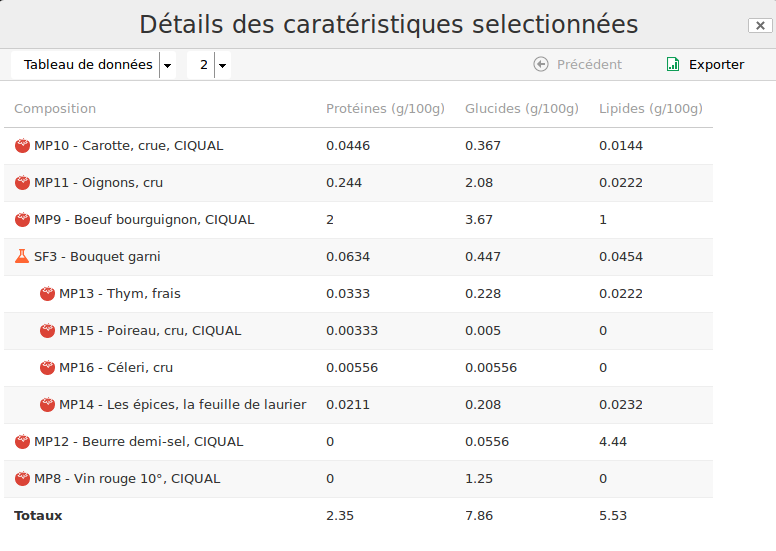
For every calculated characteristic (costs, nutrients, physico-chemistry, and so on), the user can display the calculation details to see which components contribute to that characteristic, using several presentations (pie chart, bar chart, data table, and so on).
Simulation
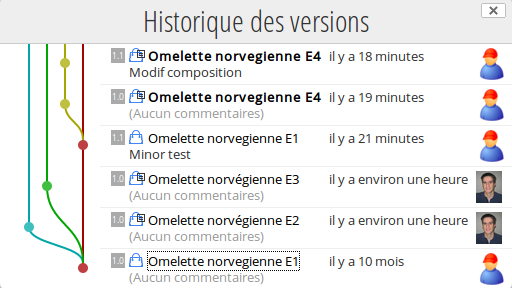
Simulation lets you work on a product without altering the reference product. It behaves like a sandbox. The user picks the reference product and copies it into their project space to turn it into a simulation product. To make a development easier to follow, the trial history is displayed graphically.
Comparison
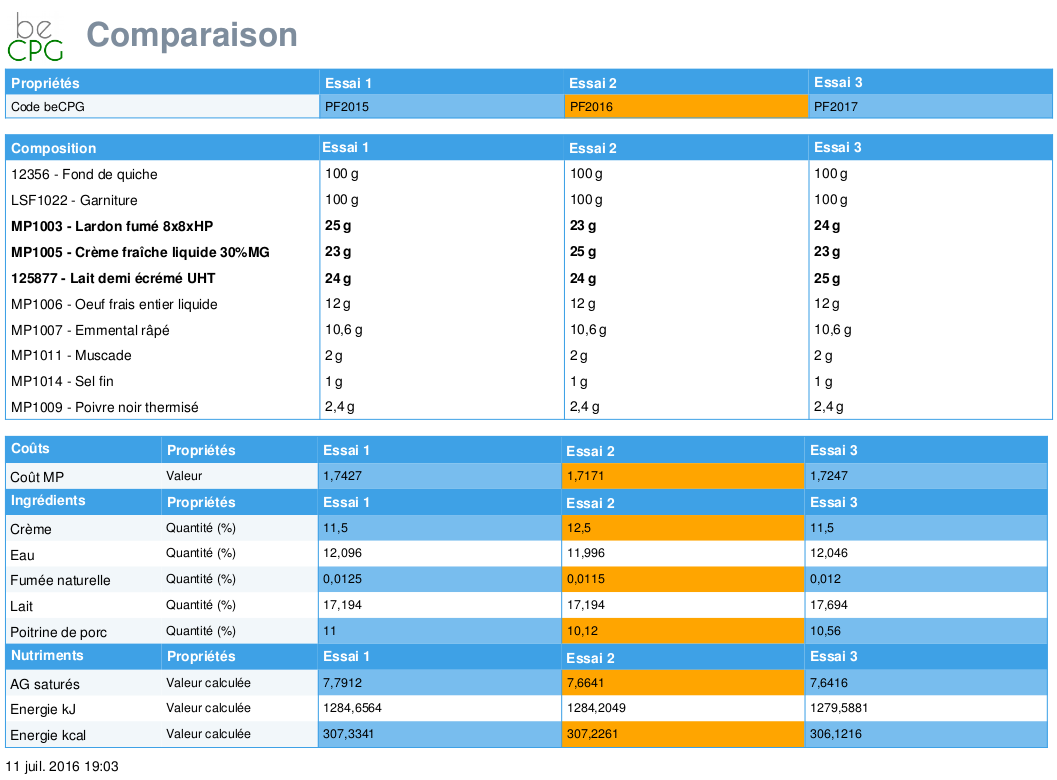
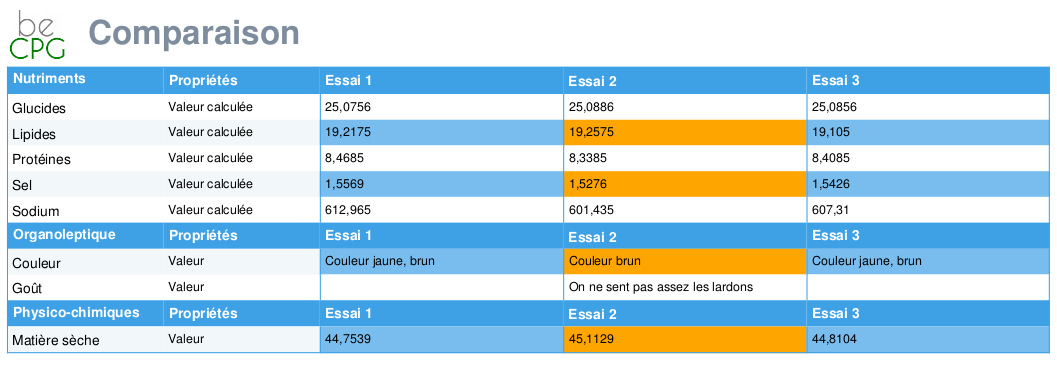
Several products can be compared with each other through the comparison report.
Calculation rules
Calculation rules can be embedded without any development through a formula editor, for example:
- MPR = (% total protein - % collagen) x 100 / (100 - % fat)
- HPD = (% water x 100) / (100 - % fat)
- HPDA = (% water x 100) / (100 - % fat - % starch)
- 5 % loss on fat (because of the transformation process)
The formula editor also supports the addition of dynamic columns, for example:
- The quantity of a component to use in order to run 10 trials
- The nutrient contribution of each component (e.g. % of protein), the cost of each component (% cost)
Automatic behaviours make the formulation of the product easier, for example:
- Determine the quantity of a component such as water or milk
- Determine the quantity of several components in order to reach a target alcohol content and a target sugar content
- Determine the net weight of the product from the volumes used
- Conversion rules between volume, weight, piece and percentages
Regulatory constraints and customer requirements
Formulation takes regulatory constraints and customer requirements into account, for example:
- Nutrients depending on the country (rounding, order, displayed label). Two display tables are available (INCO format or US Nutrition facts)
- Allergens depending on the country (e.g. INCO, US, Japan, Brazil)
- Ingredients forbidden in certain countries (e.g. colouring, pigment)
- A customer who only allows apples from the European Union
If the product does not meet certain requirements, alerts are displayed, for example:
- Forbidden: forbidden additives (E250, E262(i))
- Tolerated: preservative E252 allowed for delicatessen products
- Forbidden: ingredient X forbidden above 0.2 %
- Info: avoid pepper from Vietnam
Nutrient formulation
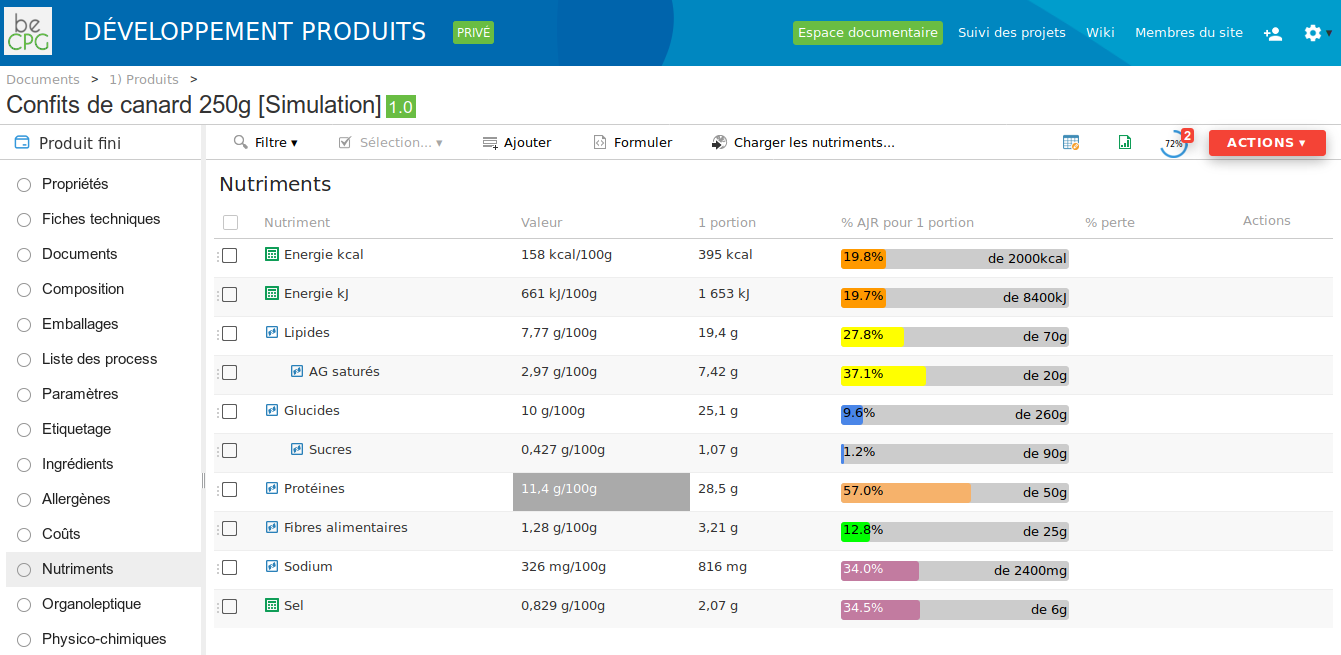
Nutrient formulation calculates the nutritional values of the product per 100 g or 100 mL and per serving. It also calculates the percentage of the recommended daily intake. Some nutrients can be derived from the other nutrients (e.g. energy, the GEMRCN score).
Allergen formulation
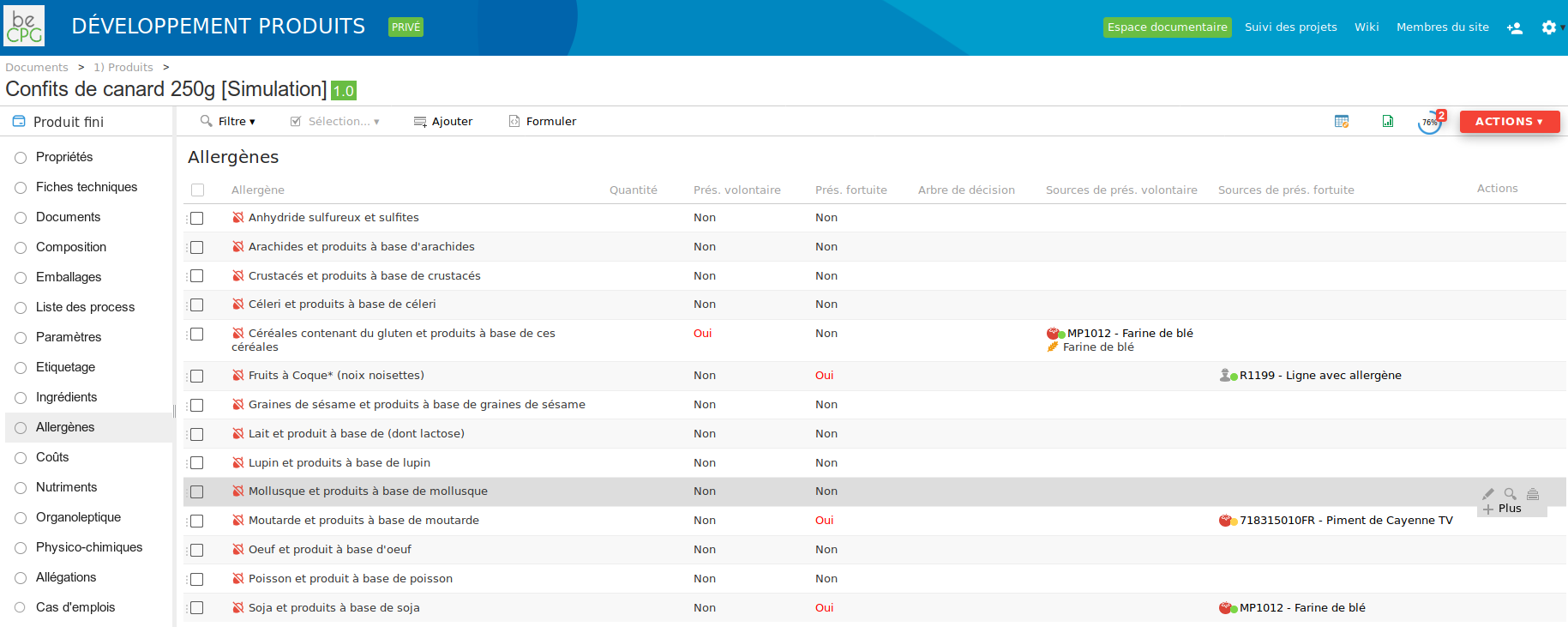
Formulation calculates the allergens present deliberately, those present accidentally (cross contamination), the allergen percentage and the sources that introduce the allergen (raw material, line or machine, and so on).
Ingredient origin formulation
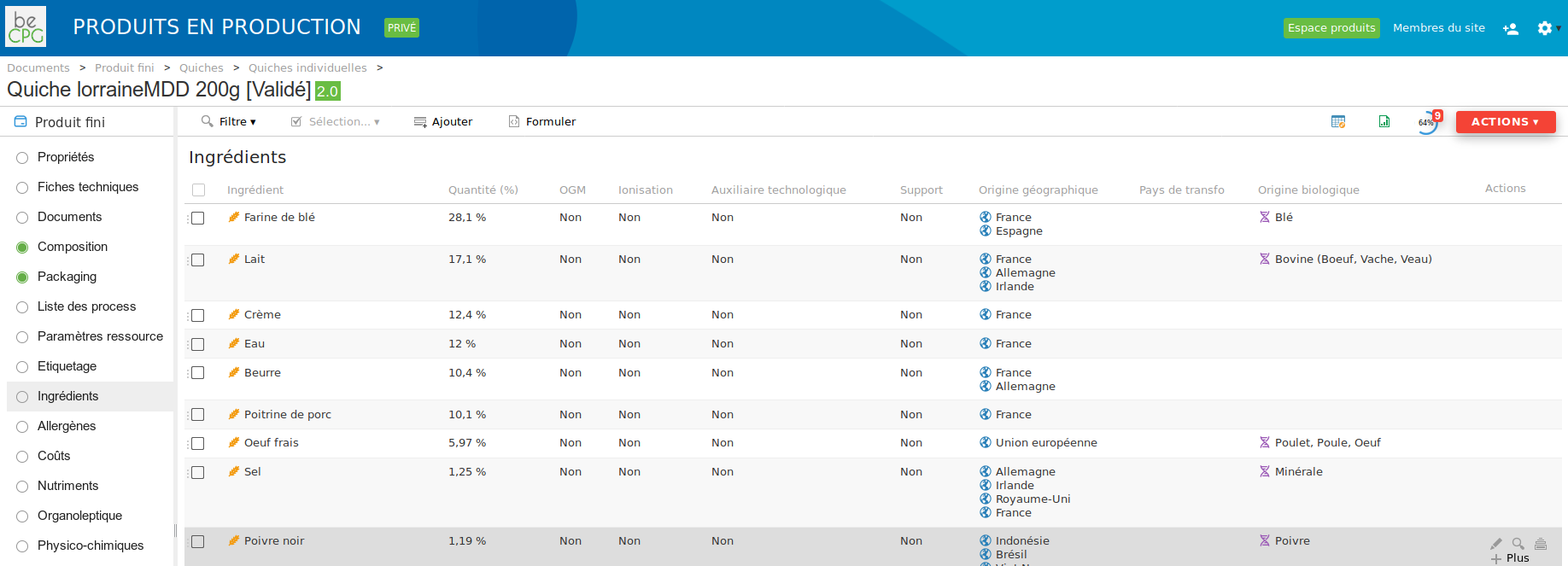
Formulation calculates the ingredients and their geographical and organic origins.
Labeling formulation
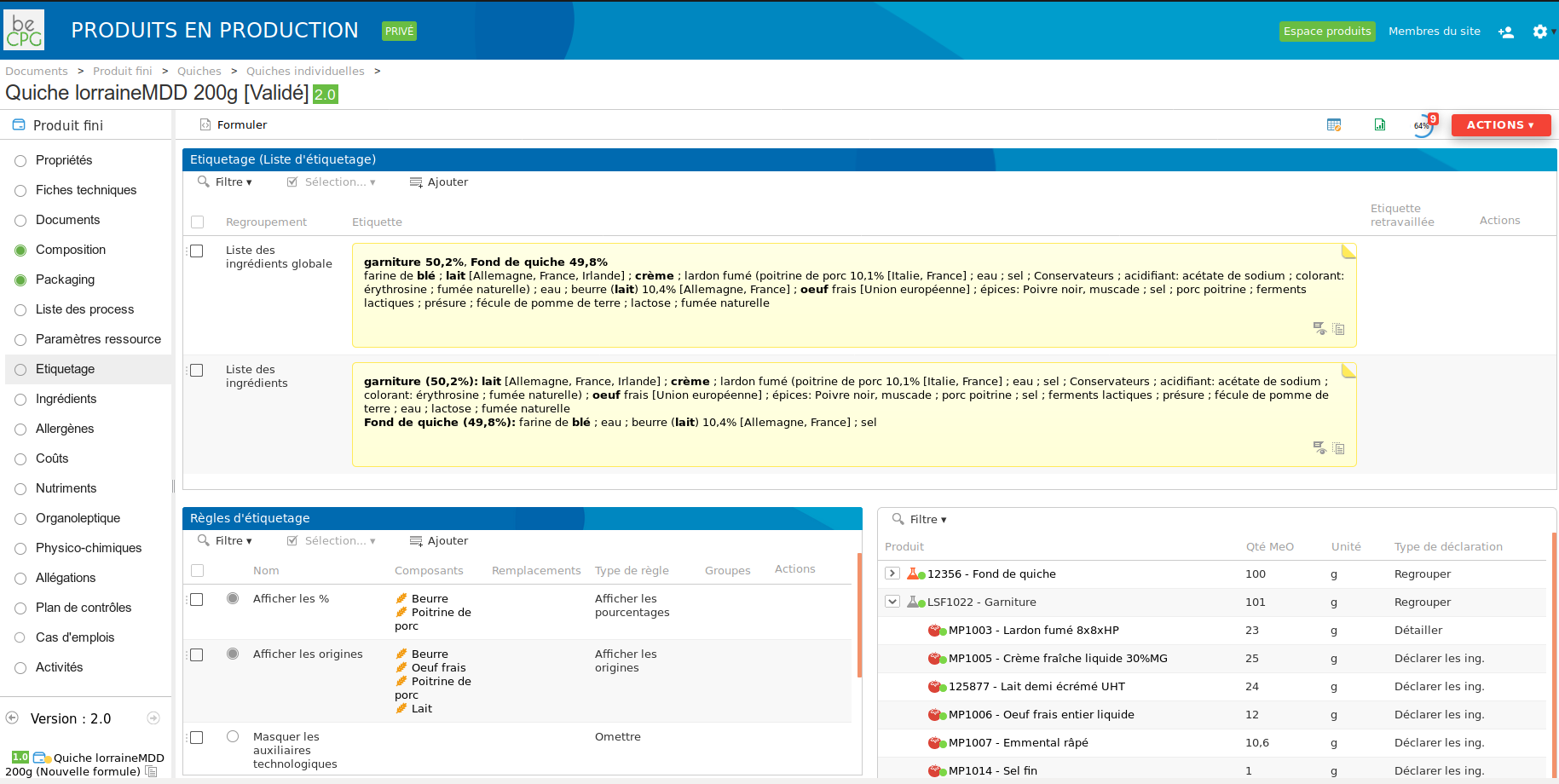
The module offers several labeling options and the ability to add labeling rules on the product, for example:
- The ingredients for which the percentages and/or the geographical origins are displayed
- Ingredient aggregation (I declare "coarse salt" and "fine salt" as "salt")
- Ingredient combination (I combine the ingredients "water" and "milk powder" in given proportions and declare them as "reconstituted milk")
- I rename the ingredient "wheat flour" as "flour"
- I declare the ingredient "pectin" as "gelling agent" or "thickener"
- Product combination in order to declare them as a layer (I combine a "sauce" and some "pistachio" that I declare as "decoration")
In addition, labeling rules can be defined for one or several customers, for example:
- For customer A, I want to label EGG powder, lactose (MILK) and MILK protein
- For customer B, I want to label egg powder, lactose (milk) and milk protein
- For customer C, I want to label egg powder, lactose and milk protein
Finally, formulation calculates the labeling data in several languages.
Claim formulation
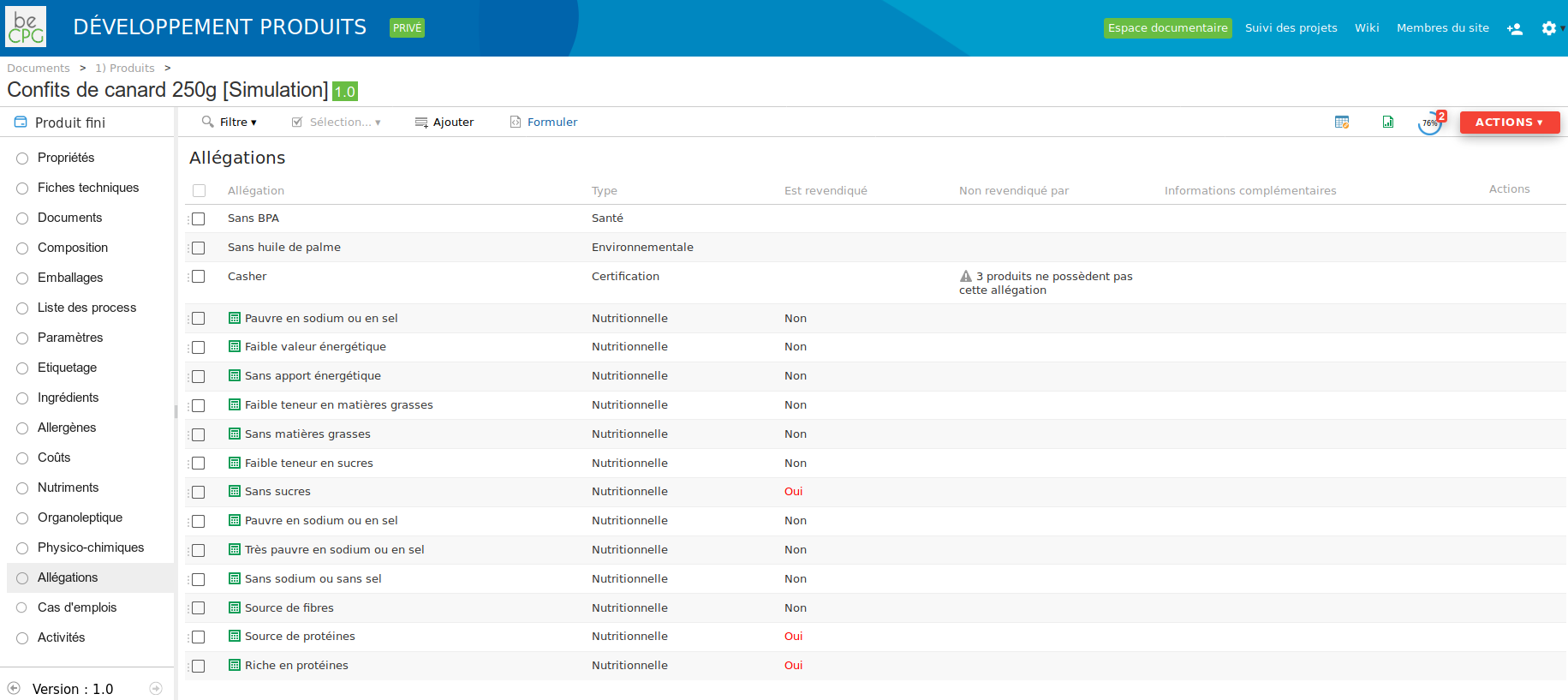
Formulation checks which claims the product complies with. A library of rules is provided as standard, and the administrator can modify them or create their own rules.
Nutritional databases
To speed up the entry of nutritional information, beCPG supports the import of raw materials from the CIQUAL, USDA and AHS (Australian database) nutritional databases.
Change orders
Change orders make it possible to replace components in the composition, packaging and process lists in bulk, with a simulation and an approval step. The principle is as follows:
- choice of the replacements,
- impact analysis,
- simulation,
- application of the change order.
The characteristics to simulate can be chosen, for example packaging cost, salt nutrient, and so on. As part of the simulation, the system reports:
- the calculated characteristics,
- the consolidation of the calculated characteristics by family and sub-family — for example the evolution of the packaging cost per product family,
- the products whose requirements would no longer be met, for example a salt content that is too high or a margin that is too low.
Once applied, the new components are used, the products are revised, the changes are tracked and the technical data sheets are updated. Change orders are also a decision support tool for the purchasing team when listing a new raw material or a new packaging, thanks to the simulation. Change orders make it possible to reference the new version of a component in the places where it is used, and to decide whether or not to revise them. By default, the new component versions are used in the places where the component is used.