Packaging management
Packaging
For finished products, if the data is specified on the packaging, beCPG can calculate:
- packaging costs
- tares, gross weight and type of packaging for each packaging level
- dimensions by packaging level
- claims, physico-chemical data and limited substances
- materials
Cost
Two lists are available to manage your packaging costs:
- The cost list for a simple calculation (click here for more information on costs).
In this list, indicate:
- the price of the packaging in the "Value" column, and its unit in the "Unit" column
- the "N-1" and "N+1" values, which refer respectively to costs in previous and subsequent years
- the plants, to link the cost to a factory
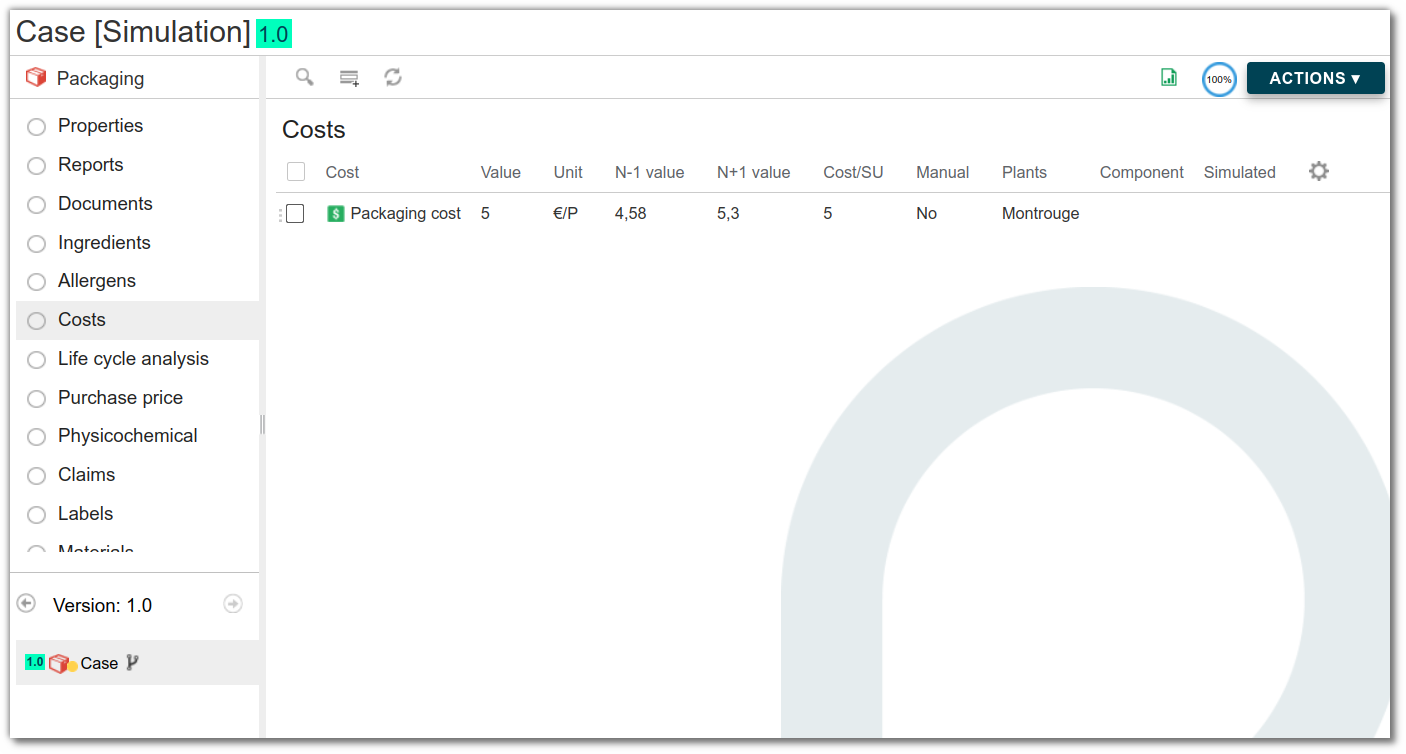
- Purchase price list in the case of advanced calculations
In this list, in addition to the data already present in the cost list, fill in:
- costs linked to purchase volumes, year or supplier
- cost hierarchy
- cost start and end dates
- geographical origin
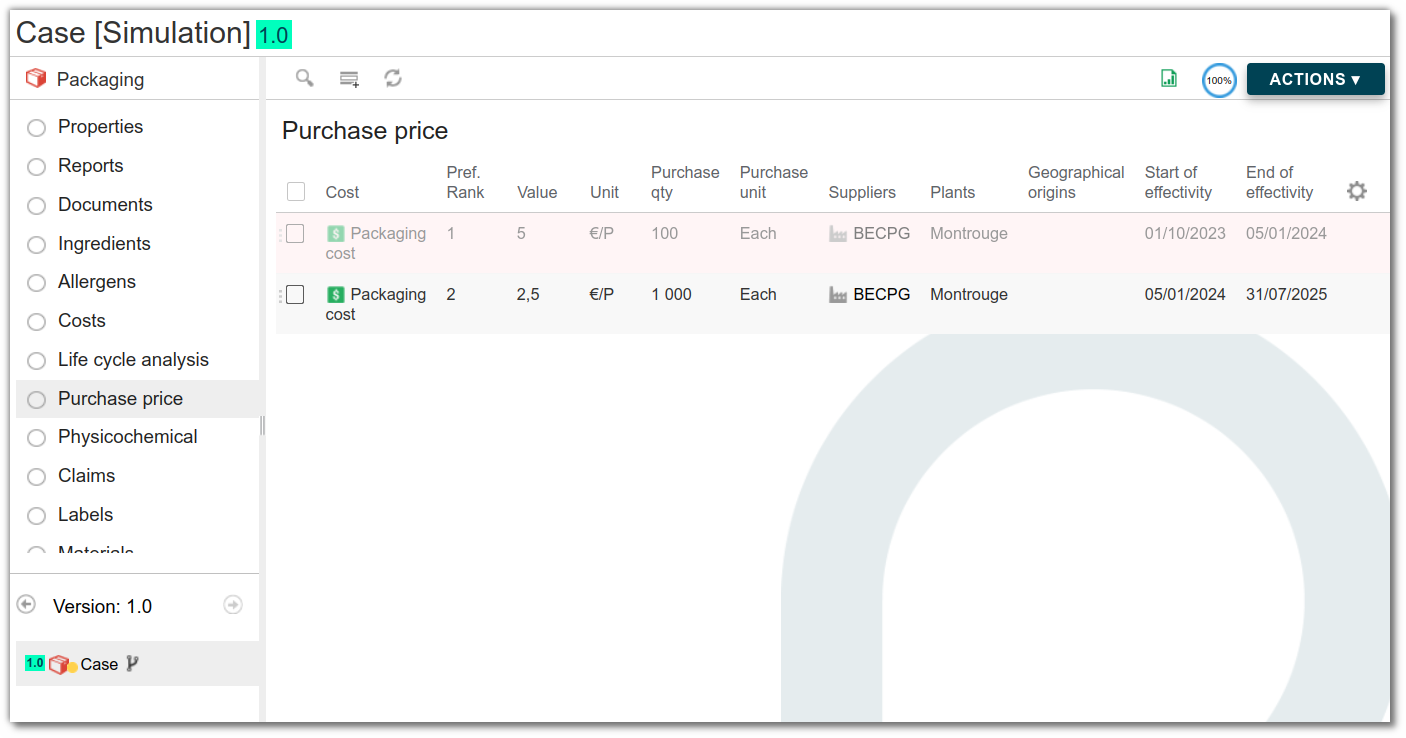
Example: buying 100 boxes will not cost the same as buying 10,000 boxes.
Tare and gross weight
The packaging tare corresponds to the weight of the packaging. It is used to calculate the gross weight of finished products. The formula for gross weight is:
Gross weight = net weight + packaging weight
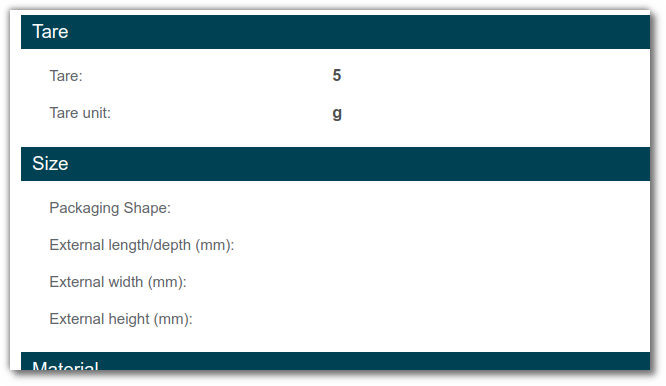
e.g.: for packaging in metres, the tare corresponds to the tare for 1 m.
Type of packaging
The packaging type is a drop-down list in the Packaging Properties section, giving a short description of the packaging.
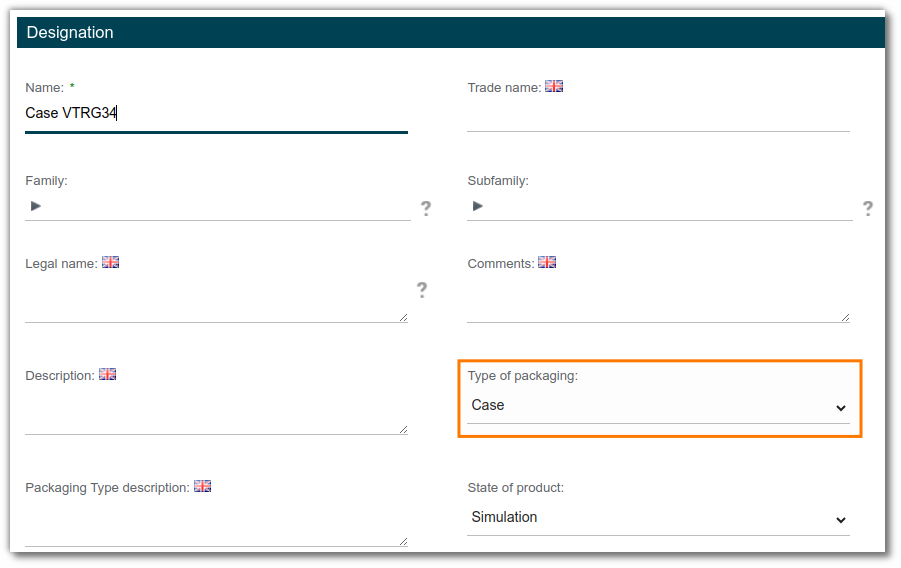
The drop-down list is initialized with GS1 values. It can be customized in the beCPG administration (click here for more information).
Note: if the packaging is the master on its level, this information is inherited by the finished product in the "Packaging" tab.
Size
The Size section of the packaging properties lets you enter the external length, width and depth.
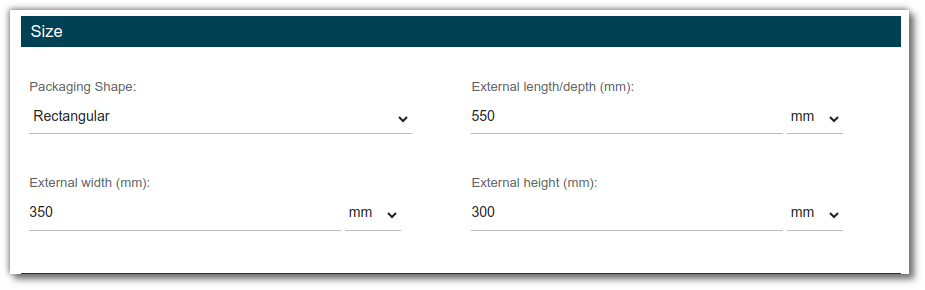
The finished product inherits these sizes if the packaging is the master on its level.
If the Size section is not present, add the aspect to the packaging entity template (click here for more information).
Claim
The packaging claims list is used to enter data relating to packaging law:
- Packaging with at least [x%] recycled content
- Mostly recyclable packaging
- Fully recyclable packaging
- Compostable packaging
- Reusable packaging
- SVHC-free packaging > 0.1% m/m
- Packaging free of hazardous substances > 0.1% w/w
- Packaging without endocrine disruptors

They are propagated to the finished product if the claim is added to it.

Packaging materials
The packaging materials formulation provides a list of packaging materials and their weights for each finished product. The drop-down list of materials is initialized with CITEO values. It can be customized in the beCPG administration (click here for more information).
There are two possible solutions for packaging:
The Material section, for single-material packaging.
In the Material section of the packaging properties, you can enter the type of material used in the packaging.
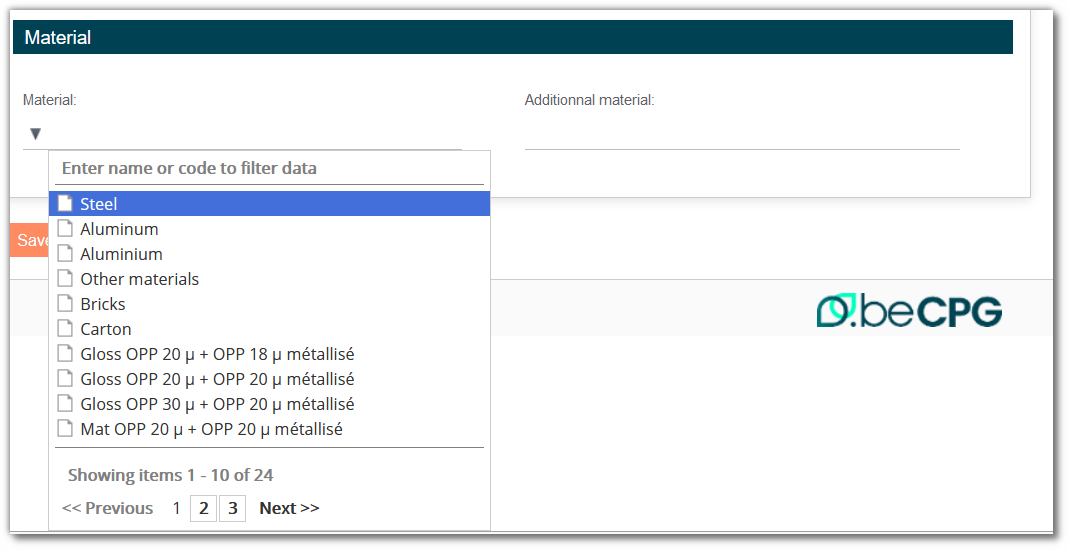
The "Additional material" field is a free text field that is not taken into account in the formulation.
If the material section is not present, add the aspect to the packaging entity template (click here for more information).
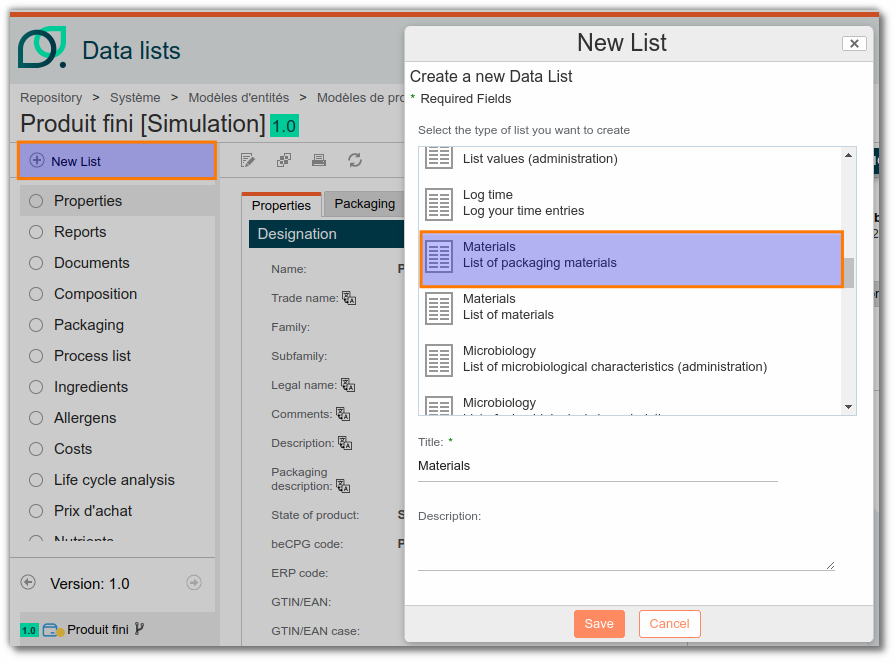
Material list, for multi-material packaging. The Material list must be added to the packaging entity template.
Formulation of the Materials list
For finished products, add the Material list to the entity template to view a summary of the materials used. Depending on your use, you may also need to add the list for semi-finished products and packaging kits.
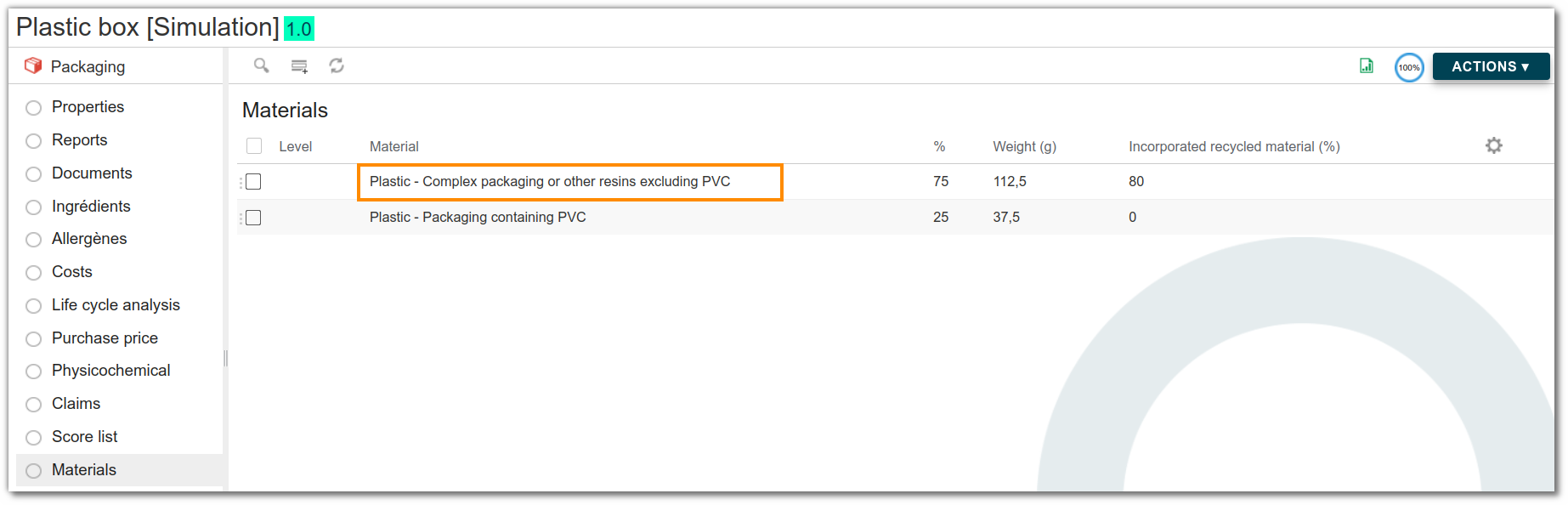
If an entity (finished product, semi-finished product or kit) contains packaging with materials (in the Material section or list), the Material list of the entity is formulated with, for each material:
- the material;
- the percentage (%) of presence in the packaging;
- the quantity: based on the packaging tare and its percentage of presence in the material, or entered manually;
- the incorporated recycled material (%), when recycled materials are used.

Recyclable materials
On the packaging Materials list, you can add recyclable materials:
To mark a material as non-recyclable, check the "Is not recyclable" box in the packaging material value list.
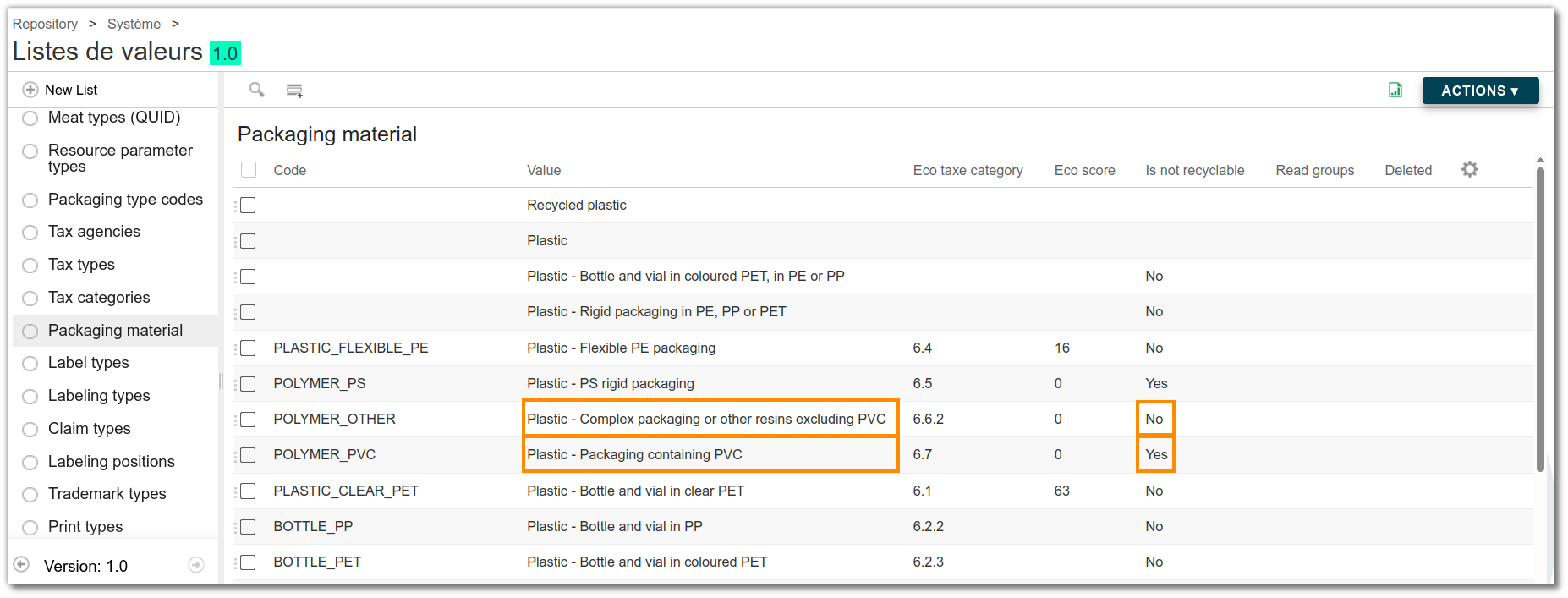
Note: to add materials to the packaging material value list of the administration, click here.
Management of recyclability rate and percentage of recycled material incorporated into materials
On the physicochemical list of packaging, you can enter the following data:
Total recyclability rate: used to assess the recyclability potential of a packaging.
- It is the ratio of the total weight of recyclable materials in the packaging to the total weight of the packaging.
Percentage of recycled materials: used to assess the quantity of recycled material incorporated into the packaging.
- It is the ratio between the weighted percentage of recycled material incorporated into the packaging and the total weight of the packaging.
Example : for a 150 g plastic box composed of:
- 50% of recyclable PP rigid plastic (75 g), 80% of which is recycled material
- 25% of recyclable PET plastic (37.5 g), 60% of which is recycled material.
- 25% of plastic containing non-recyclable PVC (37.5 g).
The Total recyclability rate is (75 + 37.5) × 100/150 = 75% and the Percentage of recycled materials is (75 x 80 + 37.5 x 60)/150 = 55%. This packaging is therefore 75% recyclable and contains 55% recycled material.
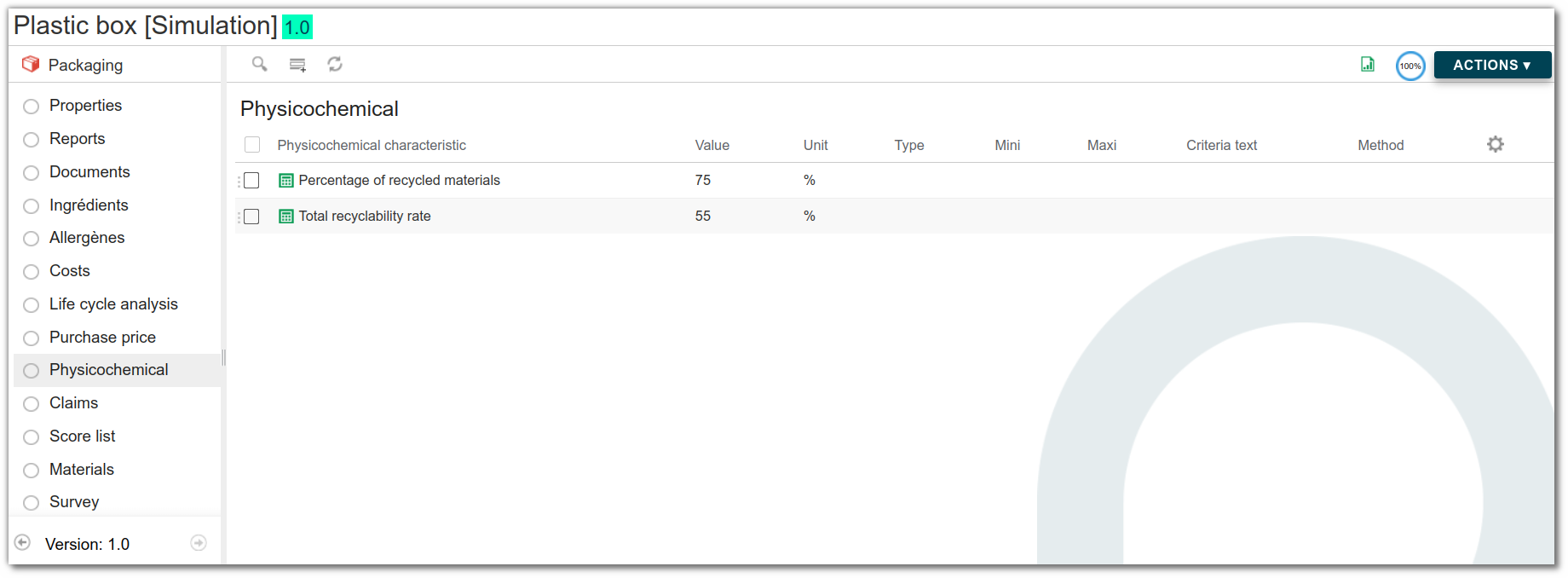
Note: on the finished product, as the Materials list is formulated, these two physico-chemical characteristics are also calculated. The calculation includes the quantities of primary, secondary and tertiary packaging per pallet.
Management of packaging recyclability
According to the AGEC legislation, a product or packaging can be described as ‘Mostly recyclable’ if it meets the following 5 criteria:
- Accessible collection (It can be collected efficiently throughout the country, thanks to collection points close to the population).
- Effective sorting (It can be sorted and sent to a suitable recycling facility).
- No disruptive elements (It contains no substances or materials that disrupt sorting or recycling or limit the quality of the recycled material).
- Effective recycling rate ≥ 50% (Recycling processes must enable more than 50% by mass of recycled material to be obtained in relation to the waste collected).
- Real and viable industrial recycling (Recycling must be carried out on an industrial scale, and the quality of the recycled material must be sufficient to guarantee sustainable use by industry (guaranteed outlets)).
If, in addition to the above criteria, the effective recycling rate ≥ 95%, the claim ‘Fully recyclable packaging’ may be used.
Example: For a 150 g plastic box composed of:
- 75% recyclable plastic, so 112.5 g.
- 25% non-recyclable plastic, so 37.5 g.
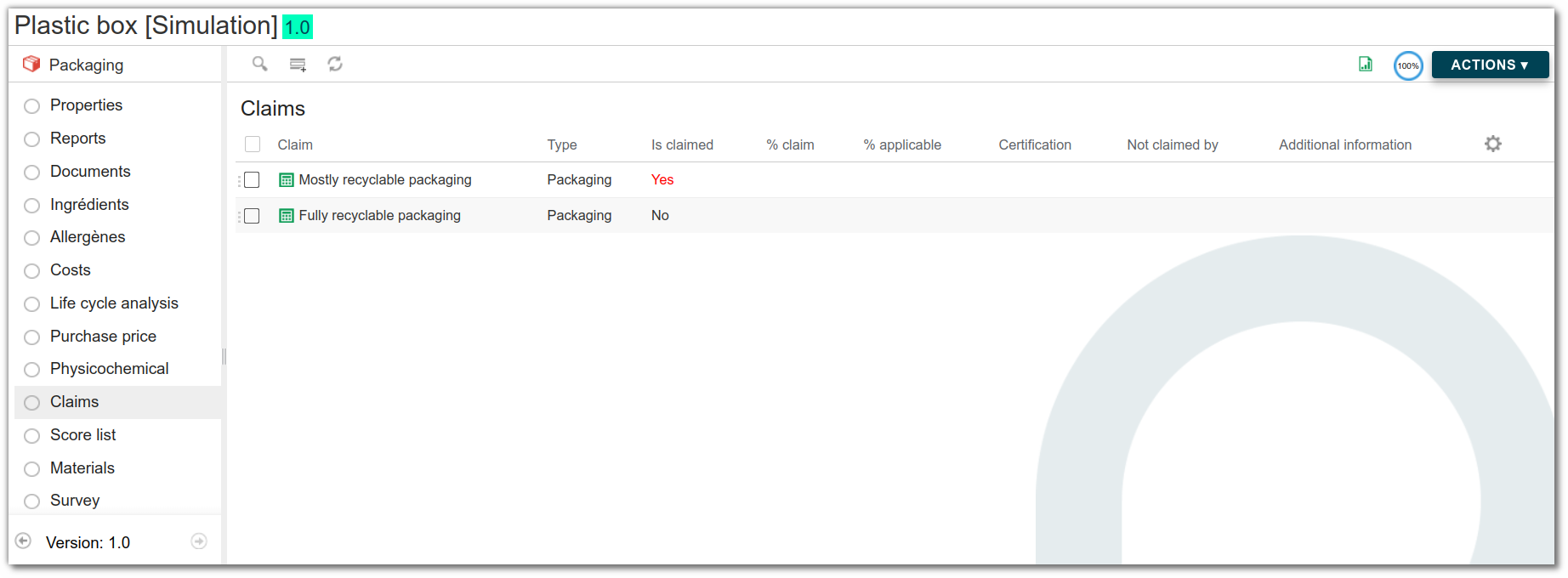
The effective recycling rate is therefore (112.5/150)x100 = 75%. This is more than 50% and, given that the other 4 criteria are implicitly met, the claim ‘Mostly recyclable packaging’ applies. This statement can be found on the packaging Claims list.
The Components list
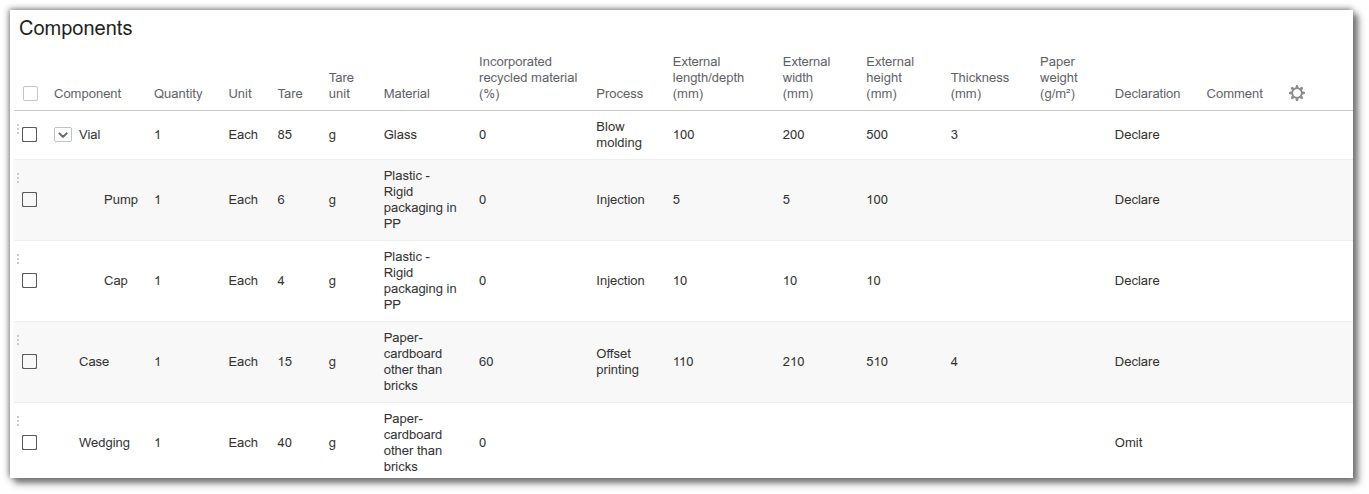
A purchased packaging item may consist of several components (a vial, a pump, a tube—each of which is itself made up of subcomponents such as the container, cap, seal, and label). The Components list on the packaging data sheet allows you to describe this detailed structure without having to create a specific entity for each subcomponent.
On each line, enter:
- the component and, where relevant, its parent: the hierarchy describes the assembly (the cap goes onto the bottle)
- the quantity and its unit
- the tare and its unit
- the material, picked from the packaging materials value list, and the percentage of incorporated recycled matter
- the manufacturing process
- the dimensions, the thickness and the grammage
- the declaration: pick "Omit" for a reused or returnable component, which must count neither towards the tare nor towards the materials
Once the list is filled in, the formulation calculate:
- the tare of the packaging, the sum of the weights of every line that is not omitted. Note that a parent line carries its own weight; it does not total its children;
- the packaging materials list of the packaging, aggregated by material, with the share of each and the weighted average of recycled matter.
Those materials then roll up to the finished product through the usual packaging list mechanism.
If no components are specified, the packaging behaves exactly as before: its tare weight and “Materials” list must still be entered manually.
The Supplier packaging list
The Supplier packaging list, available on raw materials and on packaging, describes how the supplier delivers the product: a 25 kg bag, grouped into cartons, themselves palletized.
It is filled in like the Components list, plus the packaging level (primary, secondary, tertiary).
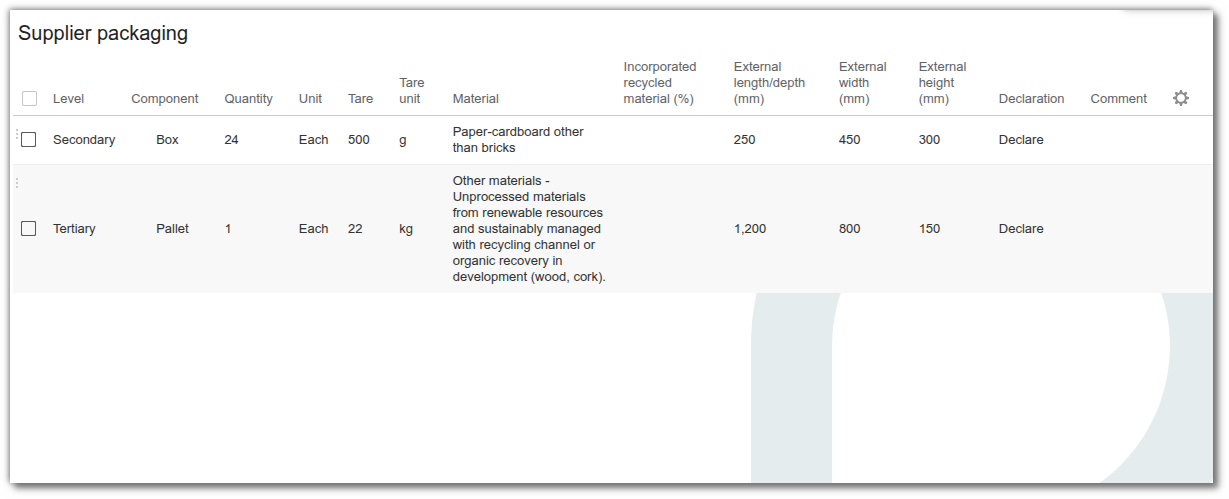
This is upstream packaging: it does not travel with the product that is sold. It therefore contributes neither to the tare, nor to the materials list, nor to the eco-score of the entity, and has no impact on the household CITEO declaration. It documents upstream logistics and the professional packaging declaration.
The Component and Process columns rely on administrable value lists (Packaging components, Packaging processes), shipped with the beCPG reference data and extendable from the administration.
Both lists are offered to the supplier in the portal: components and delivery packaging for a packaging, delivery packaging for a raw material.
Packing of finished products
beCPG classifies product packaging into 3 levels.
Primary level
Generally referred to as consumer sales unit (CSU) packaging. This may be the CSU itself, but more often it's a grouping of consumer units into a "commercial" batch (example: a carton pack of 12 plain yogurts). This level covers the minimum quantity of product that can be purchased by the customer. It is discarded by the final consumer.
Secondary level
This is a grouping of intermediate groupings of CSU for easy handling by distributor or point-of-sale operators (example: American case). The most common secondary levels are:
- cardboard
- plastic seal
- plastic crate
- easy-open or flapped cardboard boxes
- boxes or flow-packs (heat-shrink plastic film) for grouping during promotions
- cardboard label
- scotch tape
- spacer
Tertiary level
This corresponds to logistics variant packaging. This packaging is used to transport large quantities of products to stores or manufacturers. The most commonly used tertiary levels are:
- transport crates (american crates)
- pallet
- shrink film
- pallet labels, etc.
Packaging list
Add packaging
To link packaging to a product, first click the "Packaging" list.
- If the packaging does not exist in beCPG, click the arrow to the right and select "Packaging material". Then enter the name (mandatory field), description and unit, and click "Save".

- If the packaging exists in beCPG, click "Add" to select an existing packaging.
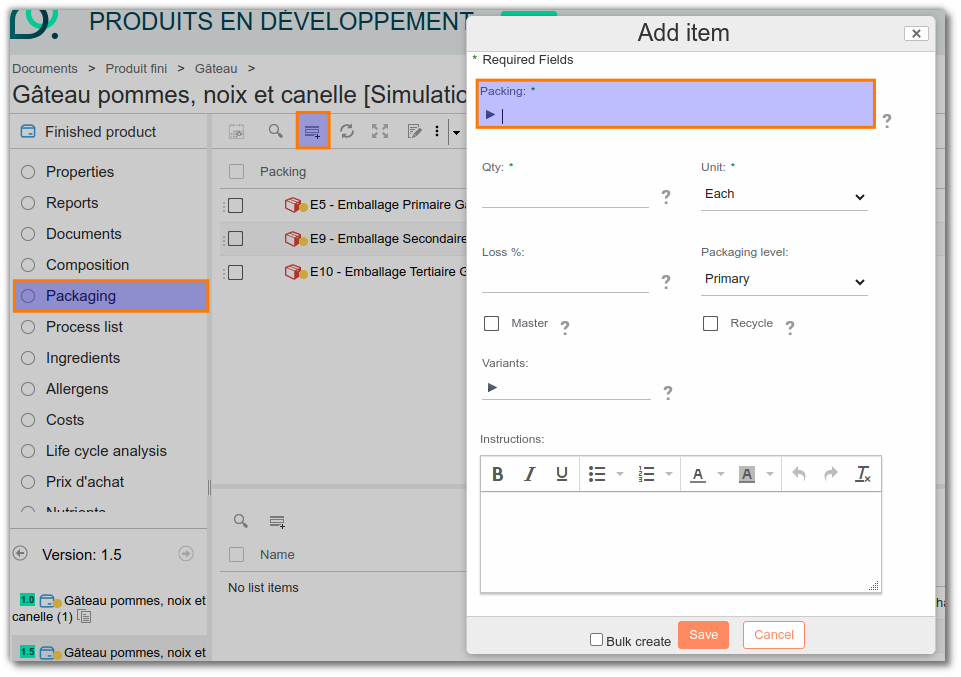
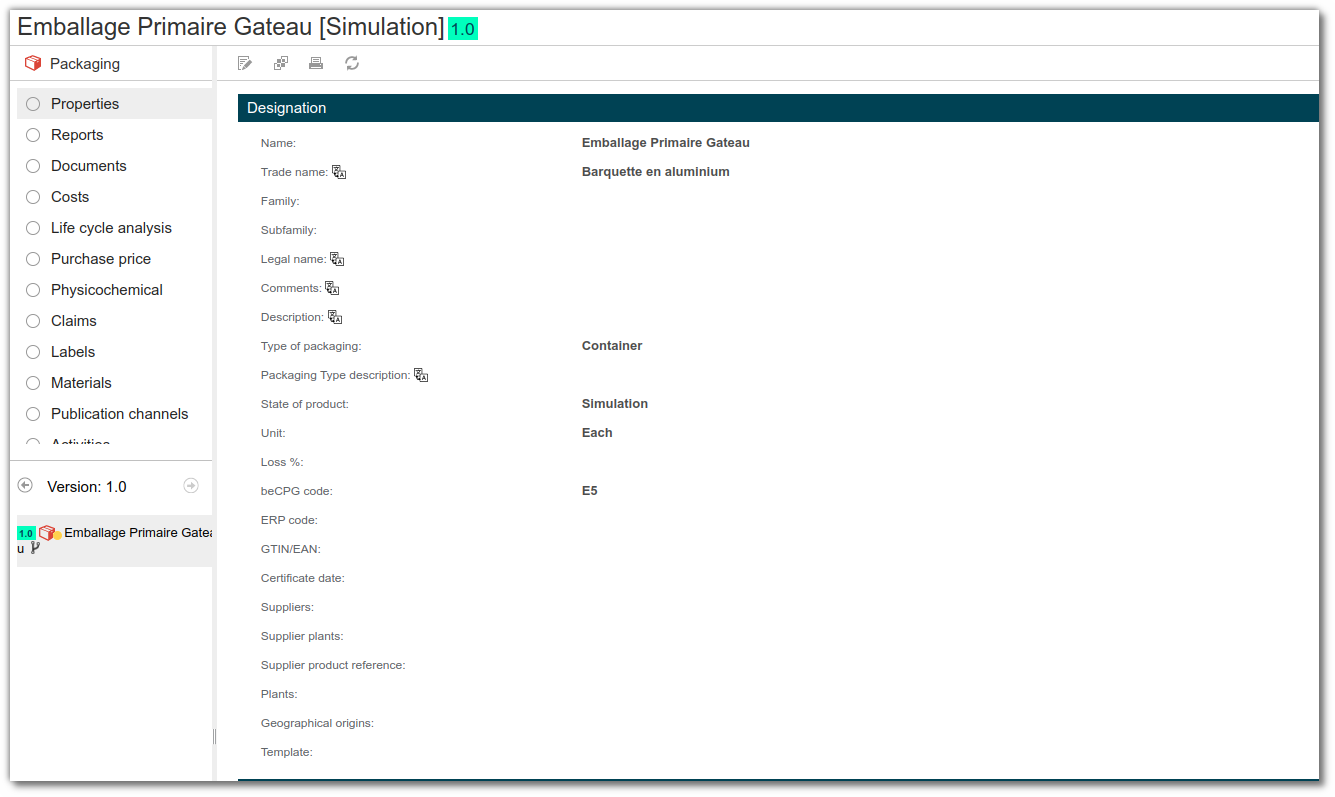
You can then open each packaging by clicking on it, and access the properties and lists of this packaging.
Register quantities
In the "Qty" column, enter the quantity of packaging for one finished product.
If the finished product is:
a CSU, enter the quantities for 1 CSU. e.g. A brick of soup.
- Primary: 1p brick
- Secondary: 0.1 p cardboard = 1 cardboard /10 bricks ( 1 cardboard being composed of 10 bricks)
- Tertiary: 0.006 p Pallet = 1 pallet / ((1 cardboard /10 bricks) x 16 cardboard/pallet)
a carton, enter the quantities for one carton. e.g. A carton of soup bricks.
- Primary: 10p bricks (1 cardboard is composed of 10 bricks)
- Secondary: 1p cardboard
- Tertiary: 0.0625p Pallet = 1 pallet/ ( 1 cardboard x 16 cardboard/pallet)
In the "Unit" box, select the unit corresponding to the quantity entered. This unit can be "Piece", "m", "kg" or "m²".

Note: if the "Number of products / case" and "Number of cases / pallet" fields are filled in, enter the quantities per level: they are divided by the value entered.
- For a CSU, enter the quantities for 1 CSU.
e.g. One brick of soup
- Primary: 1 brick
- Secondary: 1 cardboard & Number of products / case: 10
- Tertiary: 1 p Pallet & Number of cases / pallet = 16
Master packaging on its level
In the "Packaging level" box, enter the packaging level (primary, secondary or tertiary) as described above.

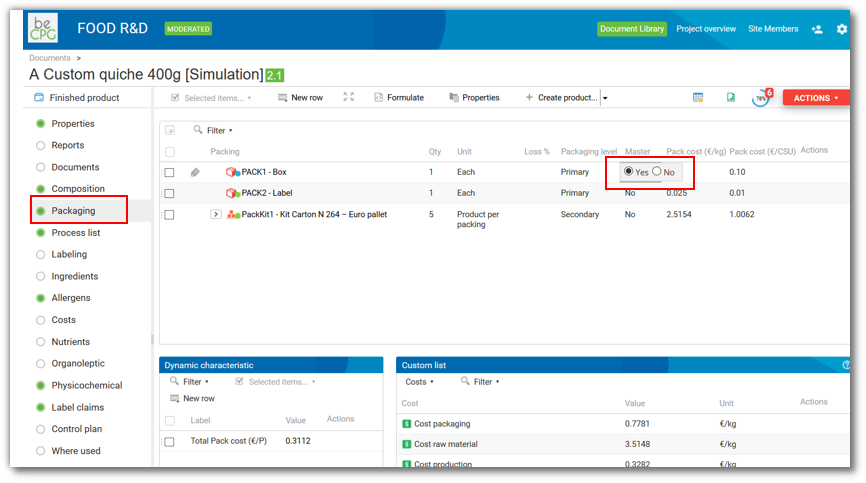
In the "Master" column, indicate the packaging with the largest dimensions. The finished product then inherits the information of this packaging (shape, type, name or dimensions). You do not need to enter the dimensions of each product, as the dimensions of the master packaging are used.
example: Brick of soup
- Primary: The soup brick
- Secondary: The cardboard containing the soup bricks
- Tertiary: The pallet
If there is no master packaging on a level, you can enter the pack dimensions manually in the "Packaging" tab of the product. example: Use of a plastic film which can have variable dimensions depending on the product.
If the dimensions of the CSU are greater than those of the packaging (e.g. chicken), add the "Dimensions on finished product" aspect to fill in the "Length/Width/Height" fields manually.

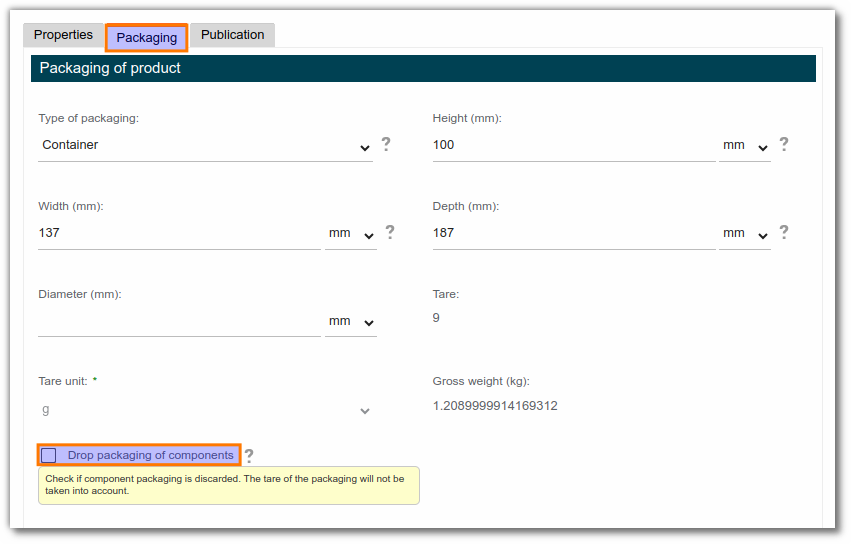
Discarding packaging of components
An option in the finished product properties lets you discard the packaging of the composition elements.
Discarding the packaging means ignoring the packaging tare of the composition elements (e.g. the packaging of a semi-finished product), while keeping the costs associated with this packaging.
The packaging kit
Packaging kits group together a number of primary and/or secondary and/or tertiary packaging items. They are very useful in two cases:
Packaging grouping: the same packaging items (in type and quantity) are common to several products. Example: there are 3 packaging kits for 1000 finished products.
Palletizing data: palletizing is similar for several finished products. Example: pallet height, number of layers, number of cartons per layer.
Add a packaging kit
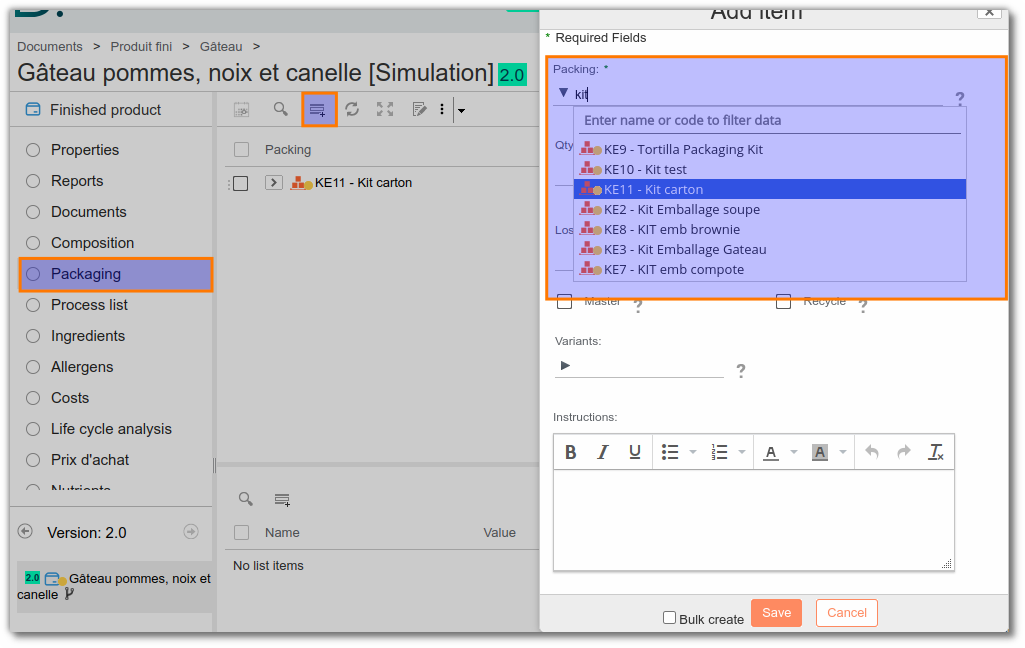
To link packaging kits to a product, first click the packaging list.
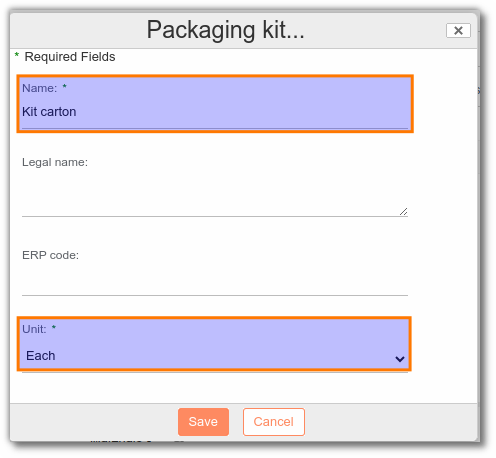
- If the packaging kit does not exist in beCPG, click the arrow to the right and select "Packaging kit". Then enter the name of the kit (mandatory field), the description and the unit, and click "Save".


- If the packaging kit exists in beCPG, click "Add" to select the existing packaging kit.
Packaging grouping kit
The packaging kit is the equivalent of the semi-finished product for packaging. First, add the packaging to the packaging kit, then add one piece of this kit to all the finished products that use it.
Palletizing kit
The palletizing kit lets you enter palletizing data directly in the packaging kit. The finished product linked to this kit will inherit a wide range of information (number of products per package, number of packages on the pallet, etc.).
Add the palletization aspect to the finished product template and the packaging kit. The palletization aspect lets you specify the number of packages per pallet, the number of layers per pallet and the number of packages per layer. To add it, go to the "Properties" tab, click "Add aspect", then select "Palletization".
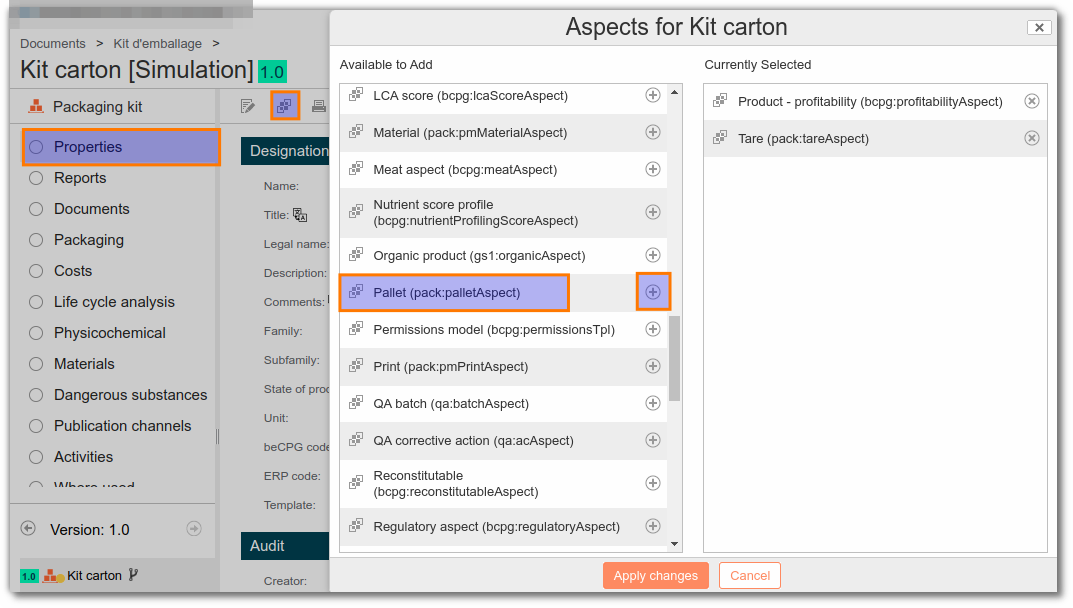
New properties are then available on the palletizing kit:
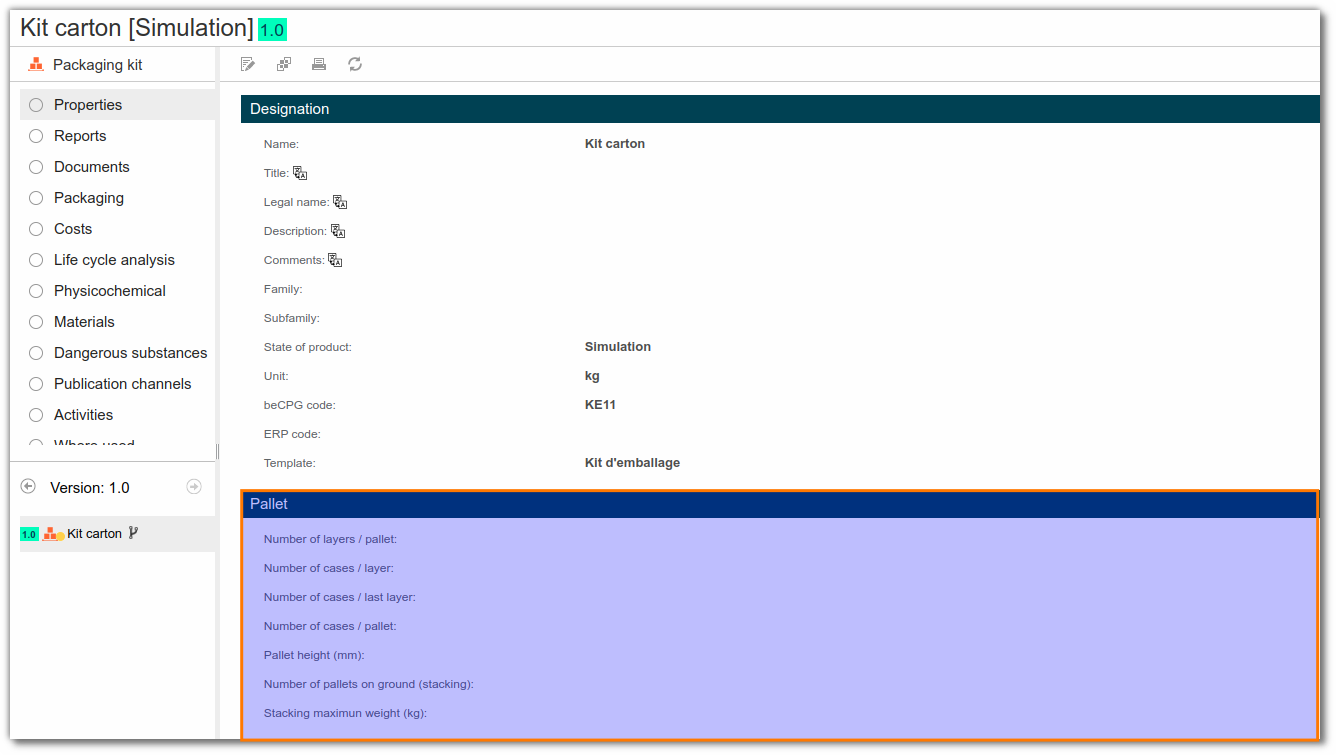
Fill in the information of the palletizing kit. Click "Edit properties". You then have access to the kit designation data (name, description, etc.).
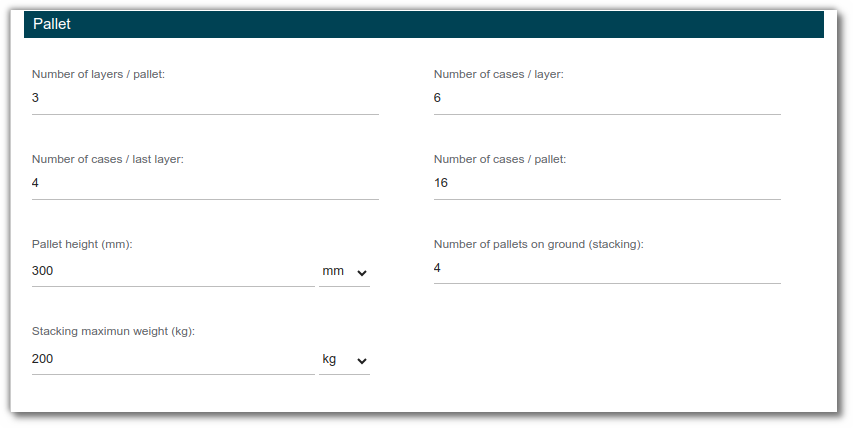
For the pallet data, fill in:
The number of layers per pallet example: 3.
The number of packages per layer (on a pallet) example: 6.
The number of packages in the last layer of the pallet example: 4.
The total number of packages per pallet example: 6x2 + 4 = 16.
Add packaging. In the "Packaging" list, enter the secondary and tertiary packaging.
Add the palletizing kit to the packaging list of the finished product. The packaging kit is added to a product at the secondary level, with the unit "Product per package". The value of the quantity in the list will be recognized on the product as the value of Products per package. All kit information will then be formulated on the product in the palletization information.
Note: without a kit with this configuration, you can enter palletizing data manually, product by product.
Sorting instructions
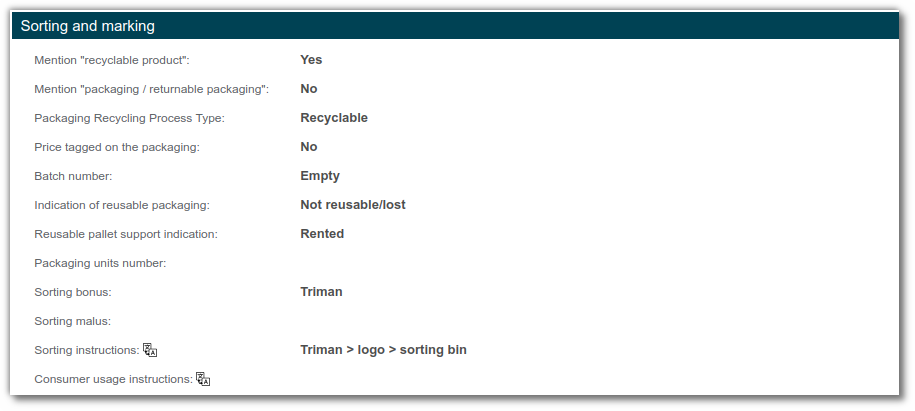
In beCPG, you can store sorting instructions in the “Sorting and marking” section of the packaging or finished product. There are also Sorting Bonus and Sorting Malus fields to store information on premiums and penalties paid by the producer to its eco-organization.
Technical data sheet
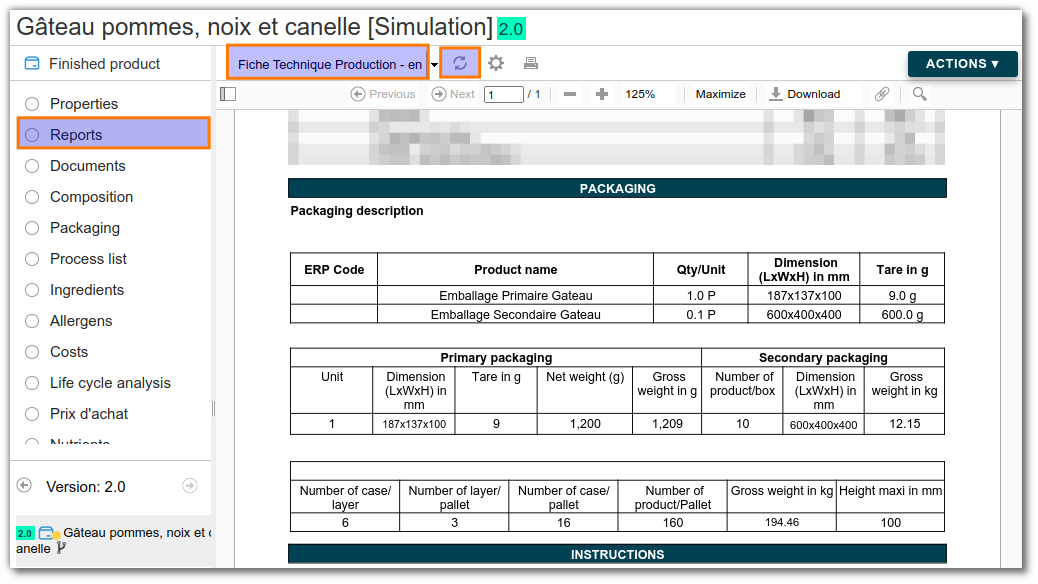
Go to the "Reports" list and click "Generate reports" to obtain the production data sheet, which includes the packaging description:
CITEO Report generation
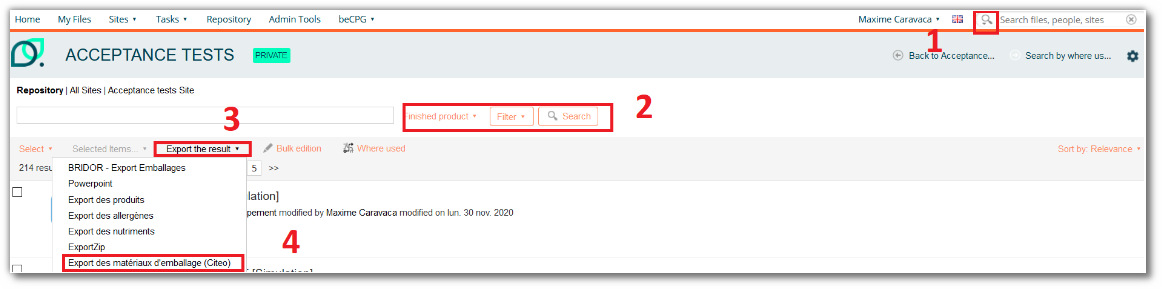
The CITEO report is an export report, available in French, that you can generate from an advanced search on finished products.
Once generated, you get an Excel document:
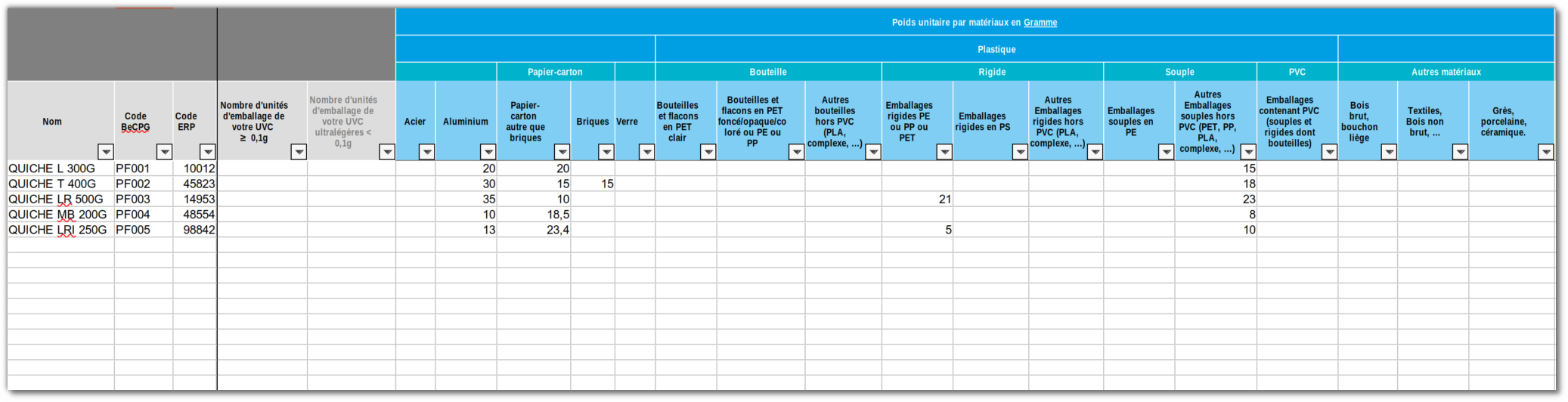
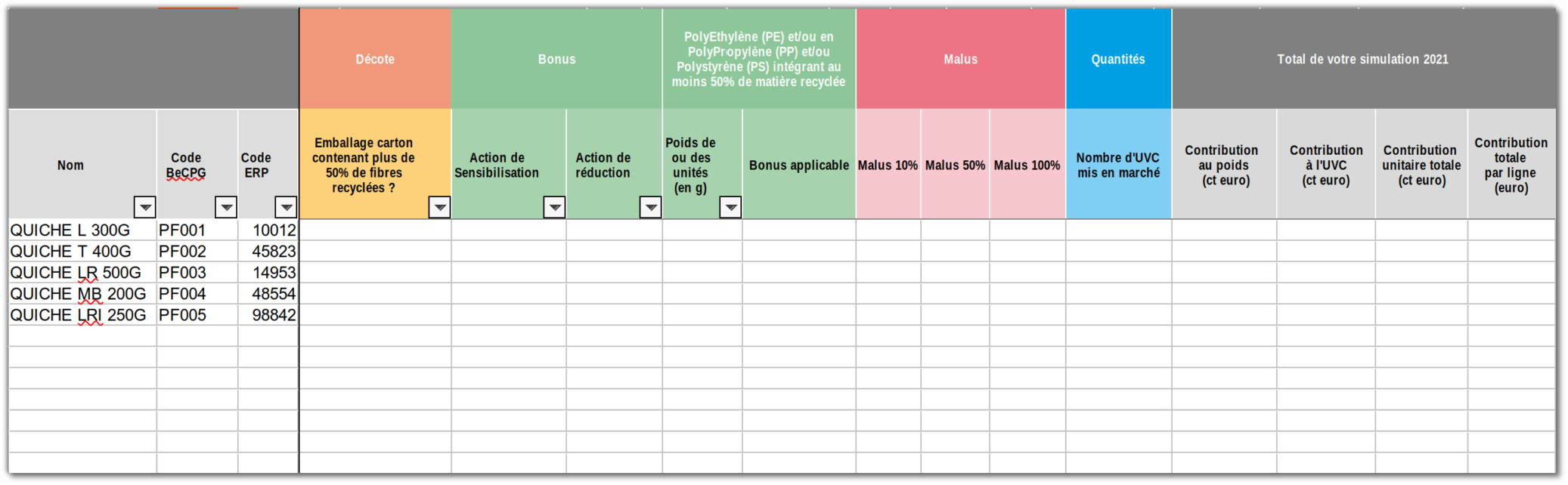
Materials are grouped by CITEO regulatory category. You can add materials that are more precise than the CITEO categories, provided that you fill in their CITEO category for the CITEO report to work.
For example:
- PET-1 --> 6.3.3
- PET-2 --> 6.3.3