Nutrient management
The "Nutrients" list is used to enter and calculate nutritional values.
Nutrients / Nutritional values
Nutrients are entered manually on raw materials and then calculated by the formulation on semi-finished and finished products.
Load nutritional values from USDA or CIQUAL
beCPG provides the CIQUAL and USDA nutritional databases. You can load nutritional values from the list.
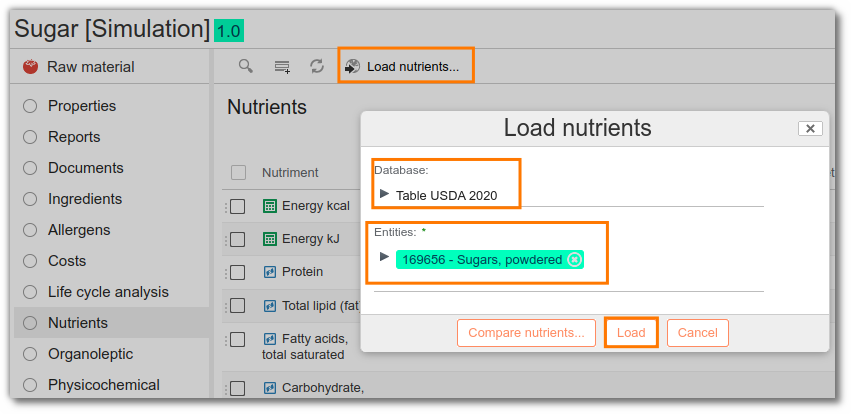
Before importing the values, you can compare those already present with the new ones using the "Compare nutrients" button.
Calculated nutrients
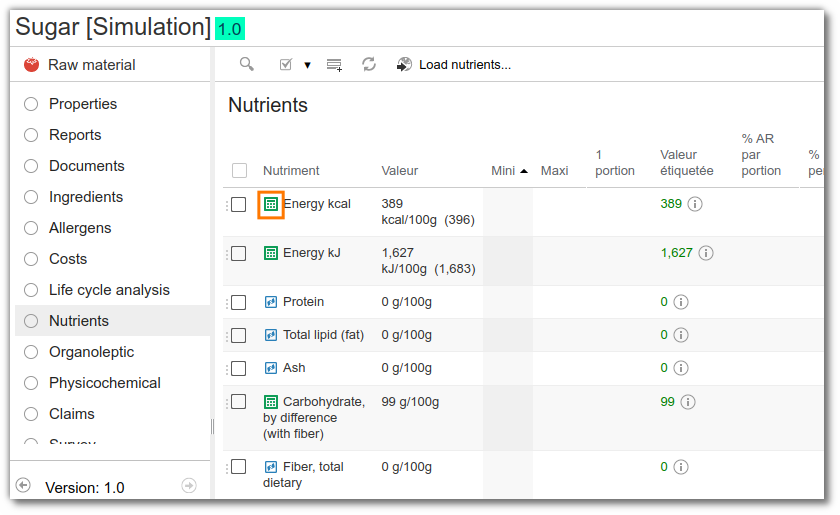
Some nutrients are calculated in relation to the quantity of other nutrients ("calculator" icon):
- Salt is calculated according to the amount of sodium (cf. INCO regulations): 2.5 x sodium
- Energy in kcal and kJ is calculated according to the quantity of other nutrients (cf. regulations): Carbohydrates, Fat, Protein, Polyol, Fiber, Alcohol, Organic Acid.
Add a nutrient to an entity
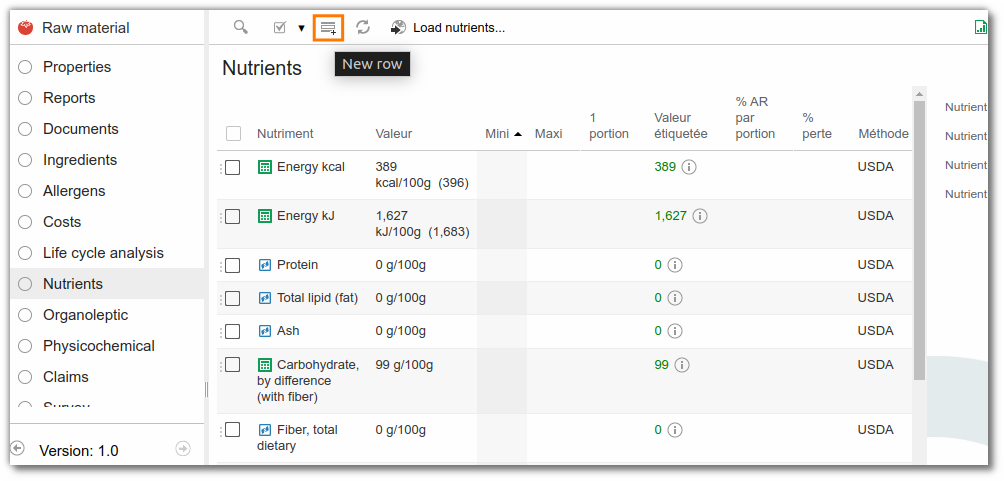
To add a new nutrient, click the "Add" button.
Create a nutrient
Most nutrients are already present in beCPG. However, you can create new nutrients in beCPG Administration.
Nutrient formulation
On generic raw materials, semi-finished and finished products, nutrients are formulated, i.e. calculated from:
- the nutrients filled in on the raw materials
- the quantity of raw material in the composition
- the yield
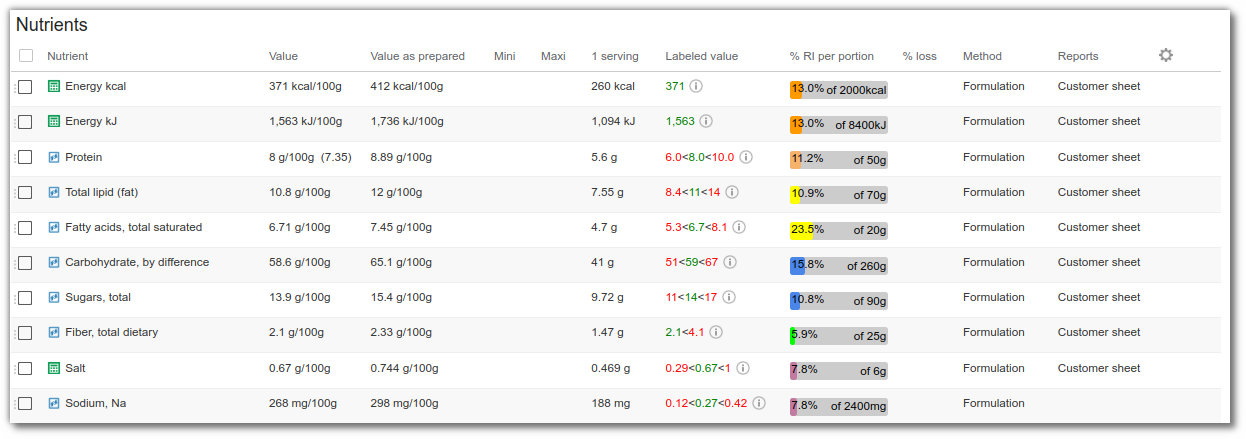
Nutritional values per serving and RI
You can view the nutritional values per serving and the RI. To do this, fill in the serving properties. RI are calculated using the regulatory values for each country, and are displayed according to the user's language.
Reconstitution of nutritional values per serving and RI
Since version 23.2.1, you can reconstitute a portion of a product using a reconstituant (e.g. semi-skimmed milk). The nutritional values per serving, as well as the RI (Reference Intake), are then automatically recalculated taking into account the reconstituant used.
To do this, fill in the following fields:
- Qty for reconstitution (g)
- Preparation reconstituant: an entity that is often a raw material. It is therefore essential to provide its nutritional values, as these are used to calculate the values of the reconstituted product.
- Reconstituant quantity (ml)
Note: for the nutritional values to be correctly updated with the reconstituant, set the "Nutritional value calculated for" field to the nutritional value type "Prepared".
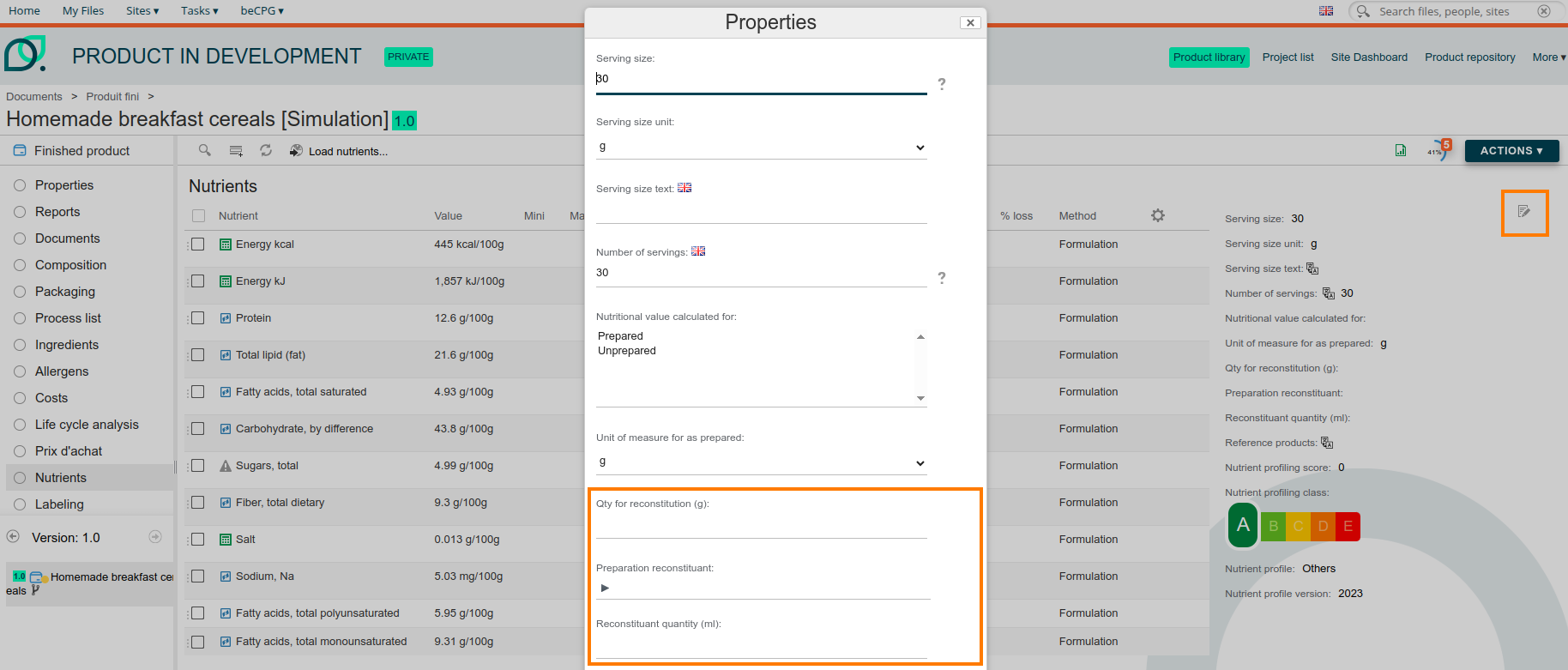
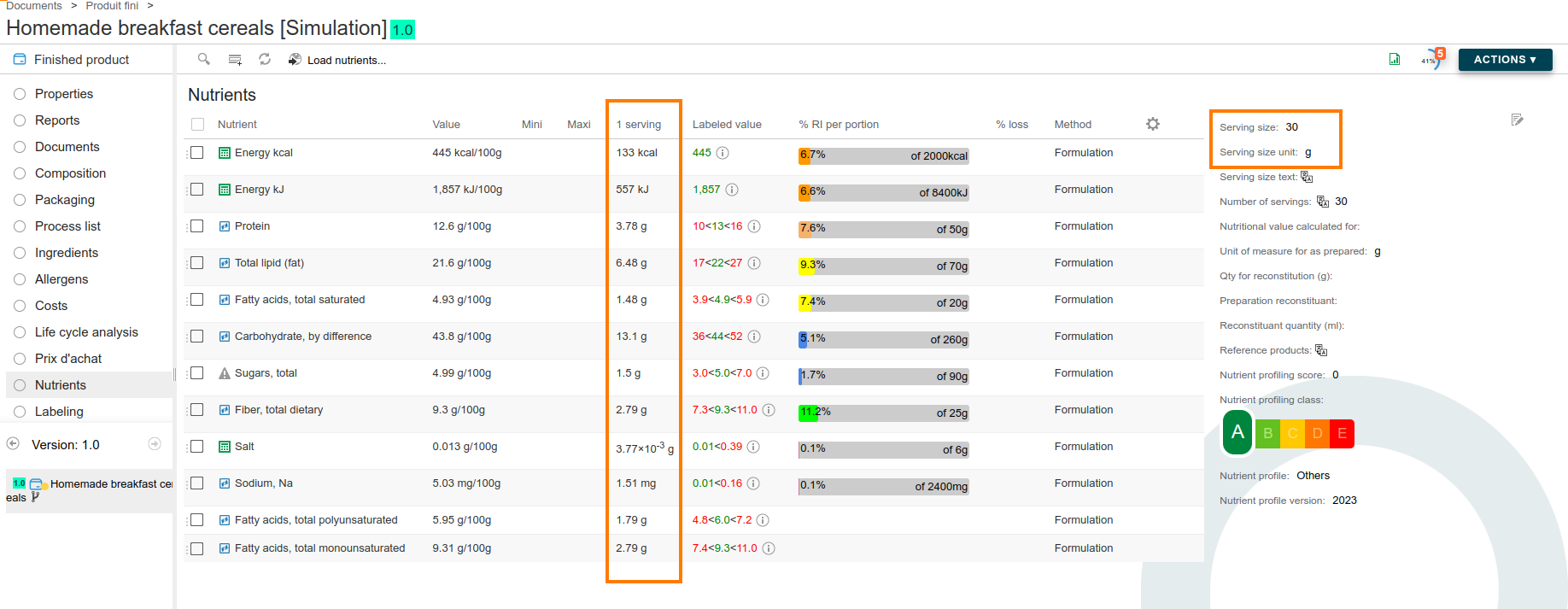
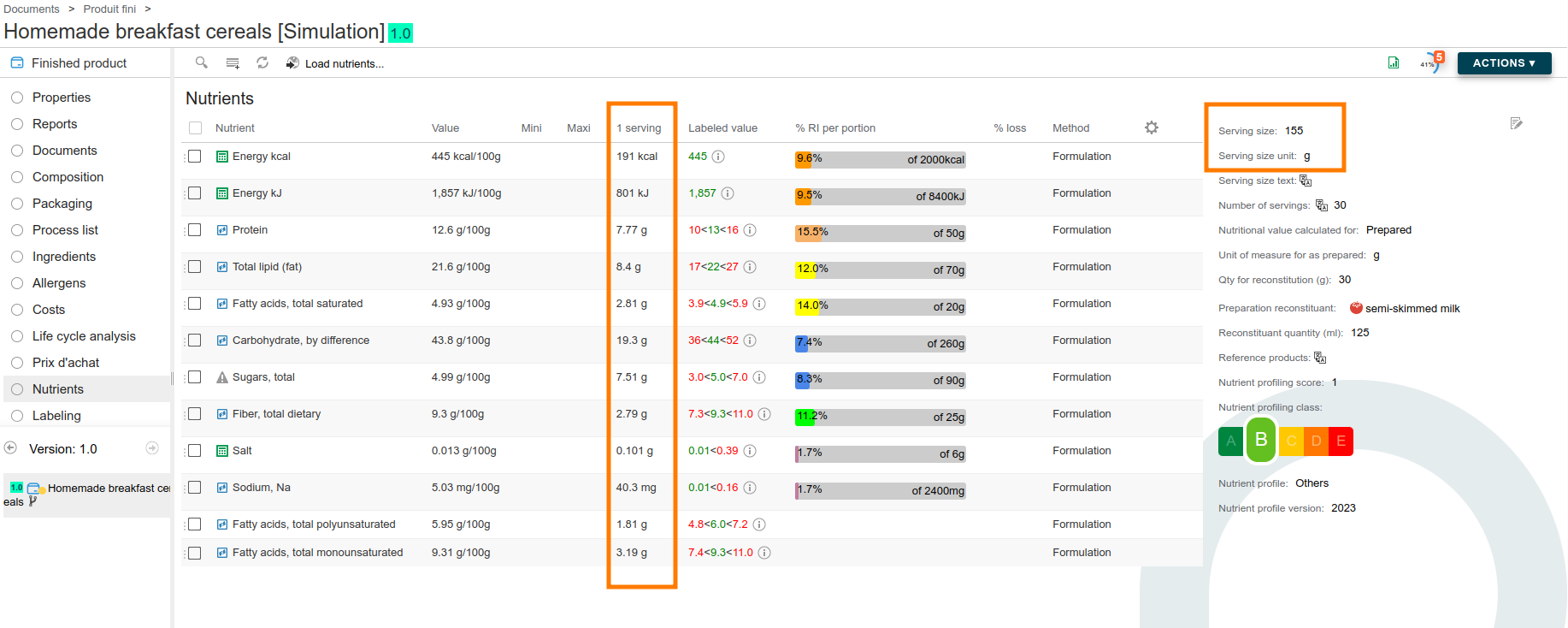
Example: Reconstitution of a 30 g serving of breakfast cereal with 125 ml of semi-skimmed milk.
Before reconstitution with milk, the serving size is set at 30 g. The nutritional values per serving are therefore calculated on this basis.
After reconstitution with milk, the size of a serving increases to 155 g (i.e. 125 g of milk + 30 g of product). The nutritional values are then recalculated for this 155 g serving, incorporating the nutritional data for semi-skimmed milk. This recalculation also updates the RI and Nutri-Score.
Method
The method represents the origin of the values. The drop-down list is linked to a list of values in the administration.
Values imported from a database automatically get the CIQUAL or USDA method. Formulated values get the formulation method.
Report
Line by line, the report column lets you choose which nutritional values are displayed on which report. The display can therefore be adjusted on a product-by-product basis.
Labeled value
beCPG applies the rounding rules and reference daily values of 34 jurisdictions, each described by its own set of mandatory, optional and bolded nutrients:
- Europe: the INCO regulation, plus the CODEX Alimentarius as an international reference.
- North America: the US Nutrition Facts panel with FDA rounding rules (21 CFR 101.9) and the 2016 daily values, and the Canadian table. Earlier versions of both regulations (US 2013-2020, Canada 2013-2022) remain available for products still labelled under the previous format.
- Latin America: Brazil, Mexico, Chile, Colombia, Peru, Uruguay, Central America, Dominican Republic, Trinidad and Tobago.
- Asia-Pacific: China, Japan, South Korea, Taiwan, Hong Kong, India, Indonesia, Malaysia, Singapore, Thailand, Vietnam, Australia.
- Africa, Middle East and Eastern Europe: GSO (Gulf states), Israel, Turkey, Russia, Egypt, Morocco, Algeria, Tunisia, South Africa.
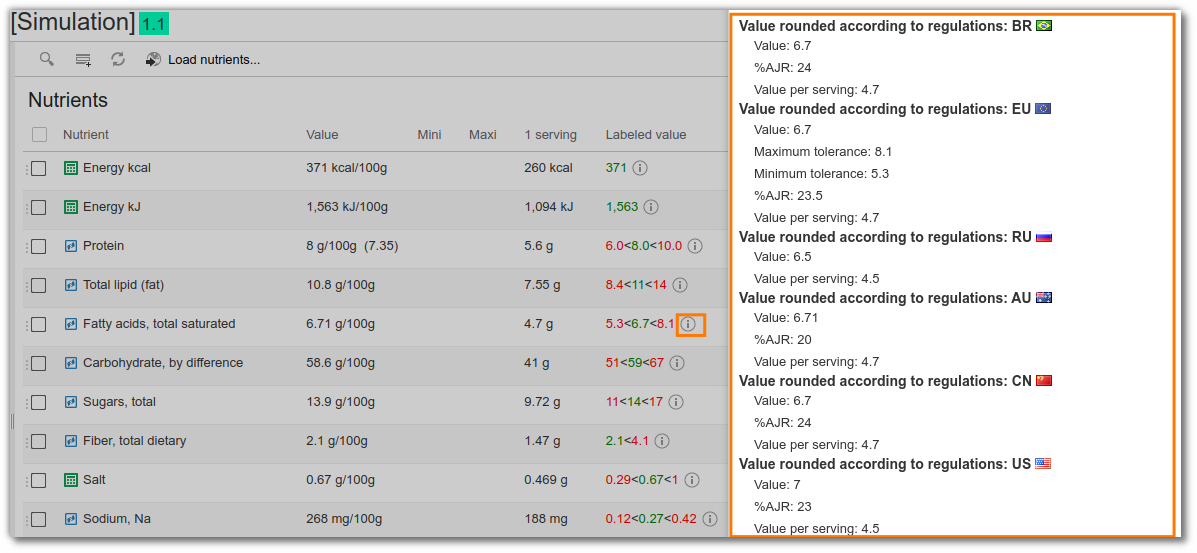
In the labeled value field, you can view these roundings and the regulatory tolerances according to the country in which the product is sold. A product exported to several markets therefore shows the nutrition declaration of each one, from a single formula. The tolerances displayed depend on the user's language. Click "(i)" to view the rounded values, the value per serving and the RDAs.
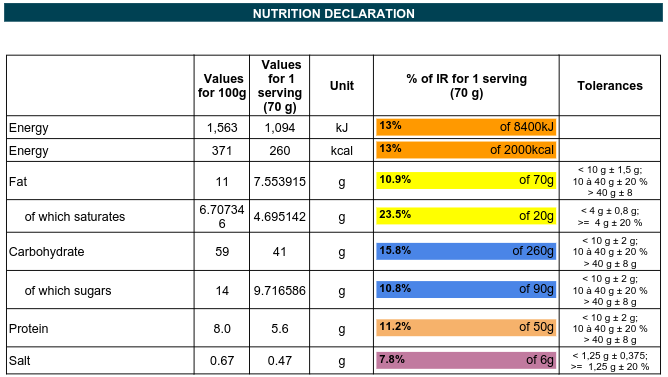
These data are also shown on the technical data sheet.
Loss percentage
The loss percentage field indicates the loss of a nutrient during the manufacturing process or during storage. After formulation, it impacts the value of the nutrient.
Example:
- Vitamin C is sensitive to heat. If the product is cooked, enter the percentage of loss to calculate the value after loss.
Value before loss: 50 mg/100g
Loss: 50% of value
Loss value included: 25 mg/100g
Manual/analyzed values
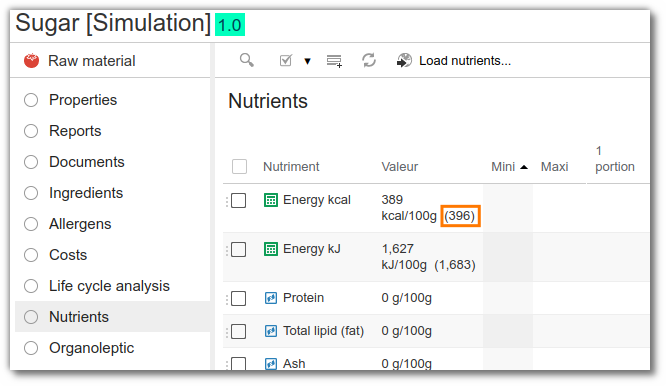
The value field can be overridden with a manual value (from a laboratory analysis, for example). It then becomes the new value. The formulated value remains available and is displayed in brackets after the value.
Tolerance displayed on the report
The tolerance displayed on the report refers to the multilingual Nutrient description field in the administration.
Nutrient tolerances and claims
Regulatory tolerances (Table 3 of the European regulation, as well as the tolerances specific to micronutrients) are taken into account when checking nutritional claims: a claim is only granted if the formulated value stays within the tolerated range.
The nutrient list displays the following columns for that purpose:
- Min and Max: the bounds derived from the tolerances applicable to the nutrient;
- 1 serving and % RI per serving: the value brought back to the serving and the corresponding percentage of the reference intakes.
Comparison of nutritional values
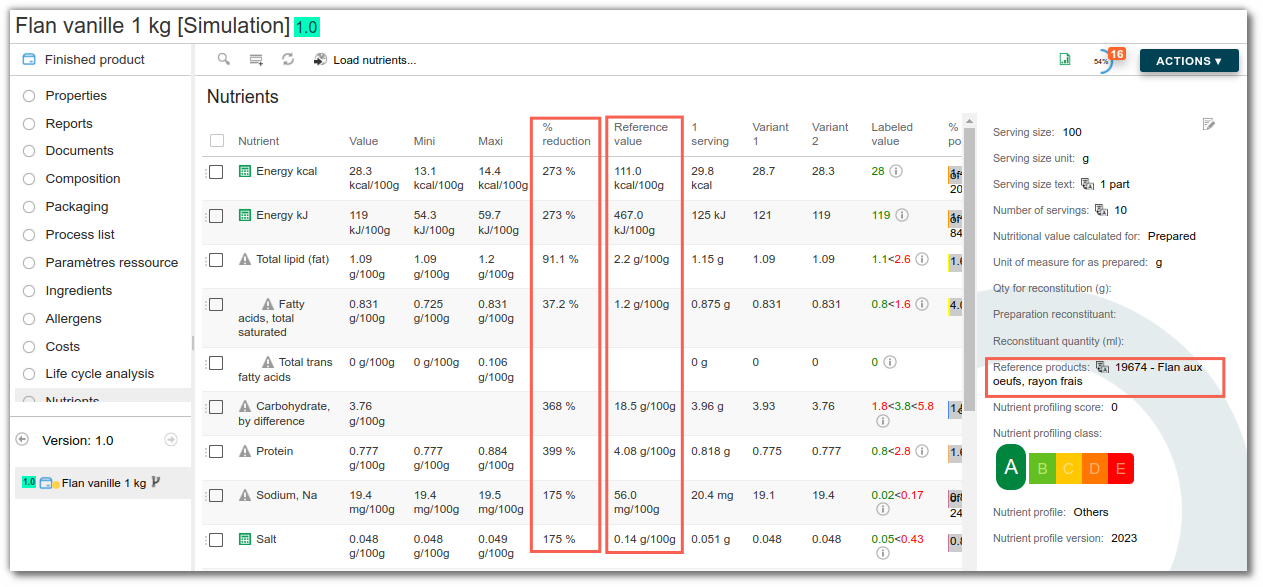
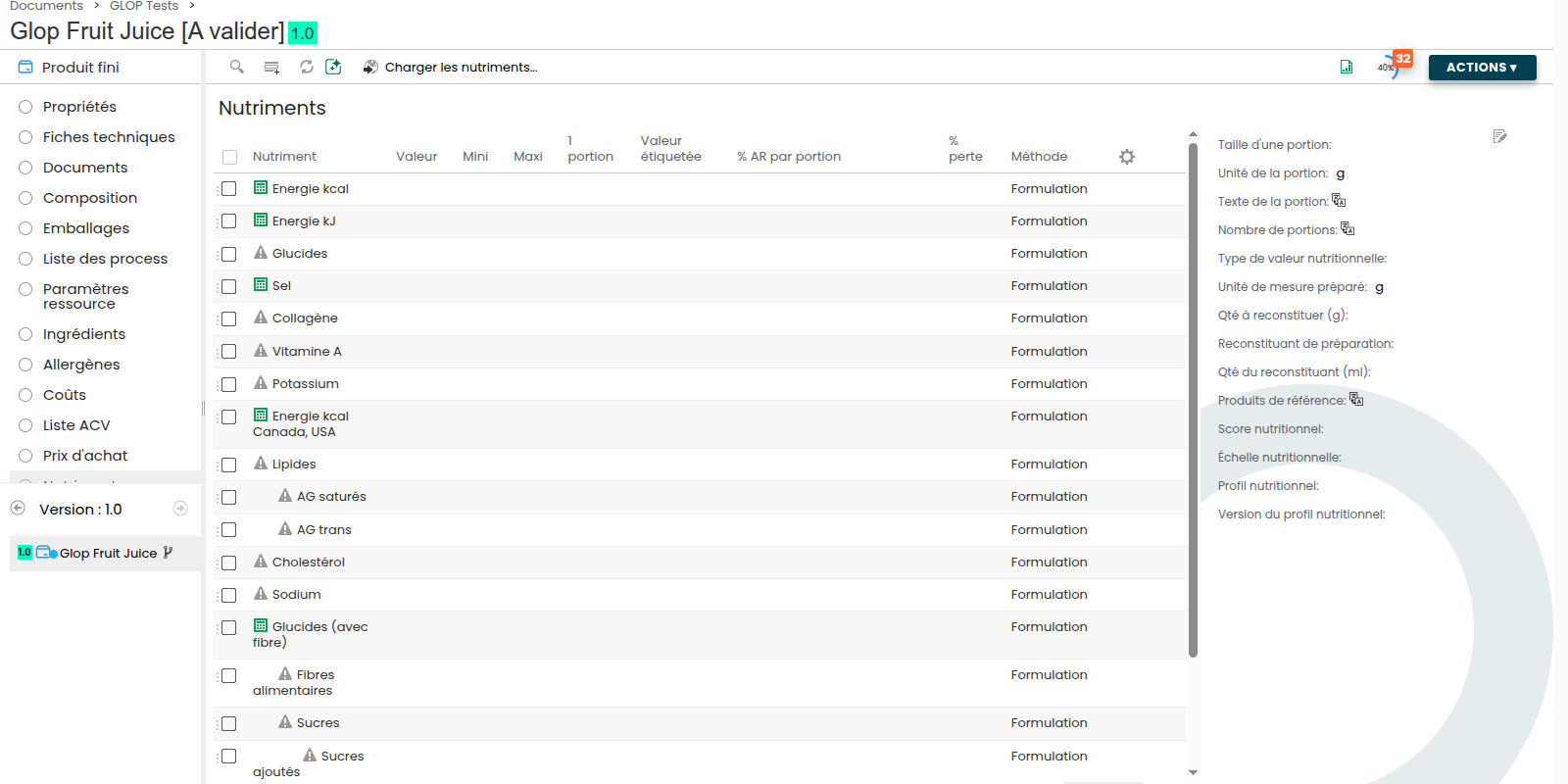
When you link a reference product, the "Reference value" column retrieves the nutritional data of the target product, and the "% reduction" column automatically calculates the percentage reduction compared to this product.