Regulatory compliance
beCPG checks the regulatory compliance of products from three sources, which you can combine:
- the product specifications entered manually in beCPG (forbidden ingredients, allergens, thresholds, etc.) - see Product specification;
- the Decernis connector, an external regulatory database;
- the beCPG regulatory module, described below, which can be used in addition to or instead of the Decernis connector.
You can then view the compliance result in the "Conformities" or "Ingredient compliance" list of the entity.
Conformities list
The "Conformities" list of an entity lets you check whether products can be exported. When a specification states that an ingredient or allergen is prohibited in a given country, the word "Prohibited" appears on the corresponding line.
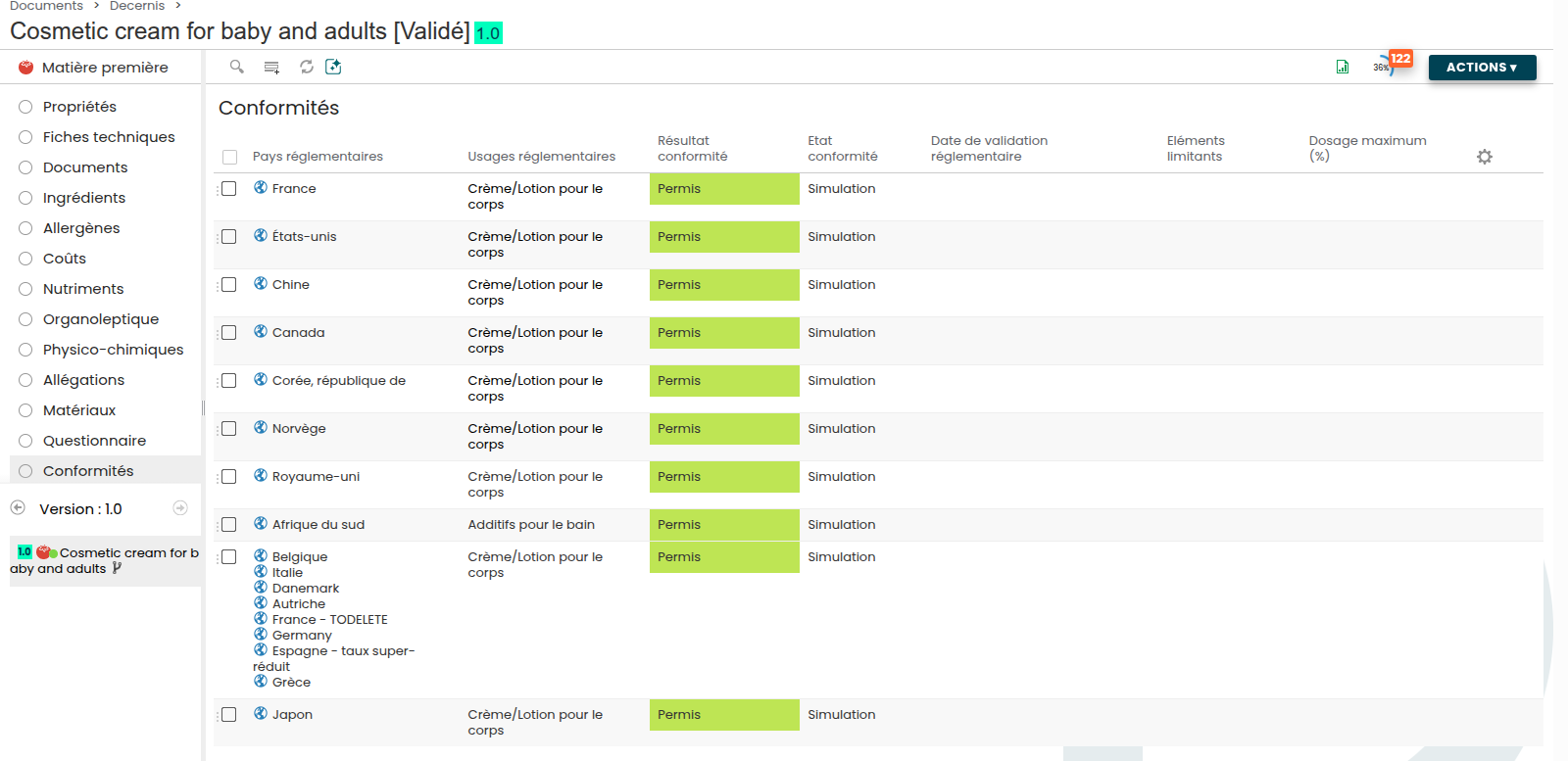
To view the compliance results by country and regulatory use, follow these steps:
Set the compliance mode in the "Compliance" section of the entity properties:
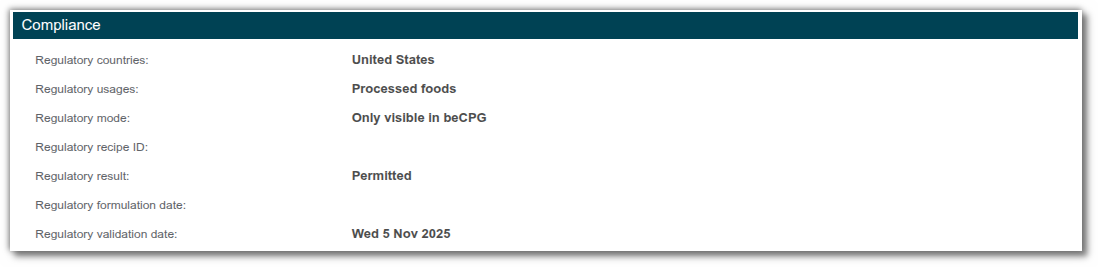
- Only visible in external database: Decernis results are only taken into account in Decernis;
- Only visible in beCPG: Decernis results are only taken into account in beCPG;
- Visible in both: Decernis results are taken into account in both Decernis and beCPG;
- Disable external database: Decernis results are taken into account in neither beCPG nor Decernis.
In the "Conformities" list of your finished product, select the country and regulatory use on the same line.
- Run the formulation. The line then displays:
- the compliance result (permitted or forbidden);
- the regulatory state (simulation or validated);
- the regulatory validation date;
- the limiting elements and the maximum dosage (%) that can be used, calculated with the following formula:
(% of dosage entered in the specification / % of ingredient in the recipe) × 100
Example: the ingredient oleic acid has a restriction of 2% in the specification. It is present at 44% in the recipe:
(2% / 44%) × 100 = 4.5455
The maximum dosage for use in the recipe is therefore 4.55%.

Ingredient compliance list
The "Ingredient compliance" list can only be used with Decernis or the beCPG regulatory module. It sets out, ingredient by ingredient, the reason for the decision:
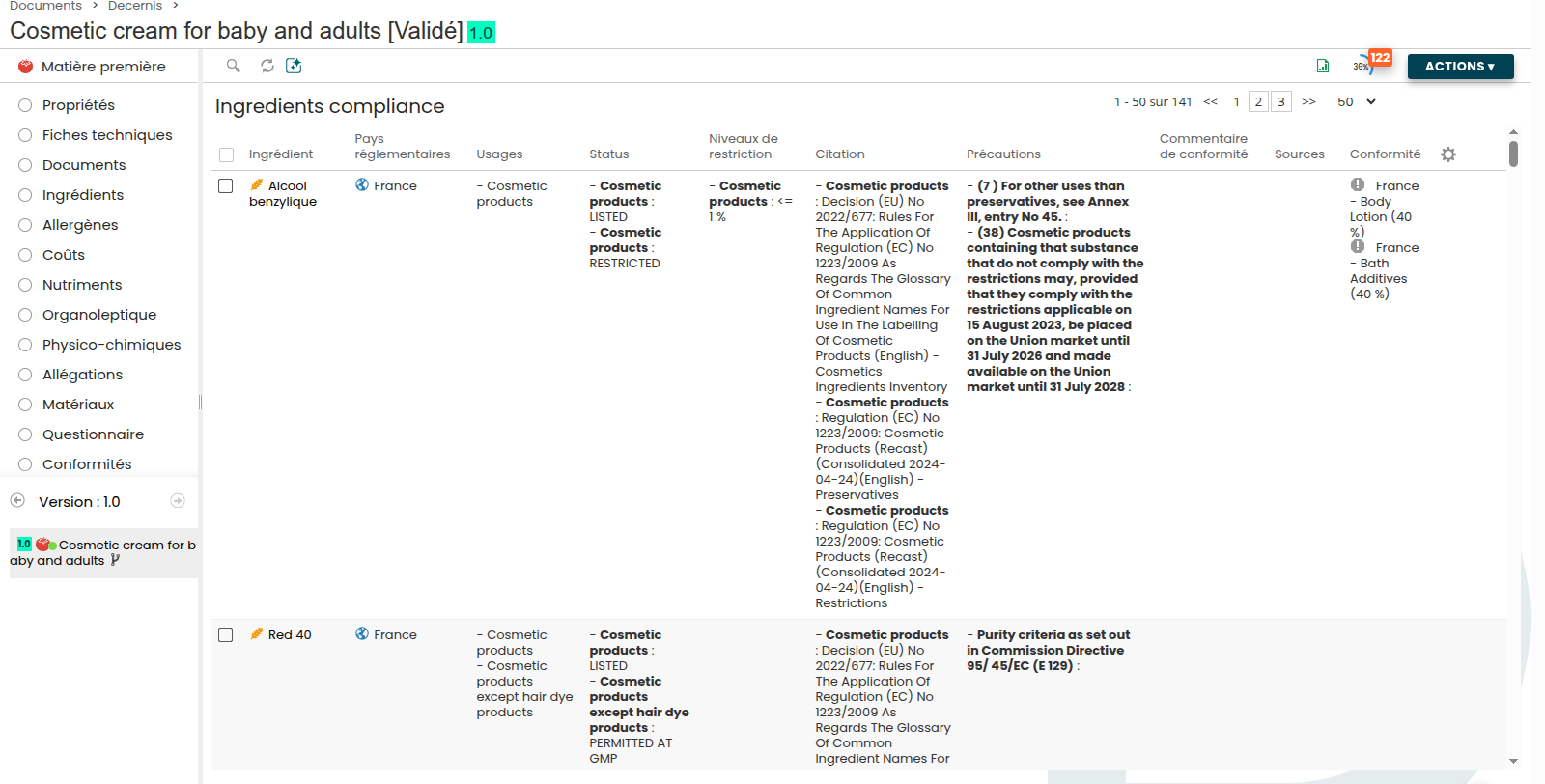
- the regulatory status of the substance for the considered use (permitted, listed, restricted, permitted at GMP, etc.);
- the applicable restriction levels (a maximum content for instance);
- the regulatory citation - the exact text the decision is based on;
- the precautions to be reported, along with the sources used.
The beCPG regulatory module
The regulatory module relies on the beCPG Regulatory application, which holds the regulatory repository and answers the compliance checks issued by the PLM.
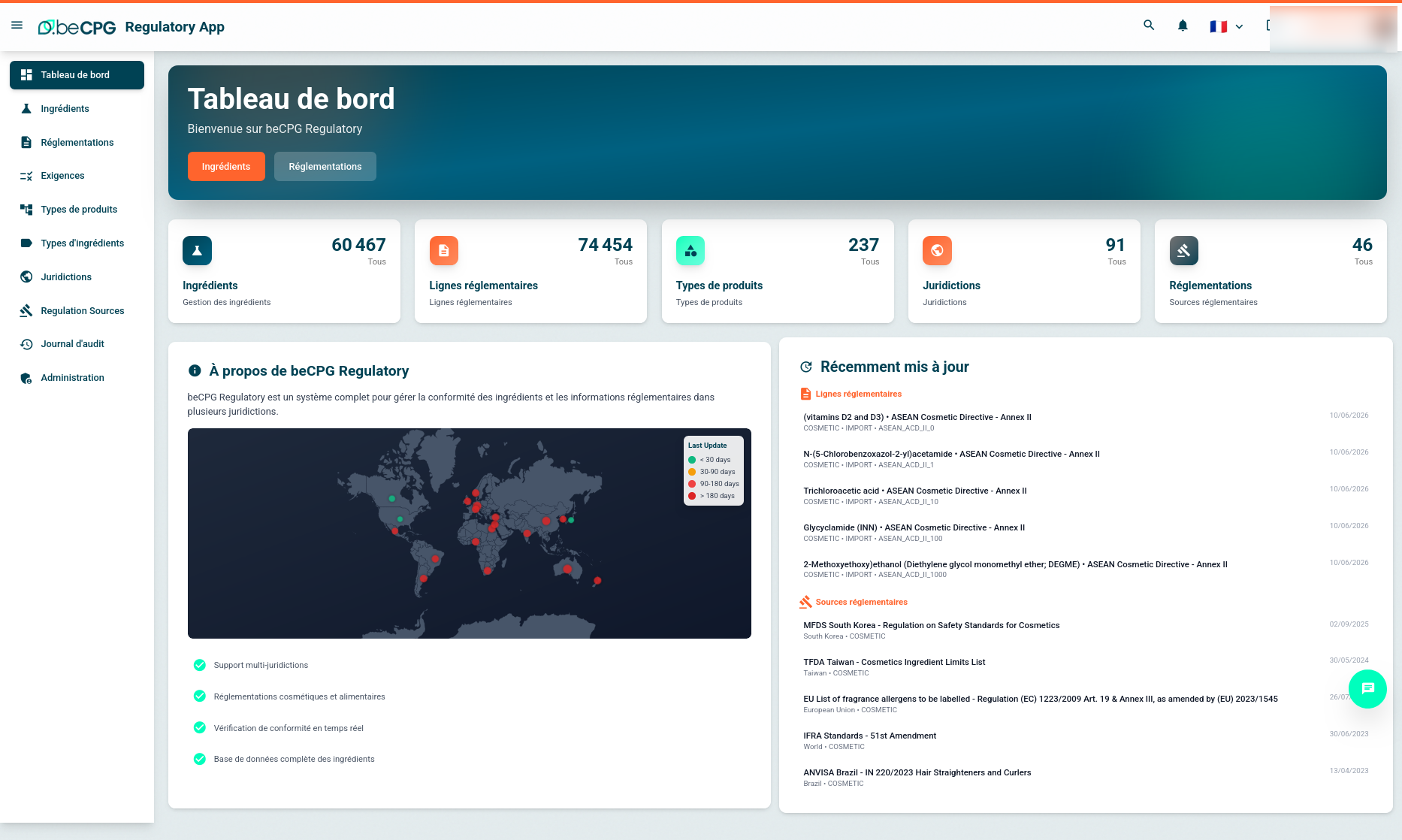
The application is organised around the following sections:
| Section | Content |
|---|---|
| Ingredients | The substance repository, with their identifiers (CAS, EINECS, E number, etc.) |
| Regulations | The regulatory texts covered, per jurisdiction |
| Regulatory lines | The elementary restrictions: substance, use, status, threshold, citation |
| Requirements | The compliance checks generated from the regulatory lines |
| Product / ingredient types | The regulatory uses the restrictions apply to |
| Jurisdictions | The countries and areas covered |
| Regulation sources | The official sources imported and their last update date |
| Audit log | The history of the changes made to the repository |
The dashboard displays the covered volume (ingredients, regulatory lines, jurisdictions, regulations) together with a map showing, per jurisdiction, how old the last update is. This information documents which version of a text a compliance decision was based on.
Behaviour when the service is unavailable
If the regulatory service cannot be reached or returns an invalid answer, beCPG generates requirements reporting the problem instead of silently skipping the check. The absence of an alert therefore cannot be mistaken for a compliant product.
The regulatory code returned by the service is also shortened into a beCPG code, and a calculated label is displayed in the requirements to make them easier to read.
Requirement scanners
Scanners go through the composition of a product and raise requirements whenever a rule is not met. They are visible in the completion wheel and in the requirement list of the product (see Product completion).
Toxicity scanner
- Validation of the toxicity values that have been entered.
- "Permitted" mode based on a white list: only the substances explicitly listed are accepted.
- Alert when a toxicity that has been filled in does not apply to the checked product.
SVHC scanner
Detection, on the product specification, of the Substances of Very High Concern as defined by the REACH regulation.
The linked components of a product can be added as sources in the requirements: the requirement then states which component raised the alert, which avoids going through the bill of materials again to identify the contributor.
Thresholds and CLP calculation
- Threshold values are displayed directly in the requirement messages coming from Decernis or from a specification: the message states the applicable limit, not only the fact that it was exceeded.
- The CLP calculation takes into account:
- inclusion thresholds per substance, so that a substance is only taken into account beyond its own limit;
- a single accumulation of hazard statements, so that the same statement coming from several substances is not counted several times;
- the ATE bounds (Acute Toxicity Estimate) for acute toxicity.
Consulting the detail of a substance
In the ingredients, allergens, toxicity and SVHC lists, the columns are clickable and open a detail window on the substance:
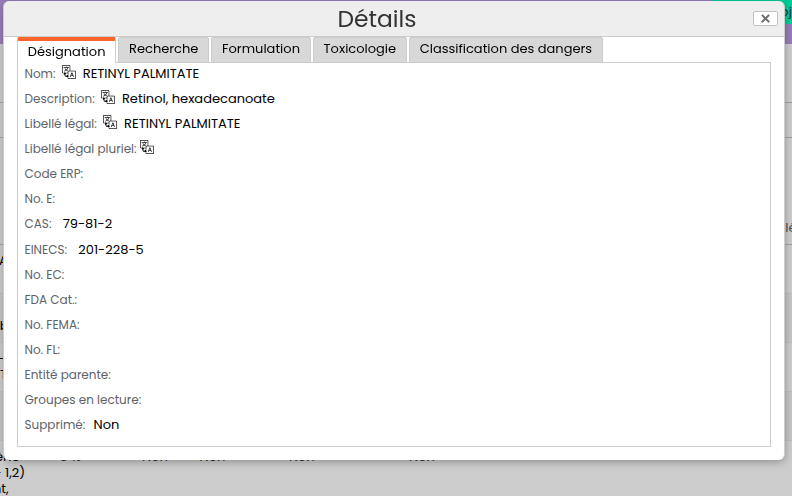
The window gathers the designation (name, legal name, CAS, EINECS, E number, etc.), the search and formulation settings, the toxicology and the hazard classification, without leaving the product.