Declaration types
From the filter list on the bottom right, you can define how the various ingredients present in the raw materials are declared:
- Declare ing
- Declare lib. Legal
- Detail
- Kit
- Group
- Omit
- Do not declare
- Put at end
- Choices
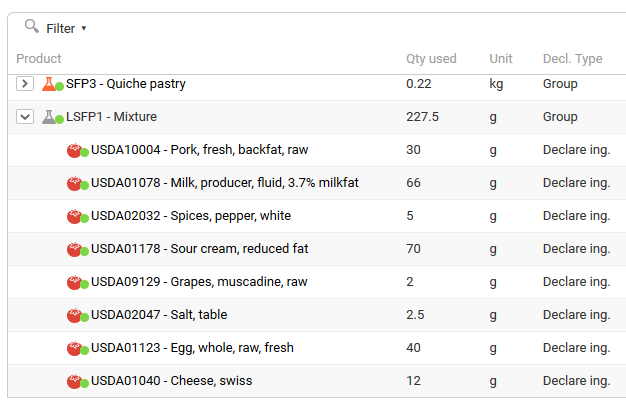
- Declare ing displays all the ingredients of a component.
- Declare legal name displays only its legal name.
- Detail displays all the ingredients and their parent component (raw material or semi-finished product). For example: Lardon (ing1, ing2, ing3)
- Group groups the product composition by level. You must select "Group" on the target semi-finished product. Example of a quiche lorraine:
- Shortcrust pastry (60%): wheat flour, margarine, salt...
- Quiche filling (35%): cream, eggs, water, bacon, salt, pepper.
- Topping (5%): Gruyère cheese.
- Kit works like grouping, but the percentages are calculated relative to the kit (usually a semi-finished product).
Example: the kit function applied to a semi-finished product, here the filling of a quiche lorraine:
- Shortcrust pastry (60%): wheat flour, margarine, salt...
- Quiche filling (35%): cream (40%), eggs (20%), water (20%), bacon (15%), salt (3%), pepper (2%).
- Topping (5%): grated Gruyère cheese.
- Omit omits the selected components. The components are not visible on the label and their share in the recipe is set to zero.
Example for a shortcrust pastry:
- Before: Wheat flour 60%, butter 30%, water 9%, salt 1%
- After: Butter 75%, water 22.5%, salt 2.5%
- Do not declare does not declare the components. They do not appear on the label, but their share in the recipe is not set to zero.
- Put at end displays the legal name of the component at the end of the label.
- Choice indicates that the component is a product choice, for example in restaurant menus. In labeling, the legal name is declared.