Product advancement
Introduction
Products have an "Advancement" indicator. It takes into account the points required for a product to be considered finished.
This "Advancement" indicator, computed at each formulation, appears at the top right of each list (composition, nutrients, etc.). It is shown as a blue donut with a percentage in its center.
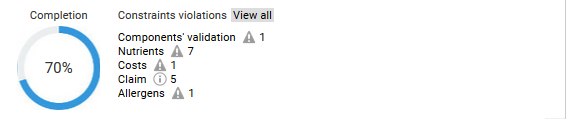
This percentage is the progress score of the product: a score of 100% means that the product is considered finished and can therefore be validated and sent to the ERP.
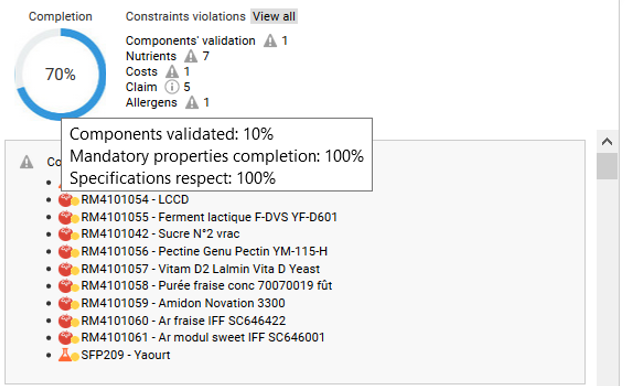
The score is computed from three criteria. Hover over the diagram to see their details:
- The percentage of "Validated" components: a product is not finished until all its components are validated;
- The percentage of filled mandatory fields: these fields are defined in the property catalogs of the server configuration;
- Compliance with the brief: each unmet constraint of the brief lowers this score by 10 points (out of 100).
Each criterion counts for one third of the score.
Score improvement
Improvement of the component validation score
The validation score is the ratio between the number of "Validated" components in the product and the total number of components.
When a new component is validated, you must formulate the product again to improve the score.
Improvement of the mandatory fields score
You can define mandatory fields required to validate a product (e.g. legal name, precautions for use, shelf life, etc.).
The mandatory field catalogs are defined in the administration; see the Administration documentation.
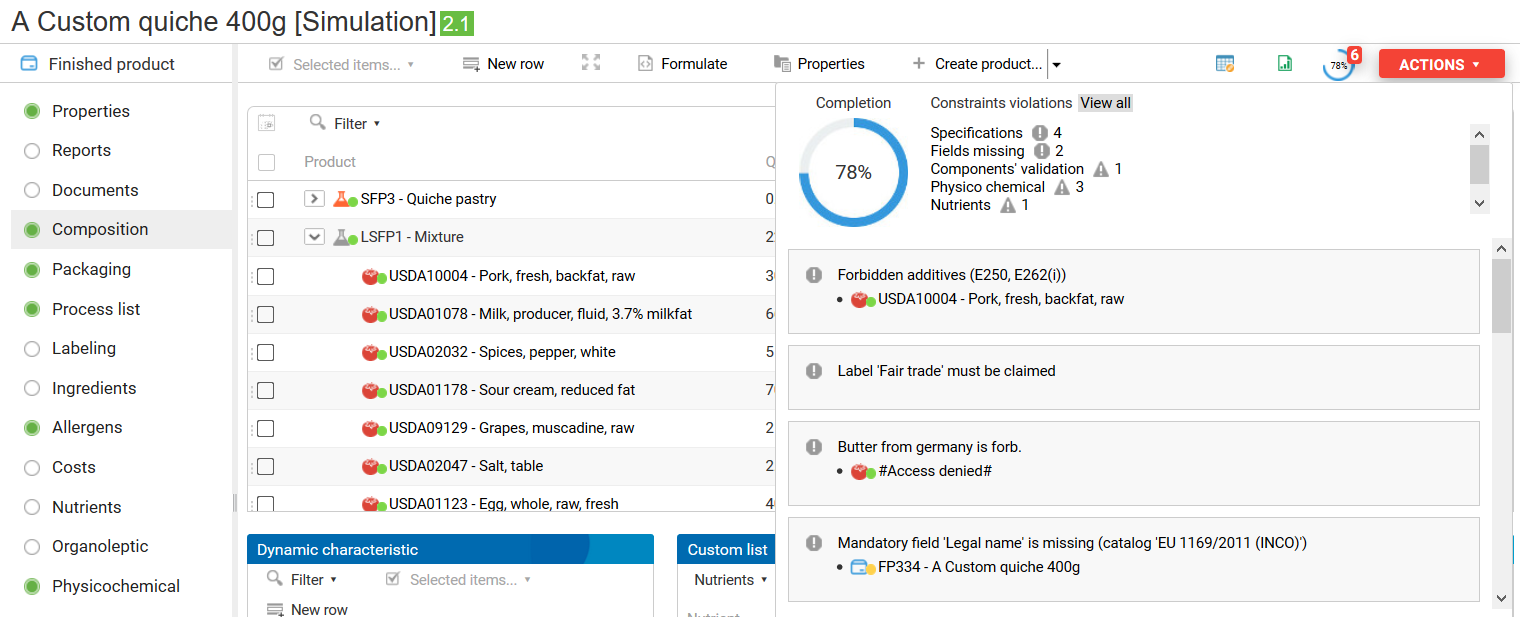
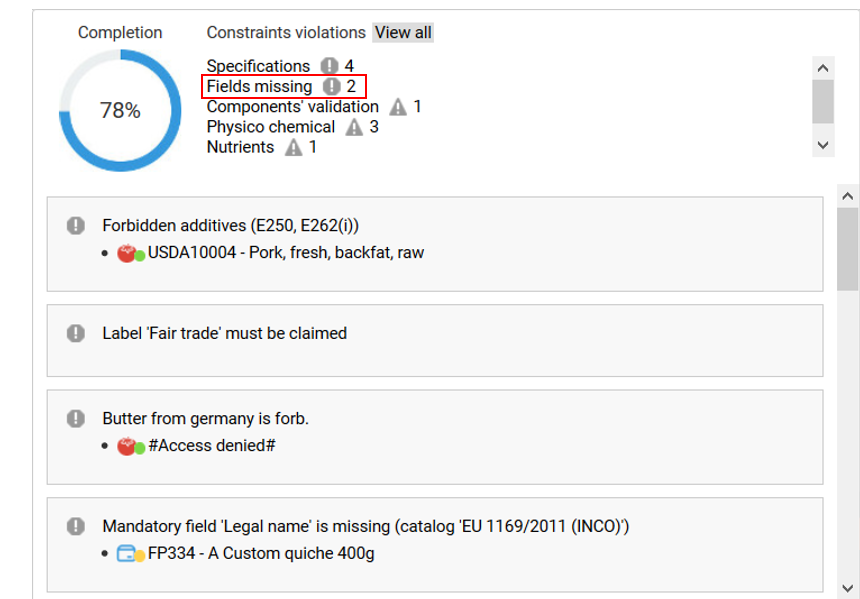
Once these catalogs are defined on the server, you can see which fields are missing in two ways:
- Via the missed requirements:
- When viewing or editing the product properties:
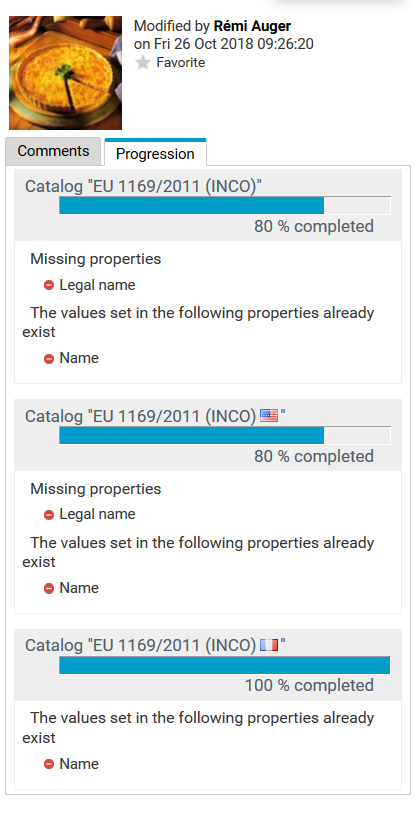
To improve the score, fill in these fields. A flag next to a field indicates a multilingual field that is only missing in the language shown by the flag.
Improvement of the specification compliance score
The last criterion is compliance with the specifications associated with the product.
Each missed requirement from the specifications removes 10 points from this score (out of 100), without lowering it below 10 points.
Only requirements of type "Forbidden" impact the score. "Tolerated", "Information" or "Authorized" requirements have no effect on it.
To improve the score, modify the characteristics of the product that do not comply with the specifications.
To do so, check the "Forbidden" requirements in the "Specifications" filter of the missed requirements.
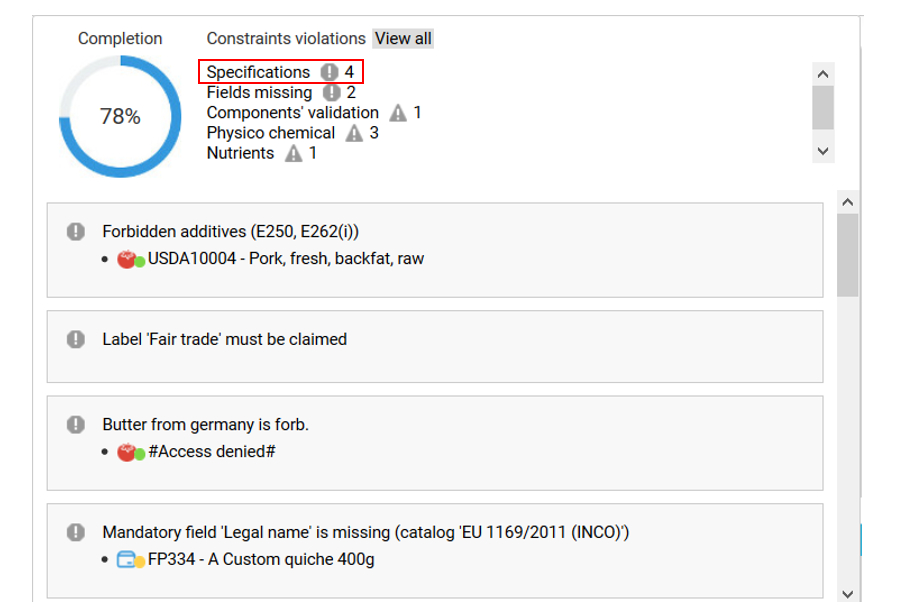
Missed requirements that come from a source (here the raw material 11) are assigned to this source by default, so they must be corrected in this source. Requirements without a source are assigned to the formulated product by default.