Process order
Process orders let you follow up laboratory tests, sample production or industrial tests.
The process order lets you:
- manage the laboratory stock;
- generate production sheets (where the composition of the product is rearranged in the production order);
- specify the quantity to manufacture;
- track the batches of materials used.
Create a process order
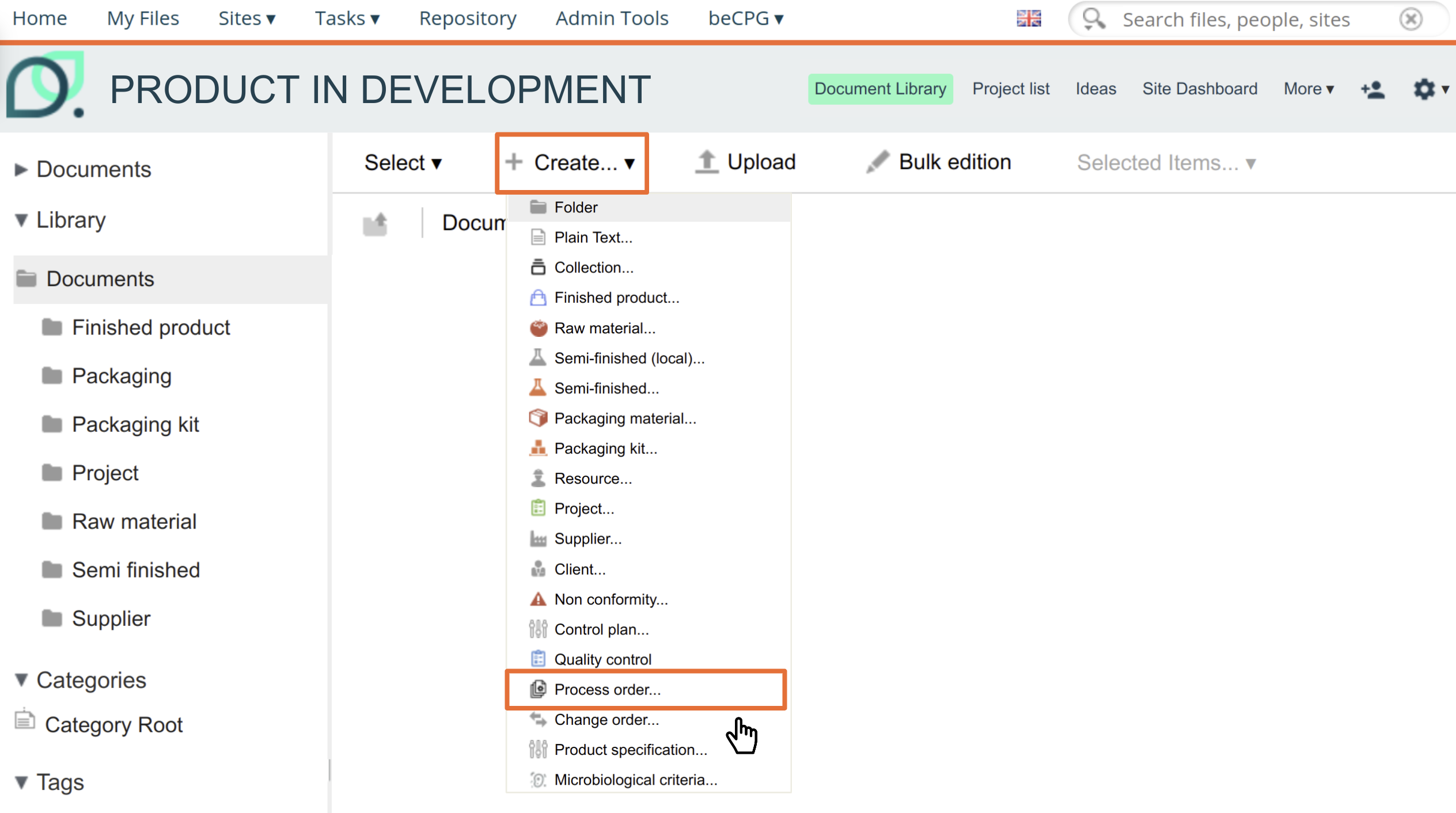
The process order is an entity available in the creation menu.
Fill in the information of the process order (name, internal batch number, etc.), then in the "Product concerned" field, search for the finished product covered by the process order.
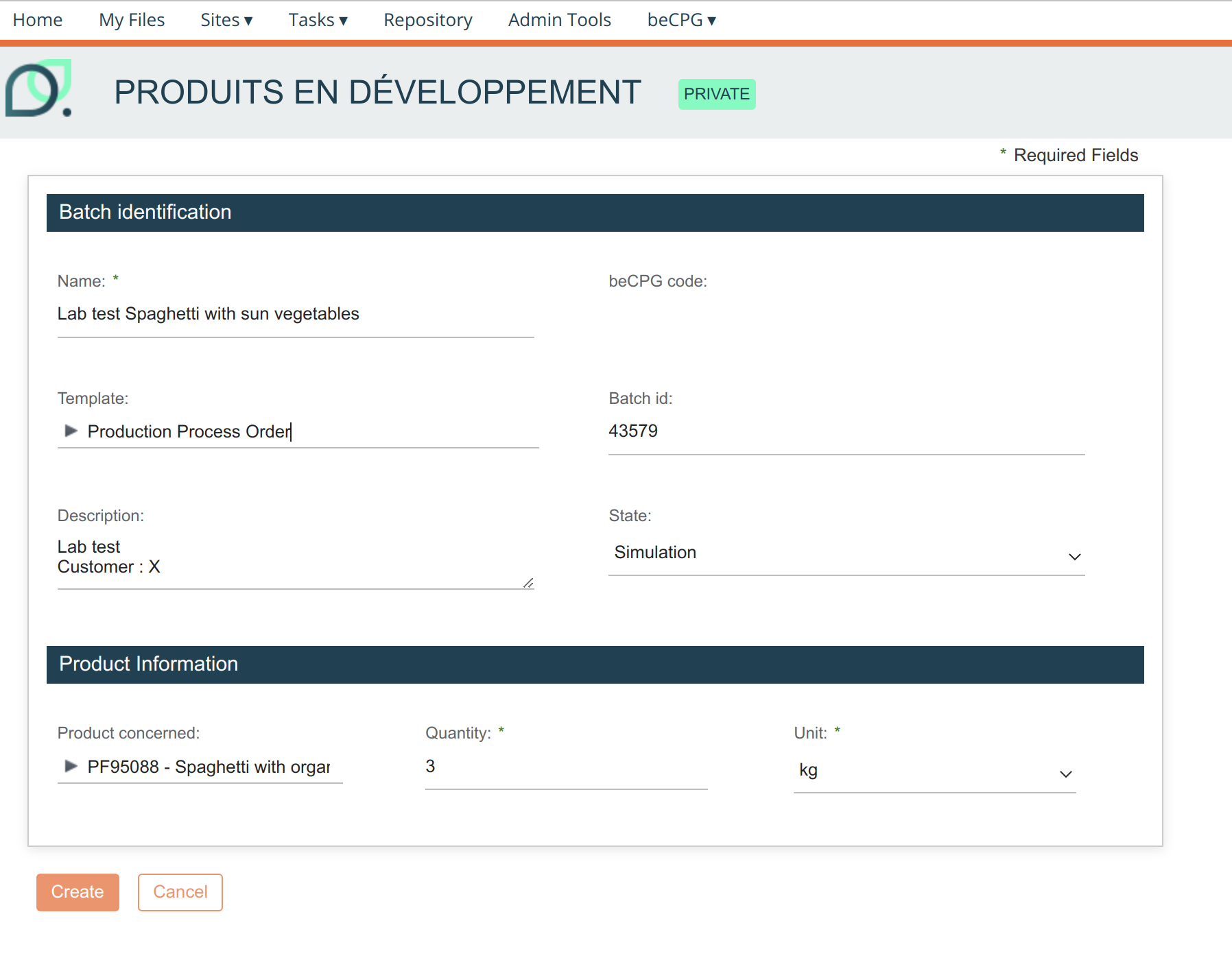
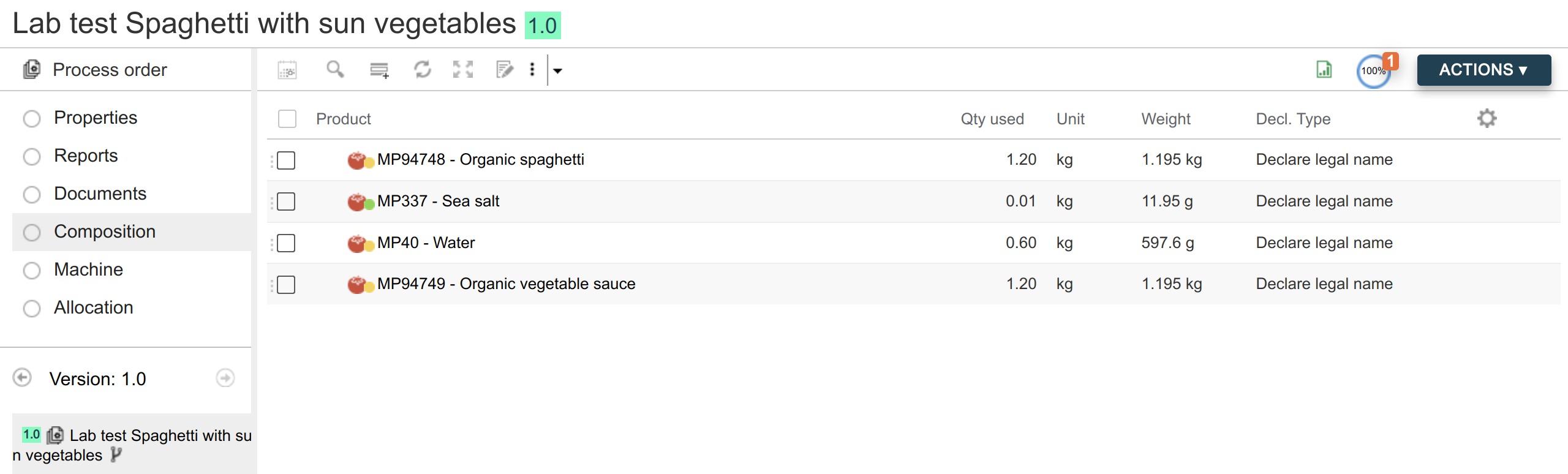
Finally, enter the production quantity (the composition of the product is recalculated according to this quantity).
Report
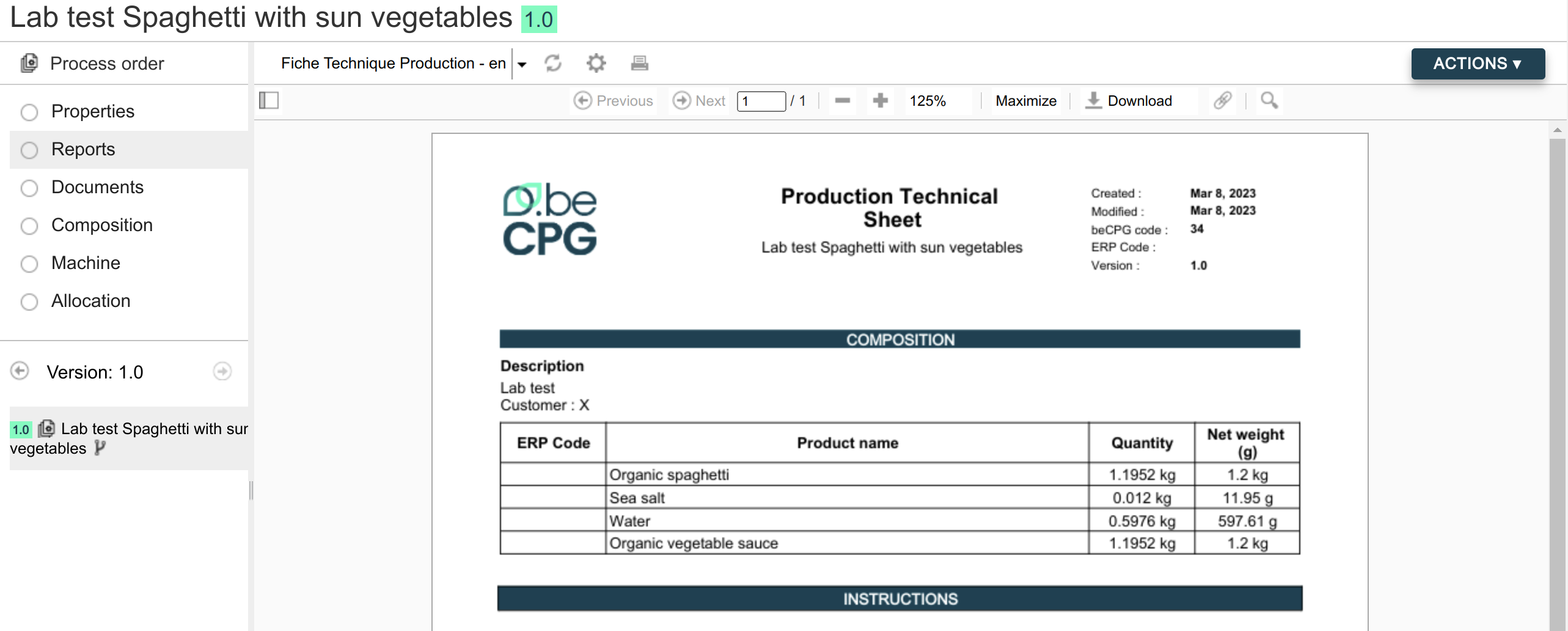
In the report section, a production data sheet specific to the process order is available.
Stock management / Allocation
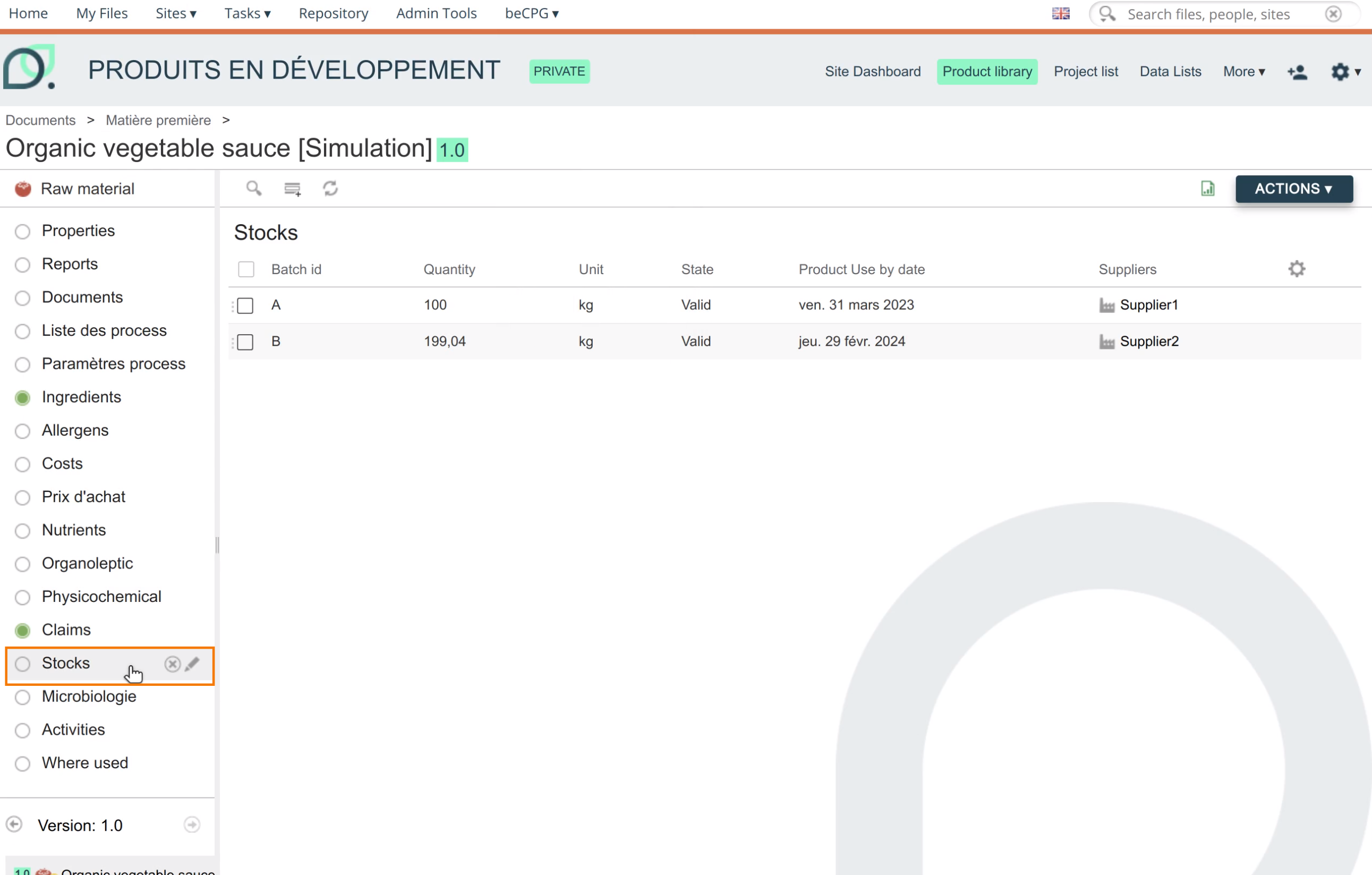
First, fill in the stocks of your raw materials in the "Available stock" list. (If this list is not available, add it to your entity template.)
Then, in the allocation section of the process order, view the raw material requirements and availability. The following information is available:
- Quantity: recalculated according to the test quantity entered in the properties
- State:
- Simulation: the stock is sufficient to carry out the process order
- Rejected: the stock is not sufficient to carry out the process order
- Batch: edit the line to choose the batch used
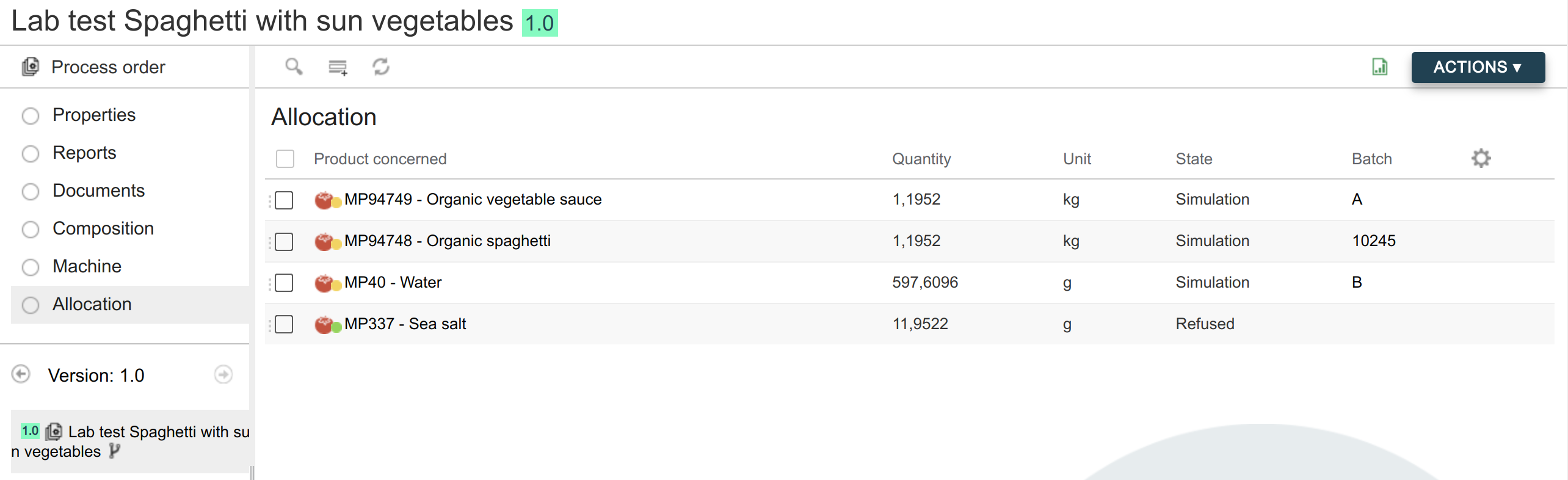
When the process order is executed (State = Validated), the stock of each material is updated according to the quantity consumed.
If a material is in the Rejected state, the stock is not updated.