Activities
The activity list centralizes the history of all changes made. Available for each entity (projects, finished products, semi-finished products, etc.) and in the administration sections, it is the log for tracking the actions performed by users.
Types of activities
The activity list tracks various types of events to ensure full traceability. The system records the following categories of activities:
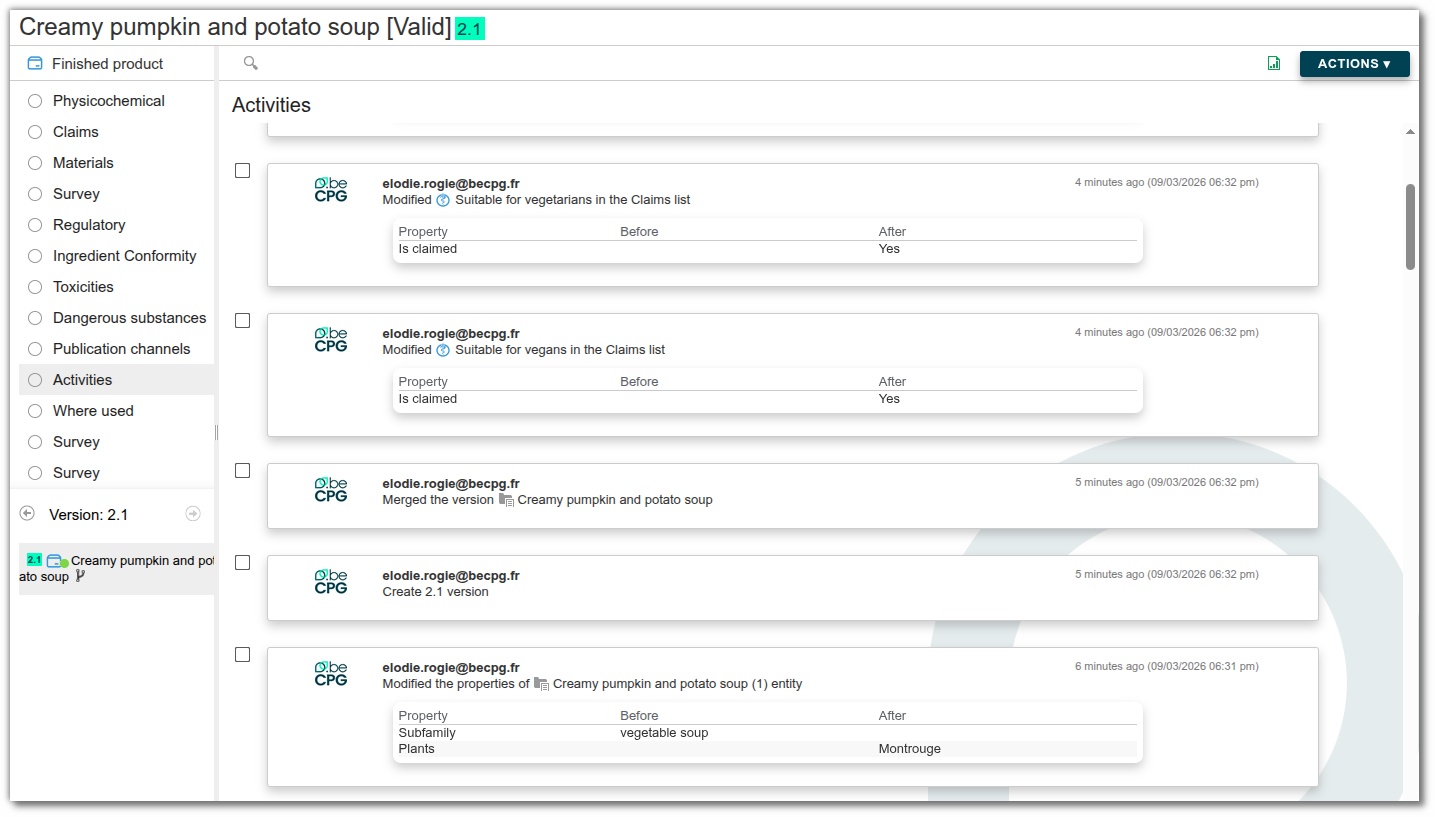
State: Records any change in an entity's status (e.g., a finished product changing from “Simulation” to “Archived”).
Entity: Tracks the creation, modification, or deletion of an entity or any of its specific properties. It also includes changes to aspects and lists (additions and deletions) applied to entities.
Datalist: Logs any manipulation (addition, editing, deletion) within a list, such as adding a raw material to a product’s composition.
Formulation: Generates an automatic audit trail following the formulation of an entity.
Report: Tracks updates to reports generated by the system.
Comment: Tracks comments added, modified, or deleted on an entity or a data list.
Content: Tracks document management, including the upload, modification, or deletion of files in the system.
Version: Marks the creation of each new version of an entity.
Merge: Records branch merge operations (version projects or workflows).
Export: Records whenever a user exports a list to Excel format.
Change Order: Generates a record if the product is modified by a change order.
Filter activities
To refine your search and quickly find specific information in the activity list, use the filter options located at the top left of the page. You can combine multiple criteria (activity type, author of the action, or specific time period) to narrow down the events that interest you. Click the “Filter” button to view the results.
Search tip: if you don’t know a user’s exact name, you can use asterisks () as wildcards. Example: searching for `Anna*` displays all users whose names contain “Anna” (e.g., Anna, Annabelle).
Activity dashlet
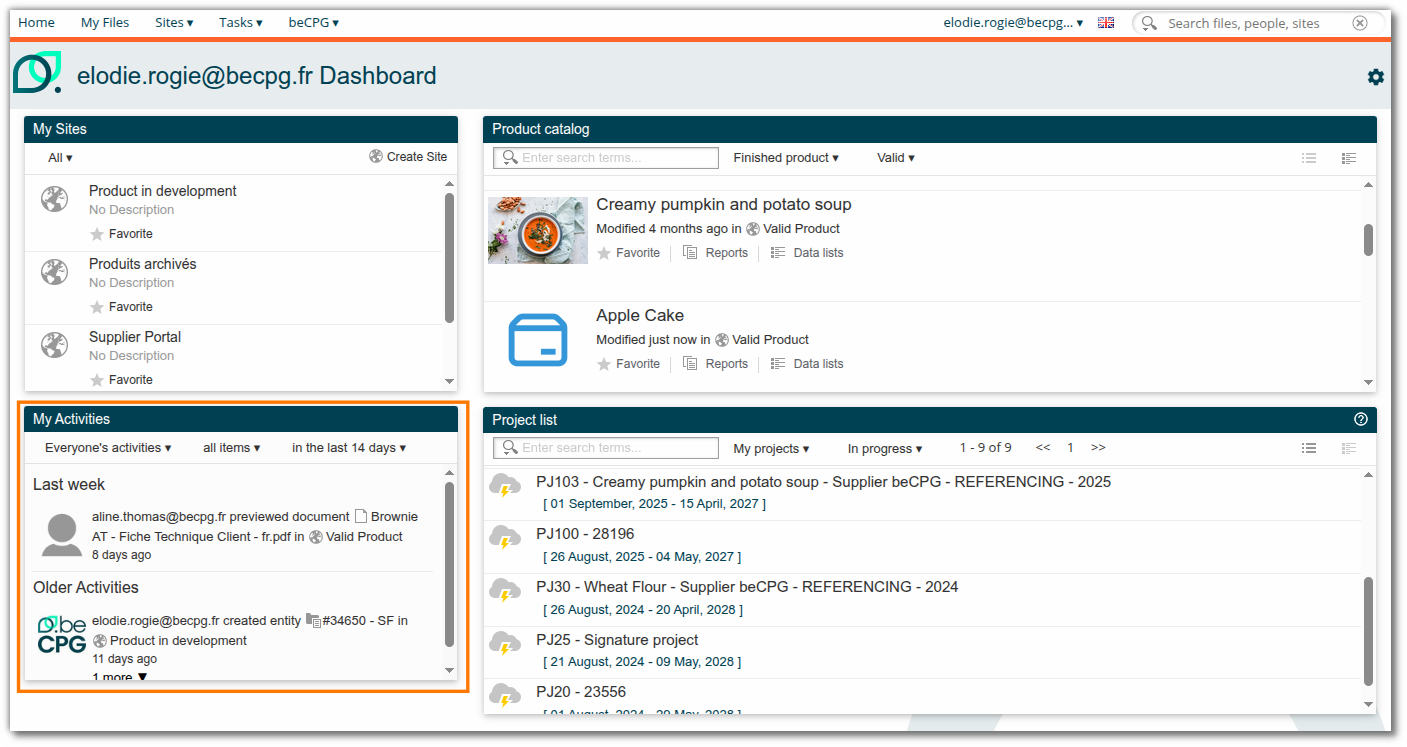
Certain types of activities, such as adding comments, creating entities, generating or viewing documents, and exporting searches, are visible in the activity dashlet on the user dashboard.
Purge of activities
Activity purging is designed to optimize data volume by cleaning up the activity history. This mechanism works by merging activities of the same type performed by the same user.
The purge algorithm
- Basic retention criteria
The algorithm always retains:
- All activities from the last 12 months (default setting).
At least 50 activities, regardless of how long ago they occurred.
Removing duplicates (if the entity contains more than 50 activities)
If the entity has more than 50 activities, the system analyzes the history beyond the first page and removes redundant actions by the same user, retaining only the most recent one. This applies to:
- Identical exports: Multiple exports of the same file performed on the same day.
- Successive modifications: Multiple edits to the same content on the same day. Example: If a user modifies a product’s properties at 10 a.m. and then again at 3 p.m., only the 3 p.m. modification is retained.
Repetitive actions of the same type: Identical processes repeated within a short time frame. Example: If a product is formulated and then reformulated by changing its composition less than an hour later, only the second formulation is retained.
Progressive consolidation (residual overload)
If the volume of activity remains too high after duplicates have been removed, the system applies progressive chronological consolidation (by day, week, month, and then by year) to condense the history.