Allergen management
Allergen management on raw materials
Allergens are managed at raw material level. To do so, select the "Allergens" list.
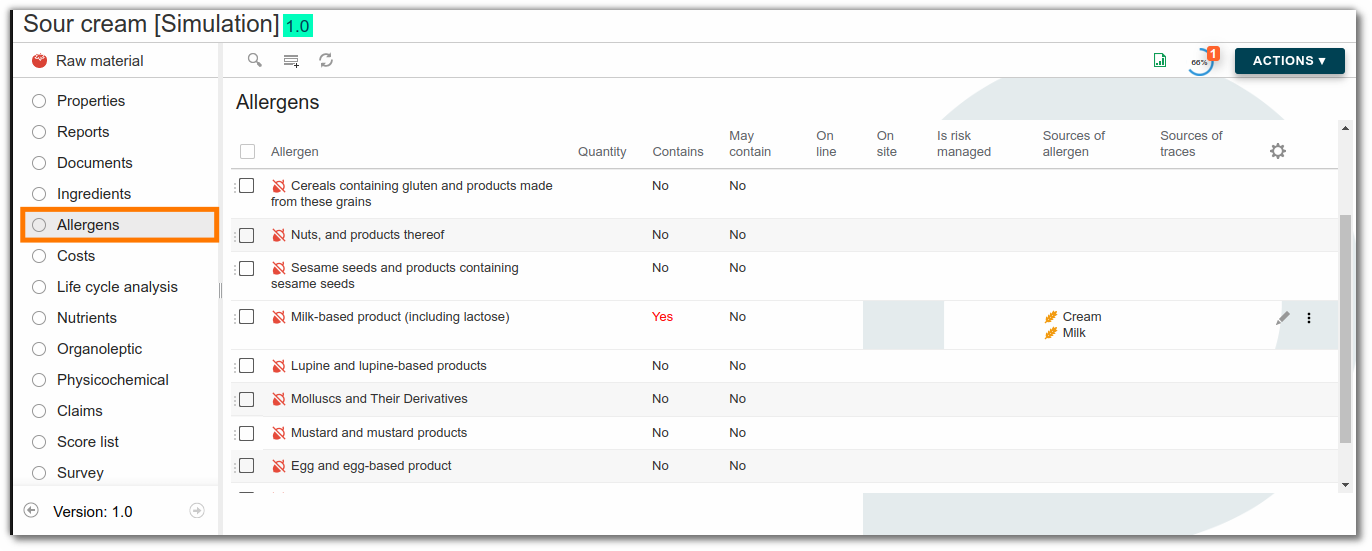
Click "New row" to add an allergen to a raw material. In the allergen form, choose its type and indicate whether the allergen is present voluntarily or through cross-contamination. If the presence is voluntary, you must indicate the source (e.g. milk).

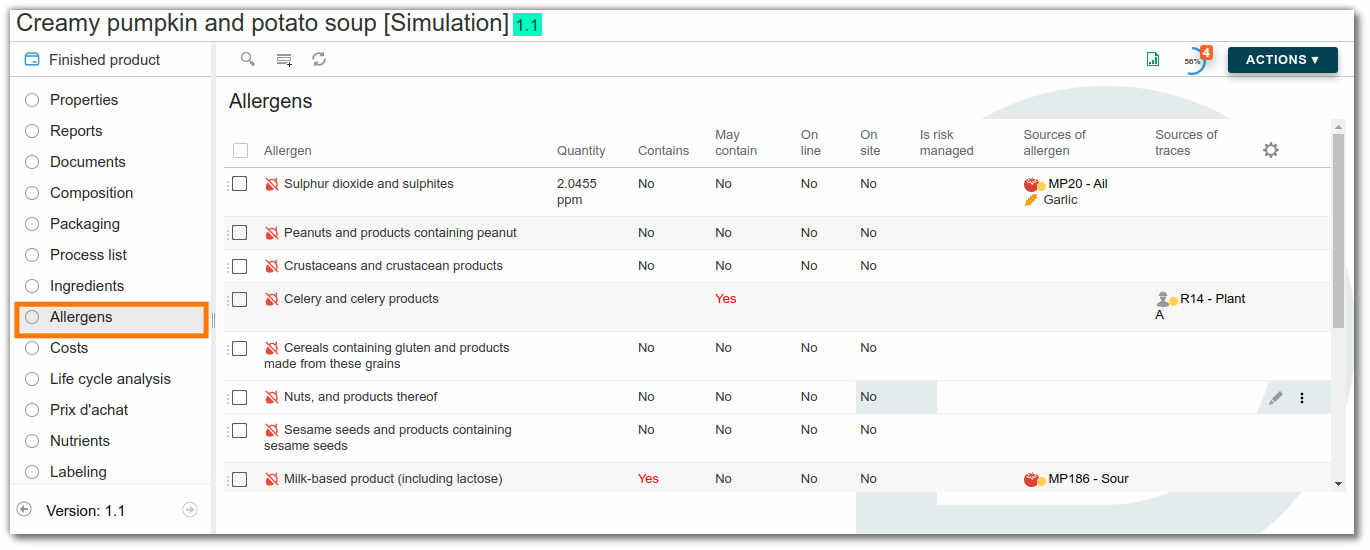
Once this is done for all raw materials, formulate the finished product: the allergens present in the product are displayed.
Link ingredients to an allergen
To save time, you can also link allergens to ingredients from the administration's ingredient list. The allergen is then automatically linked to the raw material.
For example, for the ingredient "milk", the allergen "Milk and milk-based products (including lactose)" should systematically appear in the list of allergens for each raw material containing this ingredient. In administration, link the ingredient "milk" to the allergen "Milk and milk-based products (including lactose)".

Modify or add an allergen
Allergens can be modified or added in the administration area. Click here for more information.
Cross-contamination
Allergens can be managed on site and on line in beCPG by creating a resource that represents the production line or site where the contamination occurred, which is then added to the list of processes.
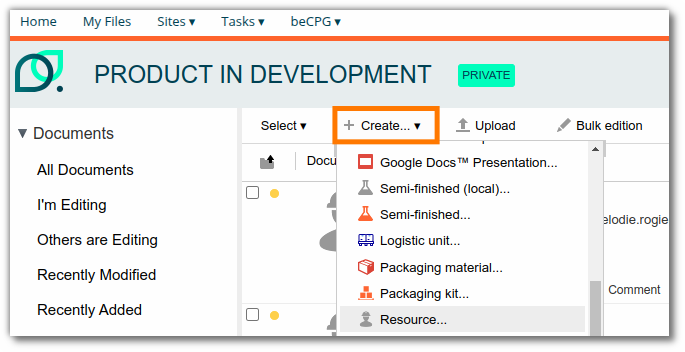
To do this, go back to the product catalog of a site, click "+ Create", and then select "Resource".
Enter the name of the resource, for example “Production site”, and save.

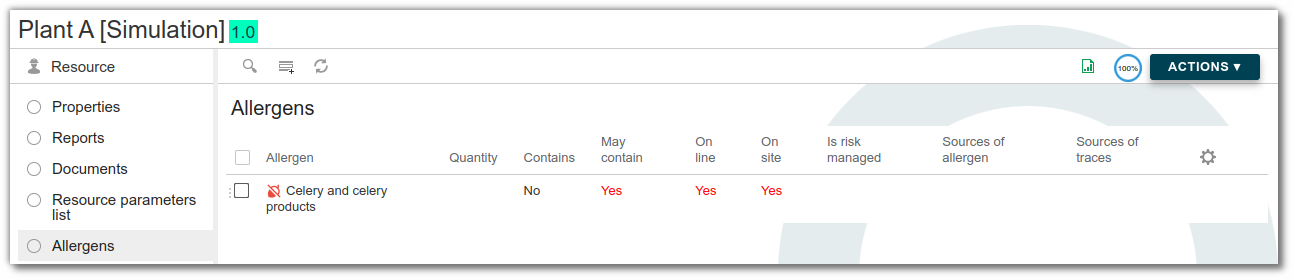
Click the "Allergens" list of your resource and add all the allergens that may come into contact with the production line or site by selecting "Yes" under "May contain".
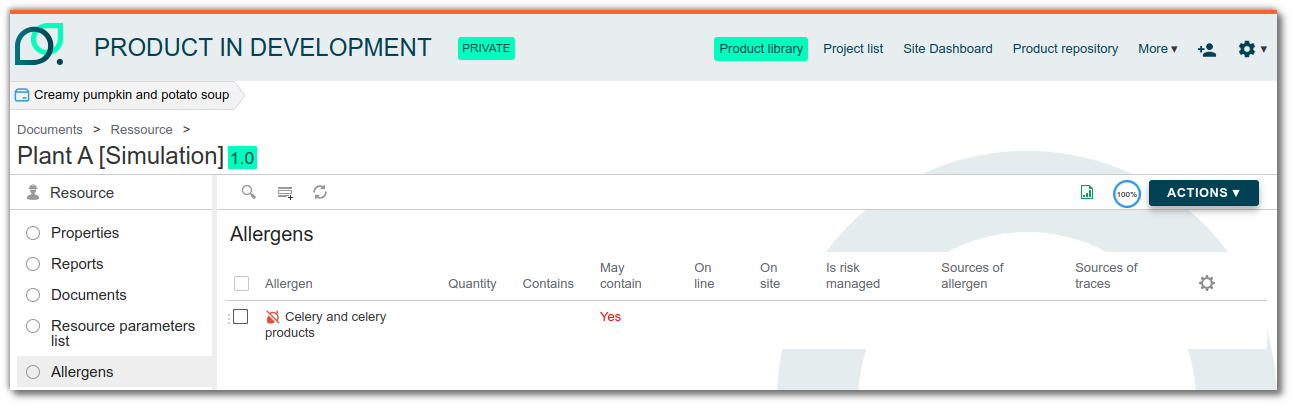
If the risk is managed (by cleaning the line, for example), you can also select "Yes" under "Is the risk managed": the allergen will not be visible on the finished product.
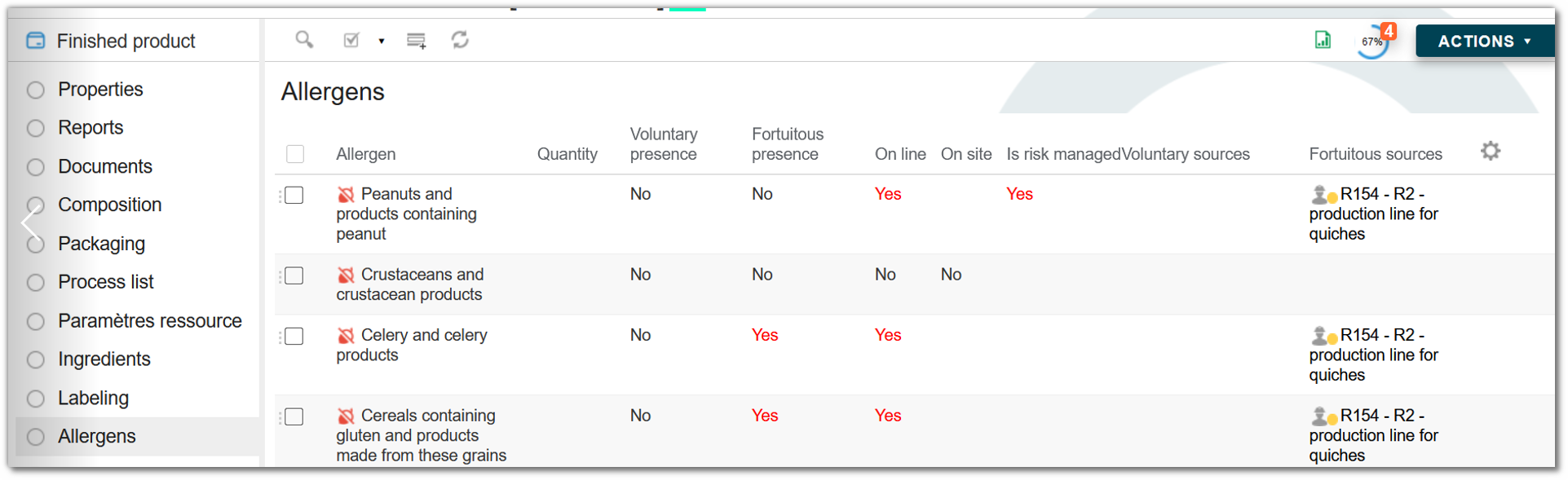
Allergen management on line and on site
Cross-contamination with allergens, or their possible presence, can come from two sources: either directly from the production line or more broadly from the manufacturing site. In beCPG, these two cases can be distinguished, allowing you to identify more precisely the potential source of an allergen in your products.
The information entered for raw materials and resources is then automatically transferred to the finished product, providing a clear and concise overview of the situation.
To declare the presence of an allergen, select "Yes" in the corresponding box:
- "On line" if the allergen is present on the production line;
- "On site" if it is only present elsewhere on the manufacturing site.
Precautionary allergen labelling (PAL)
By default, beCPG compares the quantity of an allergen present by cross-contact to a fixed threshold, entered on the allergen in the administration. This single threshold ignores how much product the consumer actually eats.
PAL frameworks replace that fixed threshold with an action limit computed for each product. The principle: a reference dose states how much allergenic protein a consumer tolerates in one eating occasion. beCPG converts it into a concentration using the serving size of the product.
beCPG ships three frameworks:
- NL_ED05: Dutch reference doses (NVWA, April 2024),
- VITAL_3: VITAL 3.0 doses, based on the ED01,
- VITAL_4: VITAL 4.0 doses, based on the ED05.
Activating a framework on a product
To turn the calculation on, proceed as follows:
- Open the finished product and click "Edit properties".
- Fill in the "Serving size" field and its unit. The calculation relies on this value.
- Select a framework in the "Allergen framework (PAL)" field.
- Formulate the product.
As long as you leave the "Allergen framework (PAL)" field empty, beCPG keeps the historical behaviour and applies the fixed thresholds of the allergens.
Homogeneous contamination
A homogeneous contamination spreads through the recipe: dust, flour, liquids. beCPG dilutes it along the composition, then compares the resulting concentration to the action limit of the product.
beCPG computes the action limit as follows:
Action limit = Reference dose (mg) / Serving size (kg)
For a 250 g baguette and a soy reference dose of 0.5 mg of protein, the action limit is 2 ppm. A final contamination of 5 ppm exceeds that limit, so beCPG declares the allergen as present by cross-contact.
The same product assessed with the Dutch framework, whose soy reference dose reaches 10 mg, gets an action limit of 40 ppm. The 5 ppm contamination then stays acceptable.
Gluten-containing cereals carry a cap: under the NL_ED05 framework, the action limit never exceeds 20 ppm, to stay consistent with the legal gluten-free limit.
Particulate contamination
A whole seed or a debris does not dilute in the recipe. beCPG therefore assesses the worst case: the amount of protein a consumer eats when hitting one whole particle.
Fill in the two following fields on the allergen line of the raw material:
- "Particle weight (g)": the mass of a single particle,
- "Particle protein (%)": its protein content.
beCPG then compares the dose of the particle directly to the reference dose, without dividing by the serving size:
Particle dose (mg) = Weight (g) × Protein (%) / 100 × 1000
A sesame seed of 0.0026 g holding 18% of protein brings 0.47 mg of protein. That dose exceeds the VITAL 3.0 reference dose of sesame (0.1 mg), so beCPG declares the allergen. Under the Dutch framework, whose reference dose reaches 2 mg, the risk becomes acceptable and the statement disappears.
When a raw material declares both a homogeneous contamination and a particle, beCPG keeps the worst of the two results.
Voluntary allergens
beCPG never applies precautionary labelling to an allergen declared as voluntary. An ingredient of the recipe belongs to the ingredient list, not to a "may contain" statement.
Customizing the reference dose grids
Each framework matches a CSV file dropped in the "System > PALDatabases" folder. The file name gives the framework code offered on the products.
The file holds four columns:
allergenCode: the code of the allergen, which must match the "Allergen code" field of the characteristic,rfdMg: the reference dose, in milligrams of protein,maxActionPpm: an optional cap for the action limit,proteinPerc: an optional conversion factor, to fill in when the entered quantities express the allergen rather than its protein.
You can edit a shipped grid or drop your own. A new file becomes selectable on the products without further configuration. An allergen absent from the grid keeps its fixed threshold.
Allergens: technical data sheet
The information entered in the allergen list is automatically used to populate the customer technical data sheet.
When you generate a technical data sheet, the major allergens associated with the selected language are automatically displayed, whether they are present or potentially present.
Customizing the display
You can customize the content of the technical data sheet by adding:
- The complete allergen grid from beCPG, for a higher level of detail,
- Minor allergens, if you want to make them visible.
This customization allows you to adapt the technical data sheet to your customers' requirements or to the regulations in force.
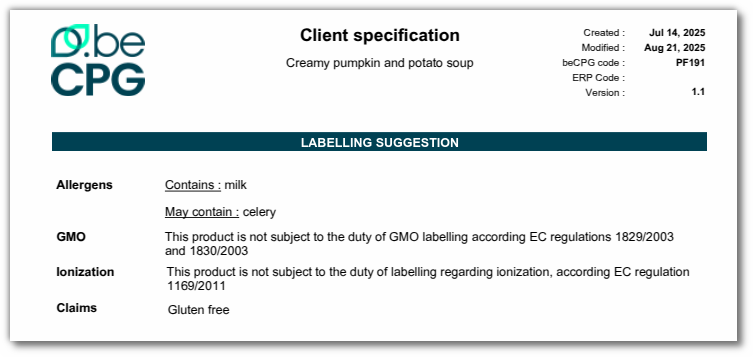
Display allergens in reports
In beCPG, you can associate major allergens with a content language. This allows you to define which allergens are considered major according to the regulations specific to each country. Thus, depending on the language selected for a technical data sheet, the corresponding major allergens will be automatically identified and displayed.
The settings for displaying allergens in the report are configured in the administration section. Click here for more information.