Product quality management
Control points
Control points group together the controls to be carried out.
Example: a microbiological check on receipt of a raw material may include:
- checking the quantity of Salmonella;
- checking the quantity of coagulase-positive Staphylococcus.
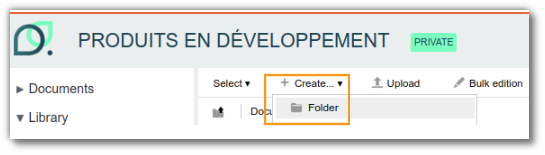
To create a control point, go to "Repository" > "Quality" > "Specifications" > "Control points". Click "Create+" and select "Folder". A rule on this folder automatically converts the new item into a control point.
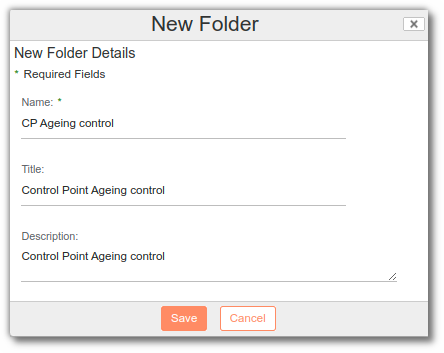
A form appears, asking you to enter the name of the control point. If it needs further explanation, fill in the "Description" box.
To enter the various actions to carry out in this control point, go to the "Controls" list and click "Add".

A form appears, allowing you to enter:
- the type of control (microbiological, visual, physico-chemical, etc.);
- the characteristic to inspect (bacteria, color, pH, etc.);
- the quantity to test (number of samples to analyze);
- the inspection frequency;
- the unit of this frequency;
- the target or expected quantity for the characteristic;
- the unit of this target;
- the minimum value for this target;
- the maximum value for this target;
- a text criterion;
- a text tolerance;
- whether or not it is a final check;
- the inspection method used.
Note: you can complete the list of methods in the administration ("beCPG" > "beCPG Administration" > "Quality lists" > "Control methods").
Once control points have been created, they can be used in control plans.
Control plan
Control plans are used to define all the samples to be taken in order to carry out the actions listed in the control points.
Example: on receipt of a raw material, the following checks are required:
- visual inspection;
- physico-chemical inspection;
- microbiological control;
- organoleptic control.
There are two ways of creating a control plan:
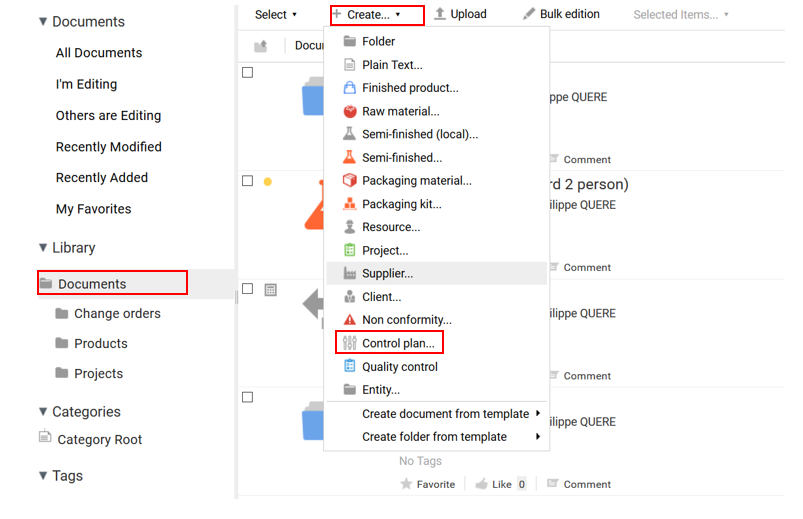
- Go to the folder where you want to create the control plan and click "Create+" then "Control plan".
- Go to "Repository" > "Quality" > "Specifications" > "Control plans", click "Create+" then "Folder". A rule on this folder automatically converts the new item into a control plan.
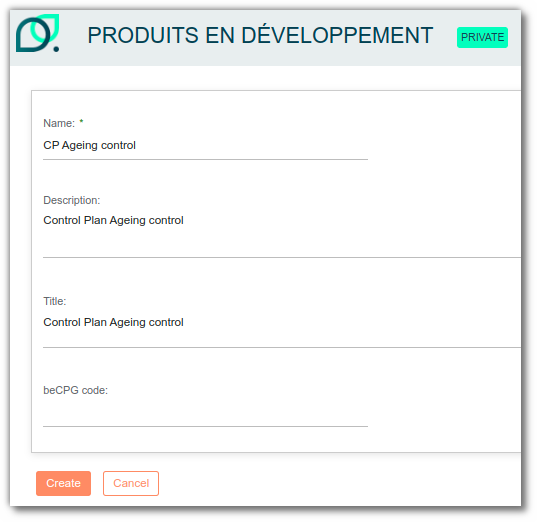
A form appears, asking you to enter the name of the control plan. If it needs further explanation, fill in the "Description" box.
To enter the various actions to carry out in this control plan, go to the "Sampling" list and click "Add".
A form then appears, allowing you to enter:
- the control point (see the "Control points" section);
- the quantity to test;
- the inspection frequency;
- the unit of this frequency;
- the inspection stage (you can complete the list of stages in the administration: "beCPG" > "beCPG Administration" > "Quality lists" > "Control stages");
- the sampling manager;
- the control manager;
- the correction manager;
- a reaction.
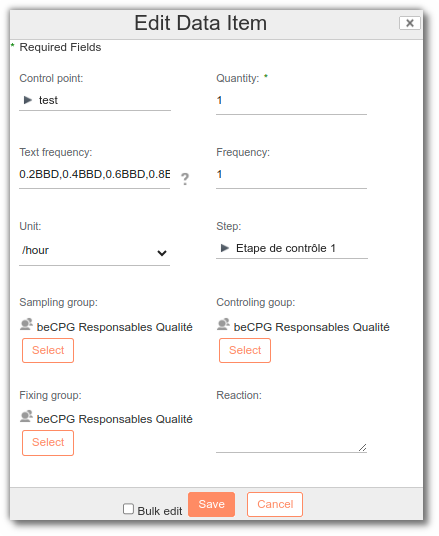
A line appears in the samples: this is the control point to perform.

Once the control plans have been created, you can use them for quality control.
Ageing control
In the sampling list, you can define the frequency.
Example:
1D,1W,1M,6M,12M
Frequencies are separated by a comma.
This corresponds to:
1 day, 1 week, 1 month, 6 months, 12 months
These frequencies correspond to the spacing of analyses after using this control plan in quality control.
From version 3.2 onwards, you can also use the shelf life of the finished product to define the frequency:
BBD=DLC(J) UBD=DDM/DLUO(M) PAO=PAO(J)
Example:
0.2BBD,0.4BBD,0.6BBD,0.8BBD,1BBD,1.2BBD
In this case, the BBD is 90 days (90J):
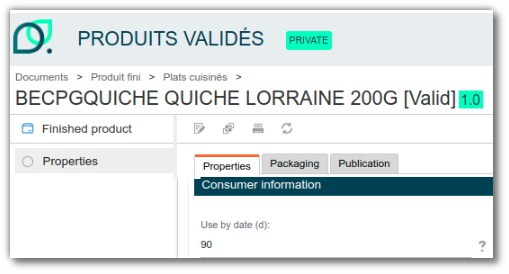
This corresponds to:
0.2x90J=18J , 0.4x90J=36J, 0.6x90J=54J, 0.8x90J=72J, 1x90J=90J, 1.2x90J=108J
Quality control
Quality controls are used to run a control plan on an entity (finished product, semi-finished product, raw material, etc.). To create a quality control, go to "Repository" > "Quality" > "Quality controls", click "Create+" and select "Folder". A rule on this folder automatically converts the new item into a quality control.
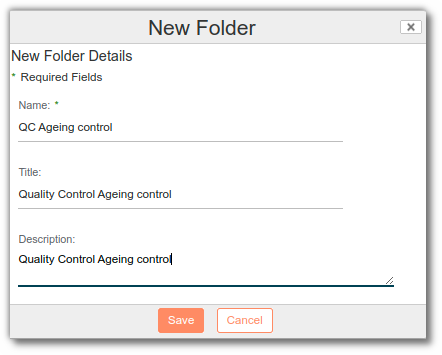
A form appears, asking you to enter the internal name of the quality control. If it has a more formal name, use the "Title" field. Similarly, if the quality control name needs further explanation, use the "Description" box.
Click "Edit properties" to open a form where you can enter:
- the number of samples to test;
- the status;
- the control plan to apply;
- the product concerned;
- the batch number;
- the order number;
- the batch start date and duration;
- a comment.
Samples
All the samples defined in the control plan are included in the quality control.
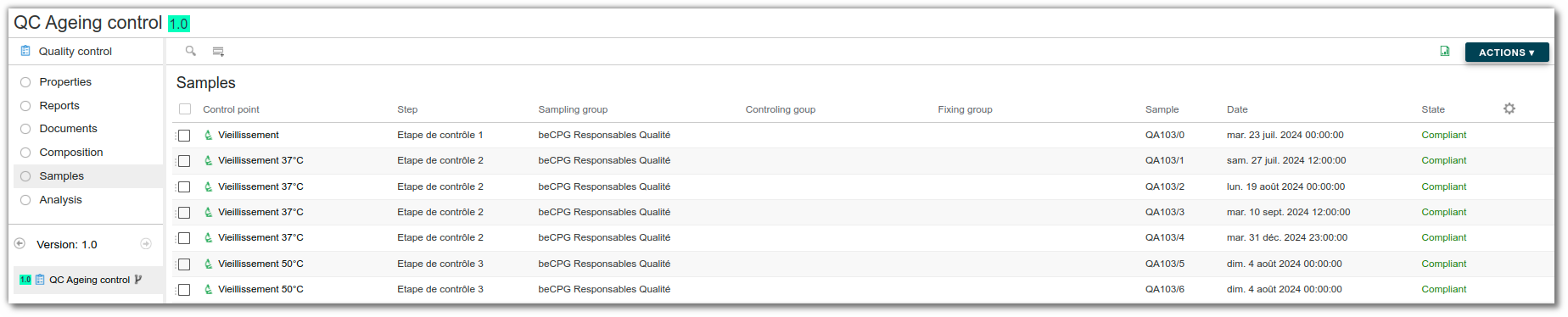
Analysis
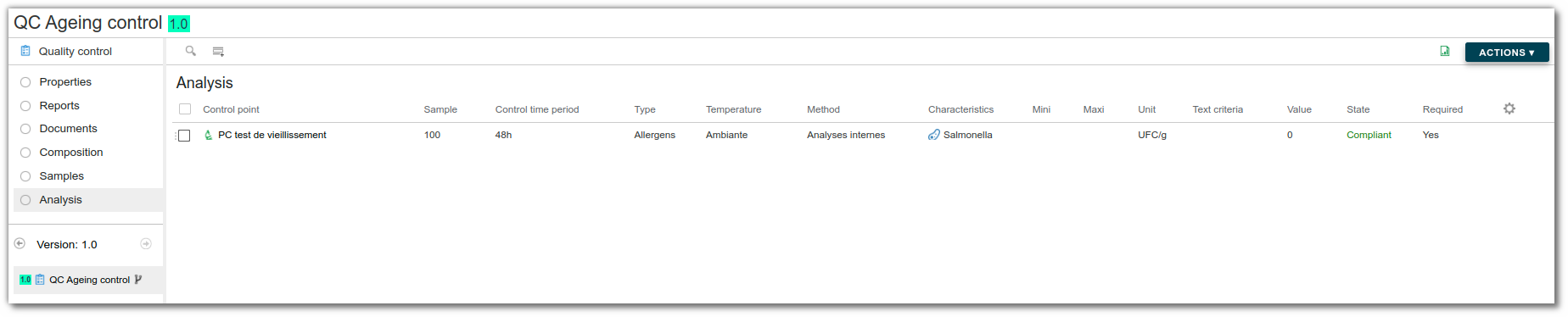
When you create a quality control with a control point that has frequency information, you get one line per frequency. The due date is calculated from this frequency and the creation date of the quality control.
Under analysis, you find as many analyses to perform as there are samples and frequencies configured in the control plan.
Report
Once everything has been completed, click the "Data sheets" list to generate a product analysis report.
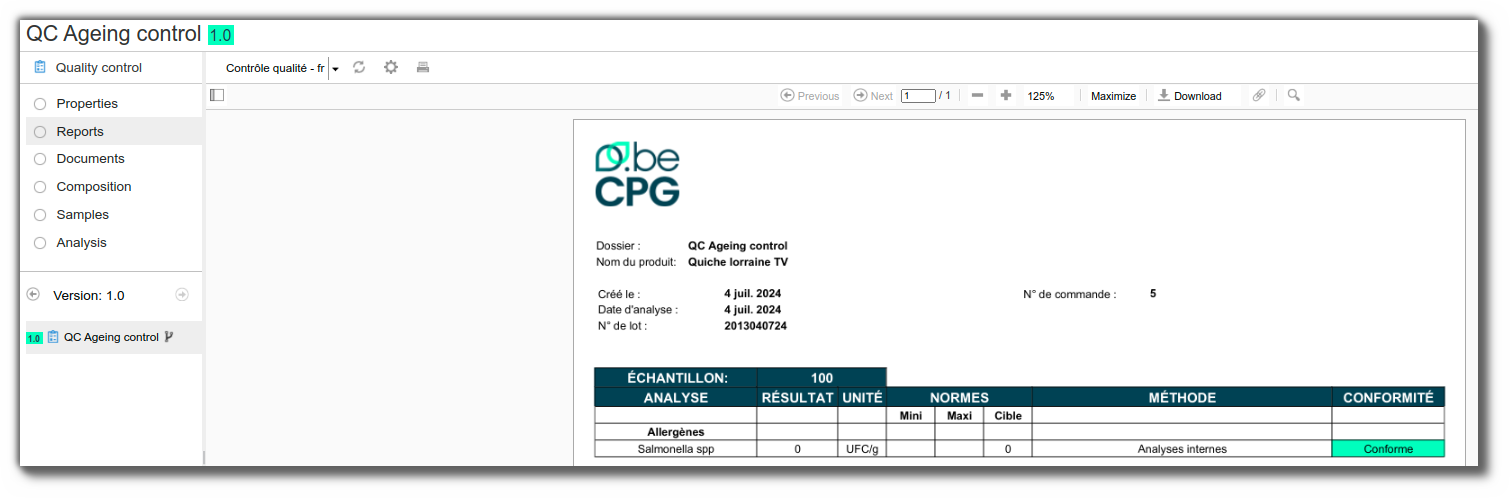
In the "Data sheets" section, you can generate the "Quality Control - Aging" Excel report.