Optimization with the Glop service
Let's start from a Finished product with 3 Raw materials.
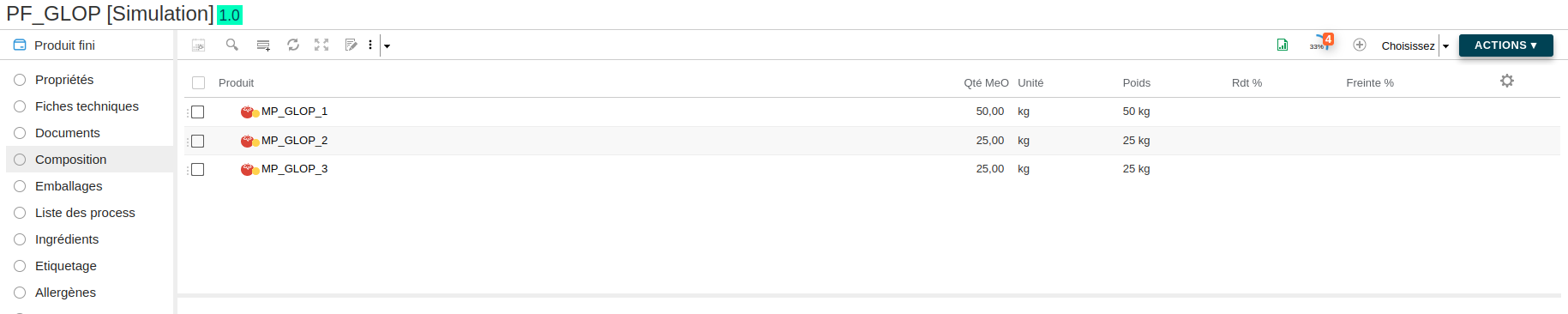
We want to optimize the recipe to reach some nutrient and composition targets.
First, add the "Optimization Target" and "Optimization value" columns to the composition and nutrient lists.
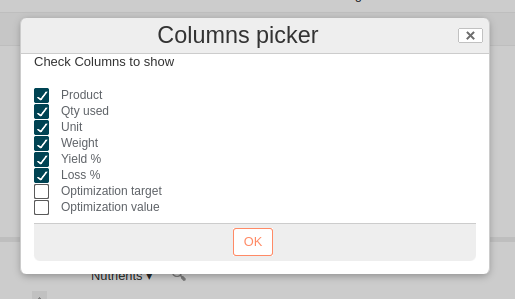
Then fill in the targets in the "Optimization Target" column. A target can be:
- a single value, ex: 58.2
- 2 values separated by a ";", ex: 44;48, which are the min and max (negative values are accepted)
- followed by a tolerance in parentheses, ex: 58.2 (10) or 44;48 (15), which is the tolerance in %
- empty, which means there is no constraint for that row
Then create the SPEL formula.
This is the formula used in this case:
var glopData = @glop.optimize({target: {var:  cost['workspace://SpacesStore/db597446-3458-405a-96d1-09b9593df1bb'], task: "min"}, constraints: {
               {list: compoList},
               {list: nutList}}});

setGlopData(#glopData);
glopData.getStatus();
Here is the result:
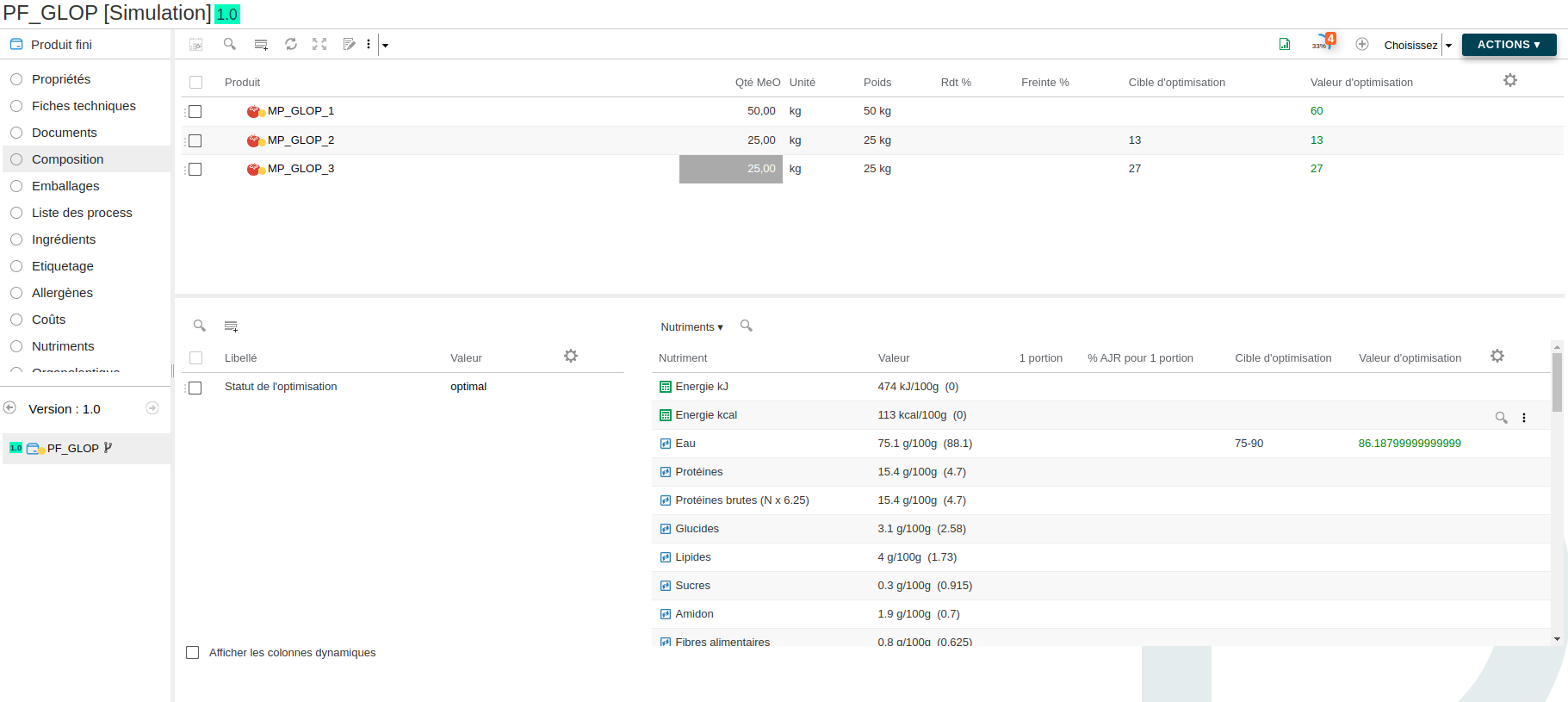
The system found a solution, shown in the "Optimization target" column.
By default, the system will try to find a solution using the same amount of total quantity in the recipe. That is why the total quantity of the solution is still 100 kg.
You can add a constraint on the total recipe quantity with the following formula:
{var:"recipeQtyUsed", min:90,max:90}
Tolerance application
When the system cannot find a solution, it is possible to apply tolerances (in %) on the constraints.
- From the SPEL formula:
{list: compoList, tol:10}(here, the tolerance applies to the whole list) - From the "Optimization target" column:
6 (10)(here, the tolerance applies only to the row)
Here is the result:
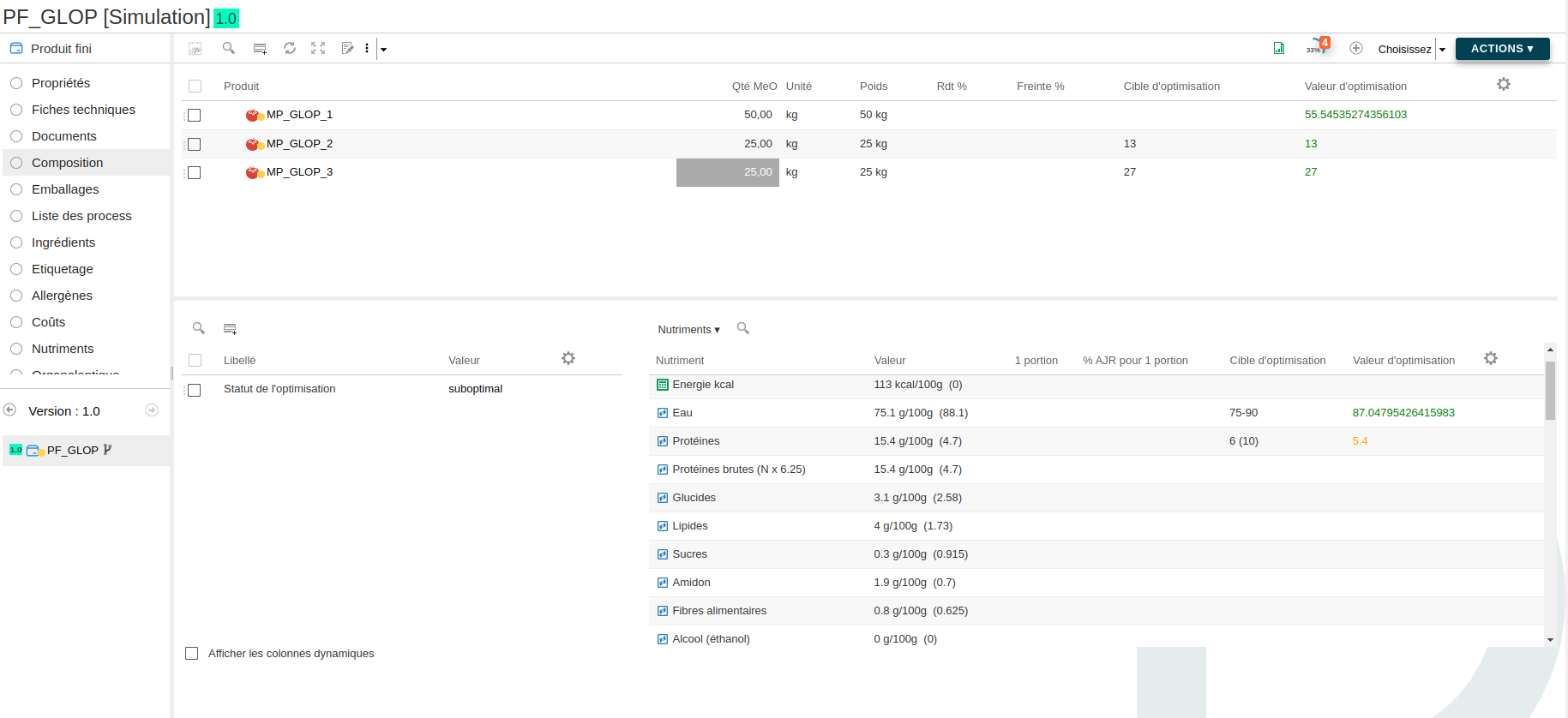
The "Proteins" optimization value is orange because the system had to apply the 10% tolerance to find a solution.
The optimization status is then "suboptimal".