Collection management
Collections group products together (raw materials, semi-finished products, finished products, local semi-finished products or even other collections). They are used to manage à la carte menus, set menus and catalogues and to include the sell price.
Creating a collection
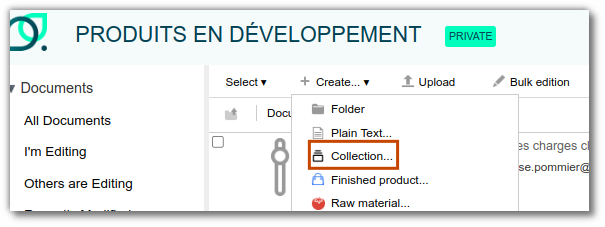
Go to the desired site, click "+ Create" and select "Collection".
Add a product
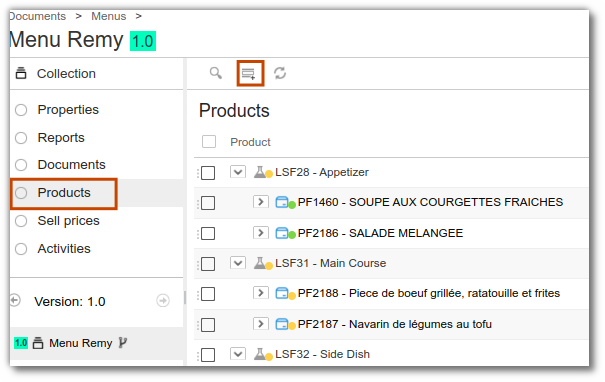
Once you have created a collection, add the products you have created. In the product list, click "+" to add them.
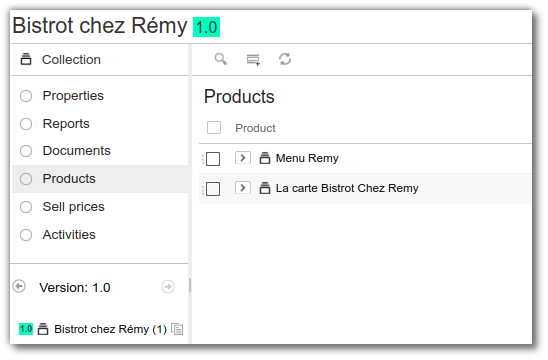
You can also add several collections to the product list by selecting the desired collections directly.
Menus
beCPG PLM includes choice management in collections, to manage menus (choice 1 or choice 2) and courses (aperitif, starter, main course, dessert). To do this, first create a local semi-finished product for each course, then add the products making up that course to it.
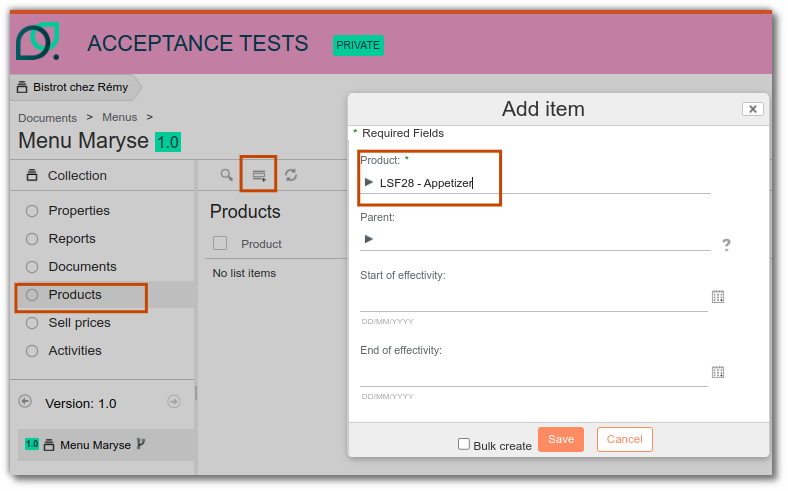
To link a product to a local semi-finished product, define the local semi-finished product as its parent.
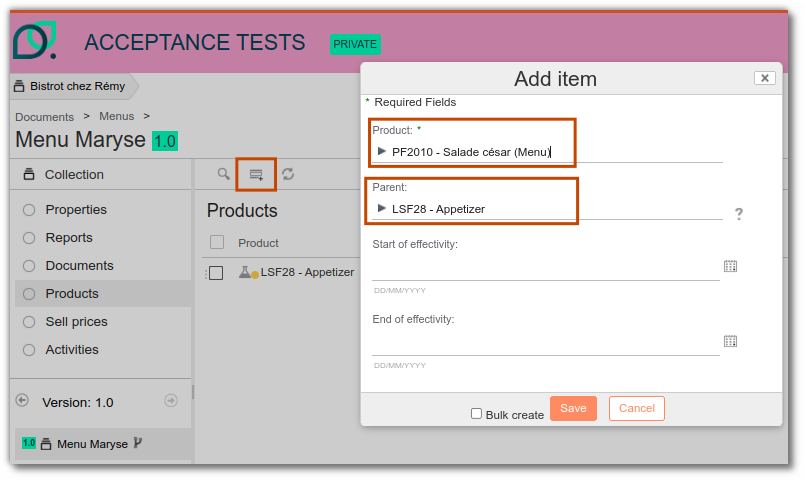
Each product that makes up the menus can be managed with an effective date.
Sell price management
Collections can also be used to manage costs via the "Sell prices" list.
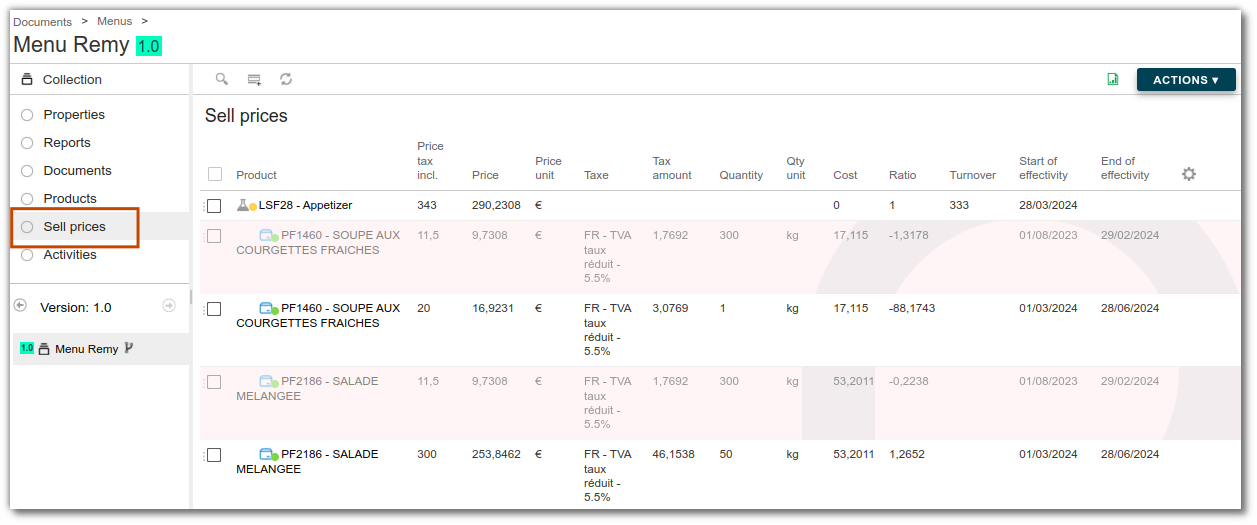
The fields of the sell price list are defined below.
Values to fill in:
- Price tax incl. = price including all taxes
- Tax = tax to apply, which affects the price in the Price field
- Turnover = gross sales for this entity
Calculated values:
- Price = price excluding tax
- Cost = cost price indicated in the entity properties
- Ratio = price / (price-cost price)
- Tax Amount = price including tax - price excluding tax