Workflows and project management
Workflows
beCPG provides a fully configurable workflow engine (BPM) to manage internal business processes. Several workflows are provided as standard:
- Ad-hoc workflow, to assign a task to a colleague
- Review workflow, to assign a task to several colleagues
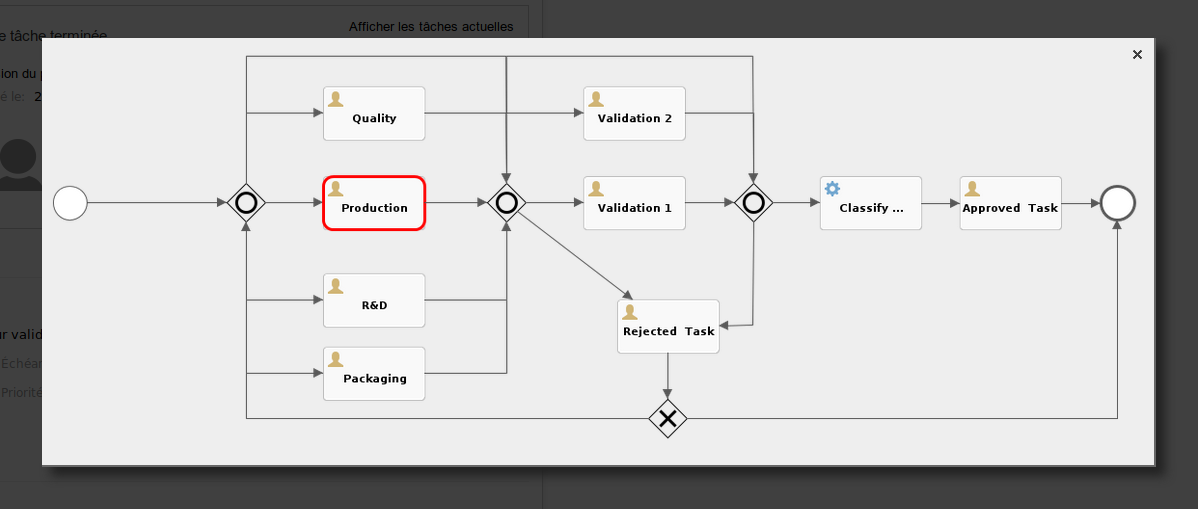
- Product validation workflow, to review and approve as a group
- Customer complaint workflow
When a user is assigned to a task, they can see which step the process has reached.
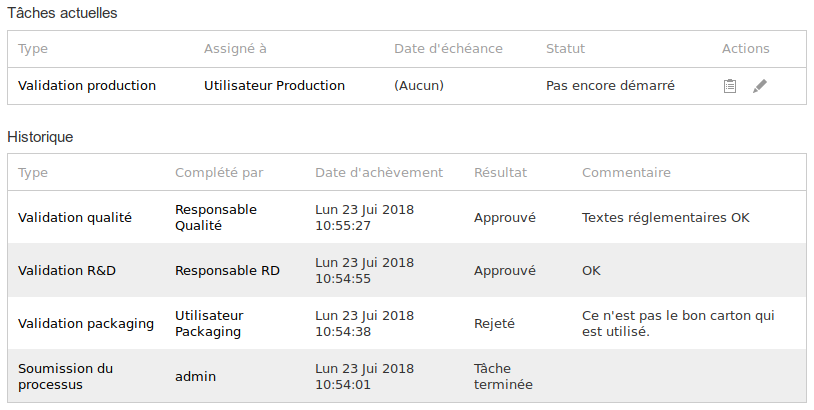
Every process keeps a task history, which shows what the users entered.
Project management
Project repository
The beCPG solution supports collaboration during product development through the notions of projects and processes. Project management handles a portfolio of projects while making sure they meet their schedules, budgets and targets. For each project you will find:
- A document tree
- A schedule, or a reverse schedule, with the assigned tasks and resources
- The expected deliverables
Project management complements the workflows. It manages a schedule and adapts easily to the specifics of certain R&D projects, since steps that were not planned when the project started can simply be added. To make the creation of new projects easier, the module lets you build project templates, for example:
- Development of a private label product
- Development of an own-brand product
- Listing of a raw material
- New packaging
- Recipe change
- Product discontinuation
- Quality action plan
- Plant change
- and so on
A project template defines a process with tasks in parallel, tasks in sequence and round trips. Users and/or user groups are assigned to each task. The system sends an email to the users when a task is assigned to them, and it can send them a reminder if they fall behind. A new product development project can therefore drive the development by including steps such as:
- New product request
- Requirement study
- Approval of the requirement study
- Feasibility study by the R&D, Quality, Production departments, and so on
- Approval of the study by the project manager
- Industrial prototype (or industrialization step)
- Customer offer
- Production launch
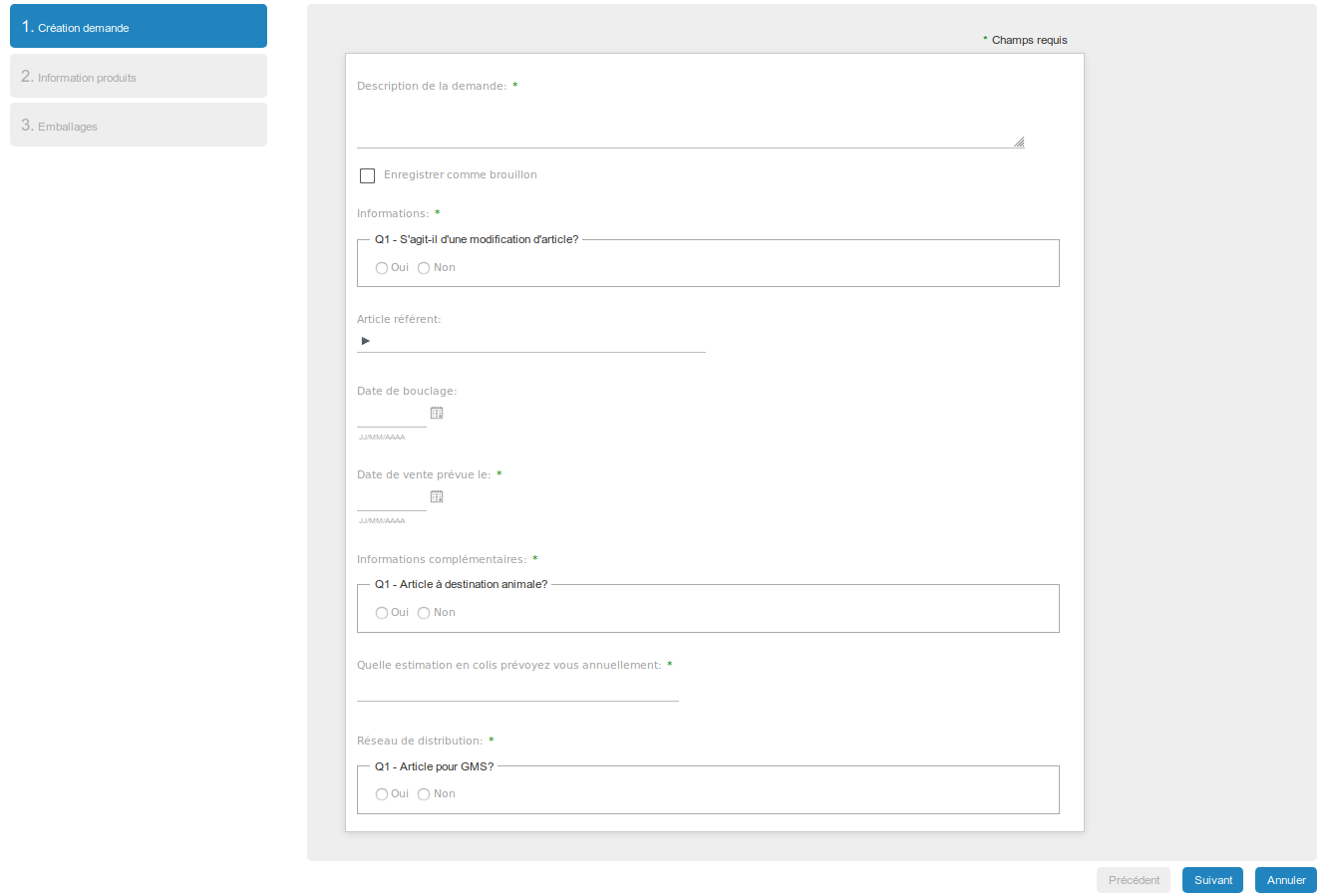
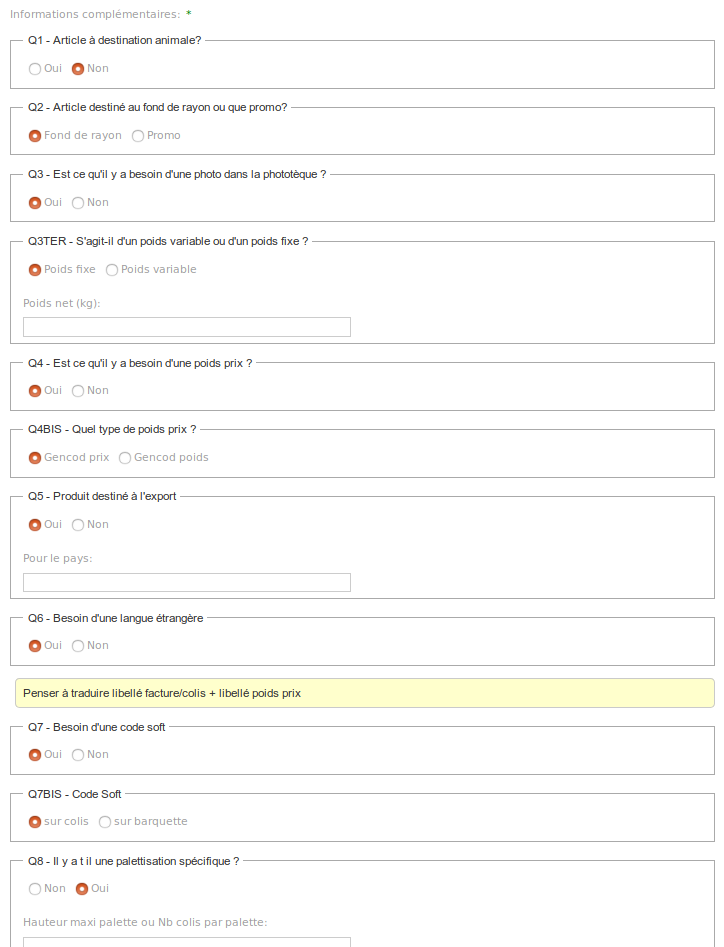
A wizard can be used to fill in the new product request (product brief) through a set of questions and answers. Some questions depend on the previous answers.
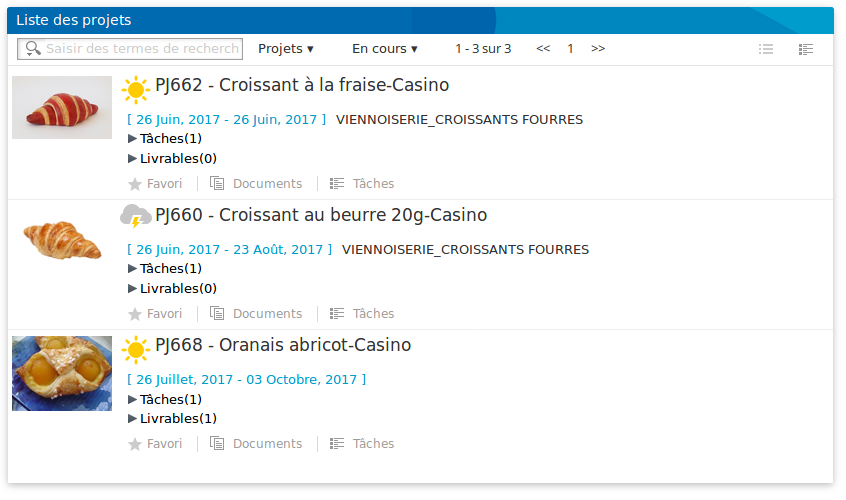
The project list gives quick access to the projects from the dashboard.
Schedule management
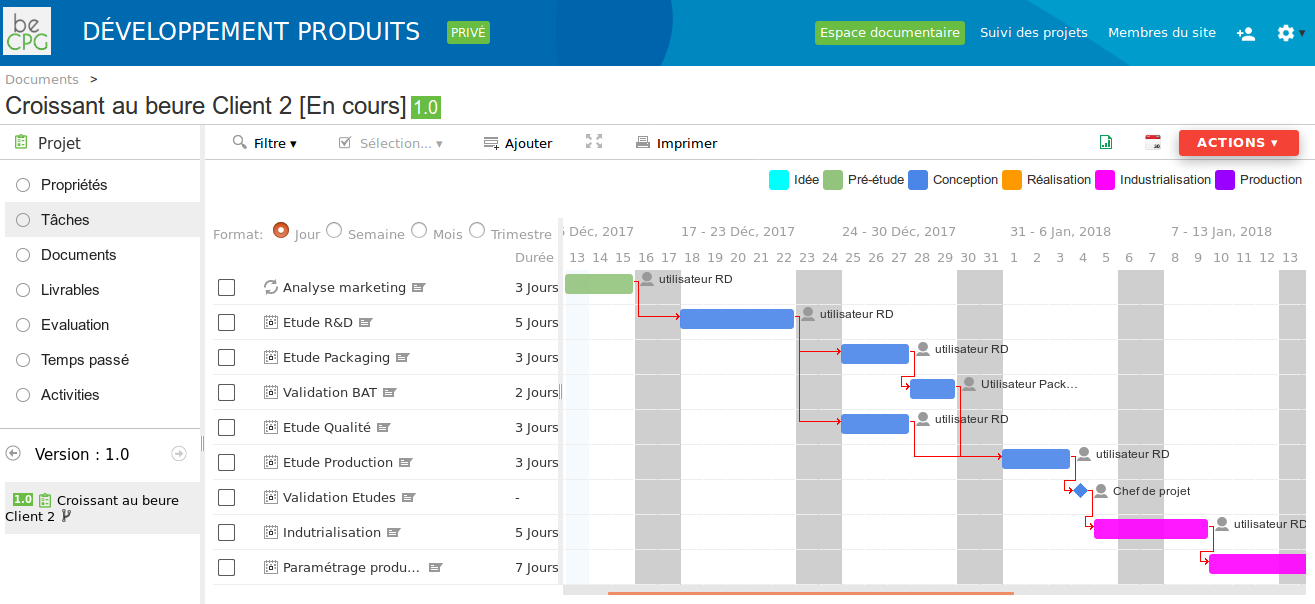
An expected duration can be set for each task, and the process can be displayed as a schedule. The schedule communicates the objectives and everyone's role to each team member, so that everyone is on the same page. It also gives a quick view of the project milestones (e.g. sample date, production date, delivery date). These expected durations are defined on the tasks of the project template. They correspond to the standard durations of a development and are not blocking, for example:
- A task can have a default duration of 5 days
- The project manager can adjust it at any time depending on the complexity of the project (this is not mandatory)
- When the task is completed, the schedule of the following tasks is recalculated so that the next contributors are not impacted and penalised (in schedule mode). In reverse-schedule mode, the deadline stays the same.
Task assignment
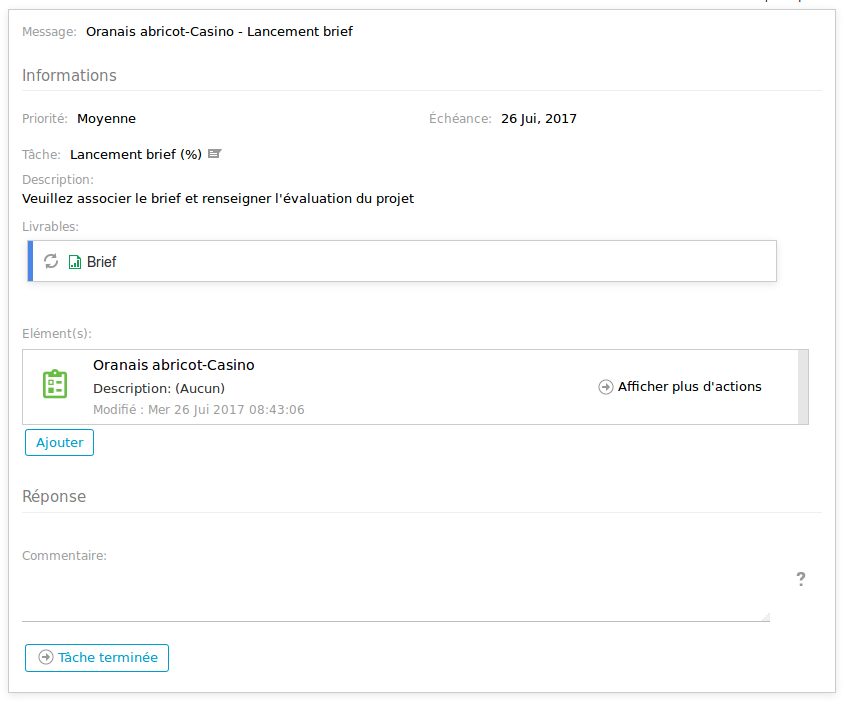
When a task starts, the person responsible for it is notified through the workflow and by email, with a description of what they have to do and links to the deliverables to produce. The sequencing of the tasks and the assignment of the contributors are configured without any development.
Project assessment
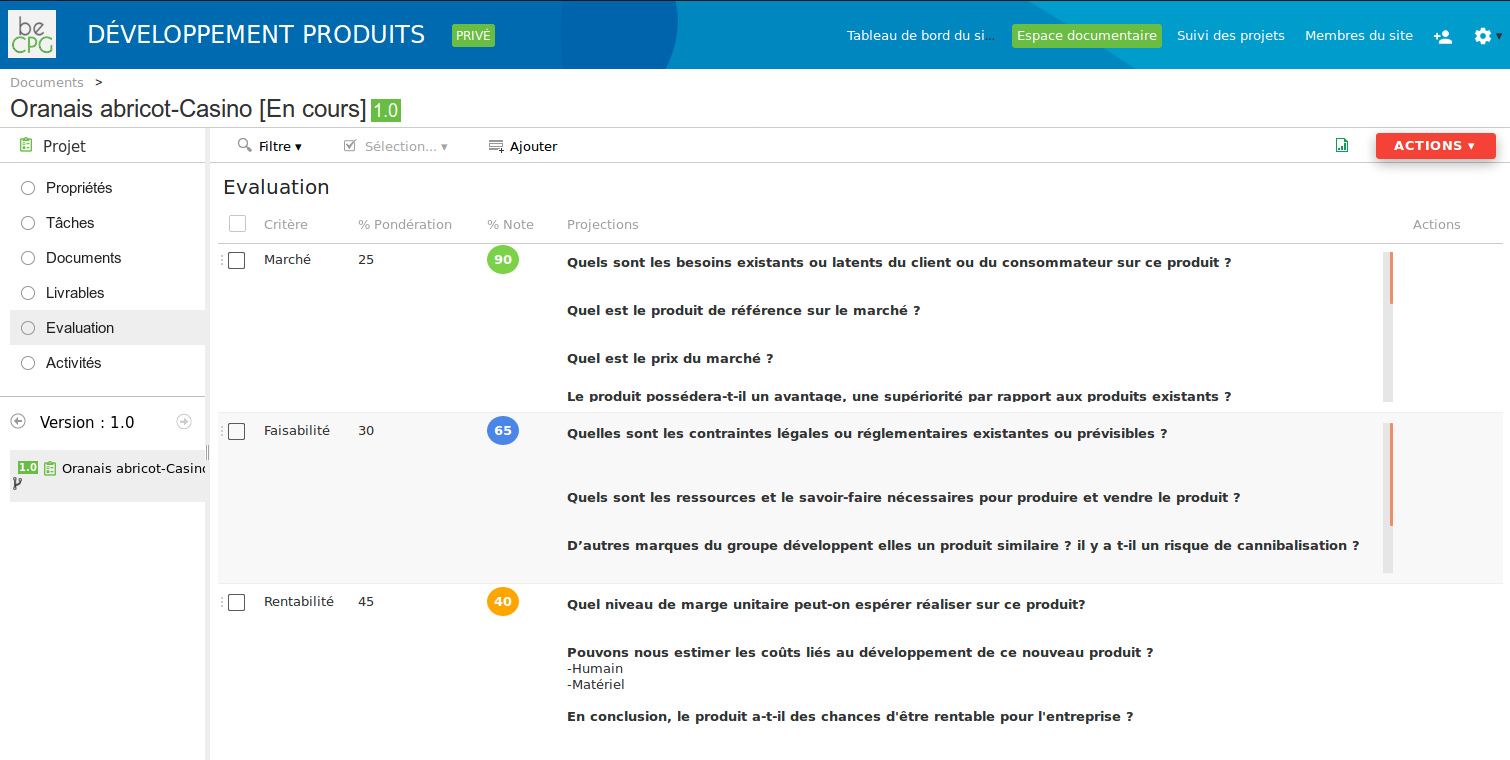
Every project is assessed against several configurable criteria.
Project monitoring
Project monitoring lets users follow the projects, see the tasks in progress, the completion, the project score and the latest project comment. The columns of this screen are configurable. This screen allows the product committee to follow the requests in progress, and to accept or reject them.
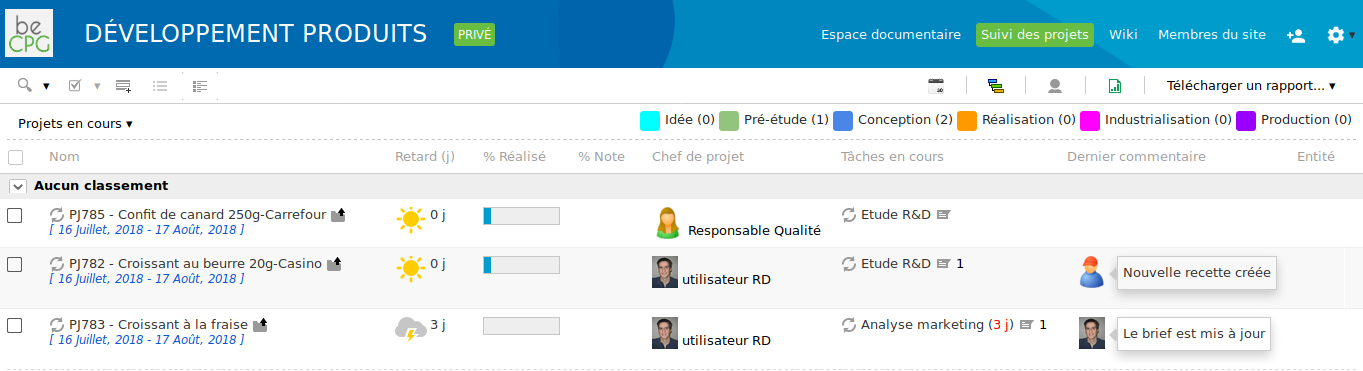
From this screen, the user can export the projects to an Excel report. The columns of that Excel file are configurable as well.
Project analysis is done through the BI Light module. A decision analysis cube lets users build queries to analyse the project portfolio. Below are a few examples of the analyses the cube makes possible:
- Project creation each month
- Average time per project step
- Assessment (scorecard) of the projects against several criteria (strategy, risk, resources, costs, and so on)
- Projects by family, sub-family, customer, and so on