Process management
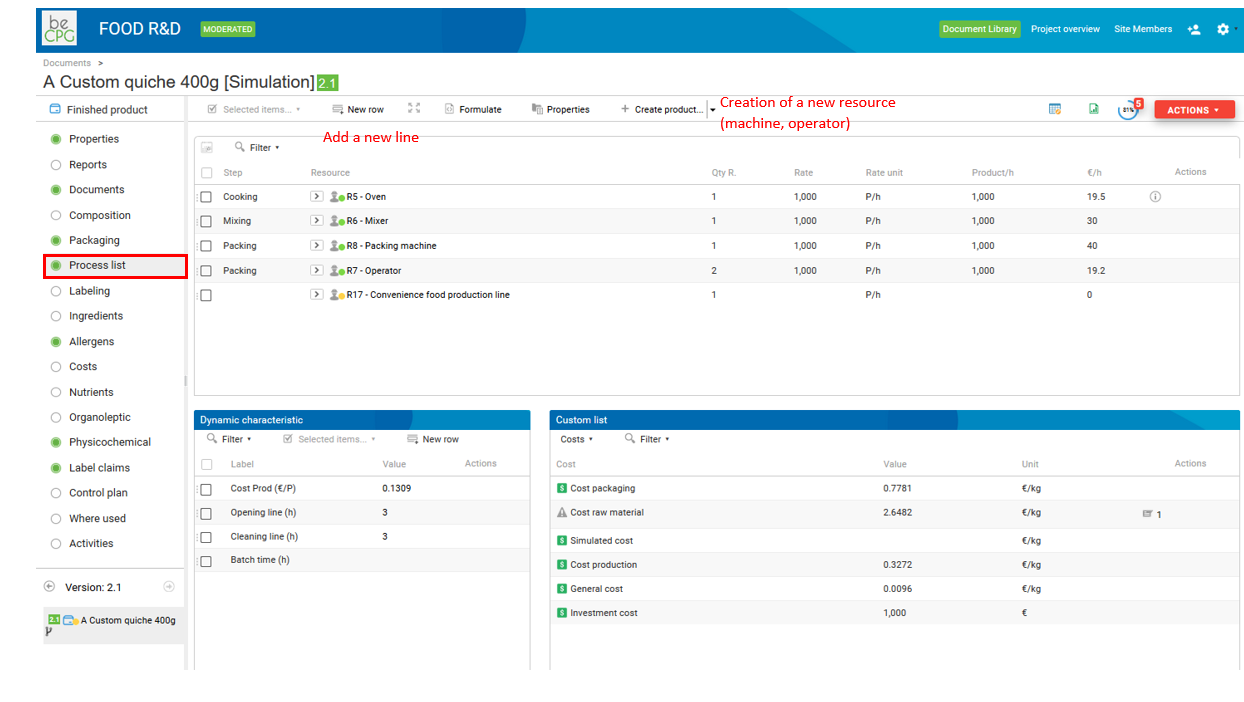
The process list allows you to enter production steps, lines, equipment and operators through resources.
To do so, first go to the process list of an entity. Then, add one line per resource (e.g. Oven). If the resource does not exist, you can create it with the "Create a product" menu.
Resources
On your finished product, in the "Process list", add resources (e.g. Oven). If the resource does not exist, you can create it via the "Create a product" menu.
Resource parameters
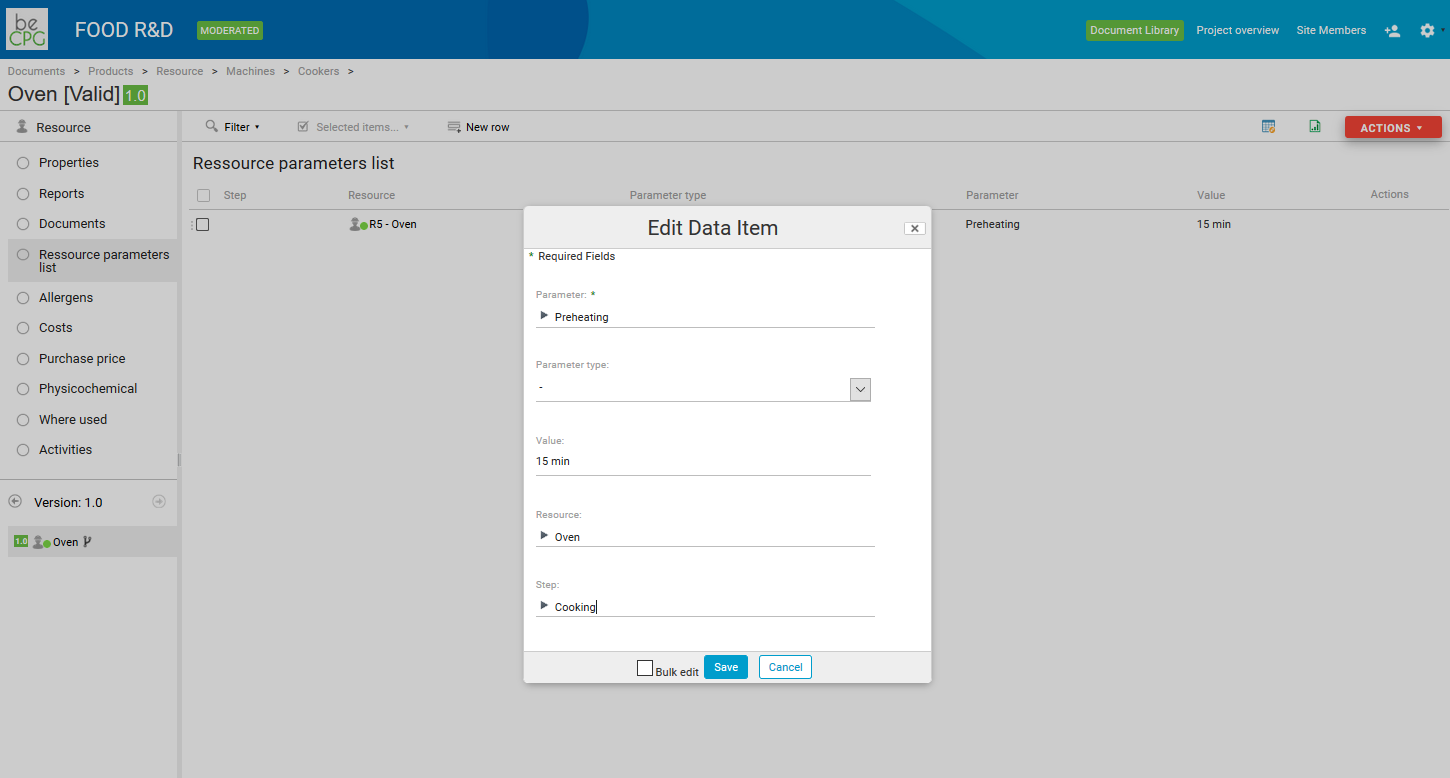
On resources, you can enter parameters (e.g. cooking time) in the parameter list. These parameters appear in the "Resource parameters" list of the finished product. You can enter their values at different levels:
- on the finished product, if the value is product-specific;
- on the resource: the value is filled in automatically at creation, but is not synchronized afterwards;
- on the finished product template: the value is synchronized with the template, so you cannot adjust it product by product.
Instructions
You can enter instructions for each process line of the product. Parameters and instructions are included in the production sheet.
Resource cost
Enter the cost of a resource in the resource cost tab. It is then allocated to the finished product according to the production rate of the finished product. For more information, see the costs section.
Process steps
Process steps and parameters are created in the administration ("beCPG" menu > "beCPG Administration" > "Characteristics").